How to fix migration window?

Hello!
After updating the "Remote Desktop Manager" application on Android 10.0, the migration window began to appear at startup. The "Migration" and "Skip" buttons do not work.
How to fix the application without losing data?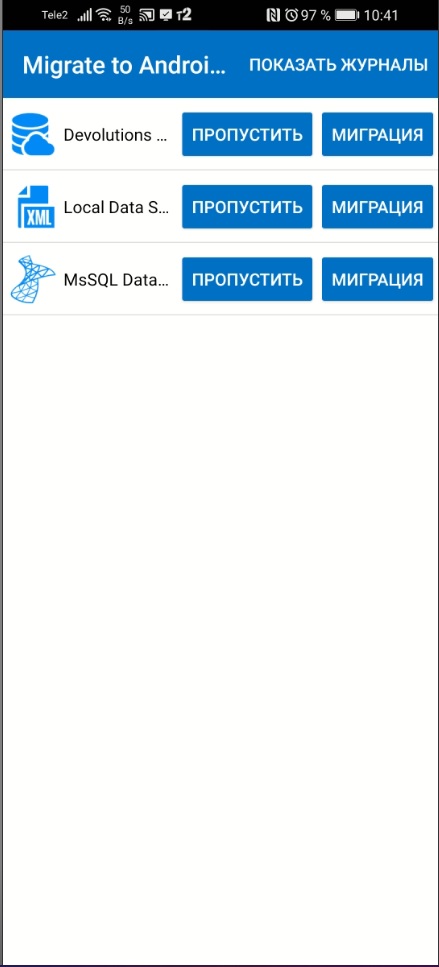
16.jpg
All Comments (10)
Hi,
Two of the data sources that you use are shared (MySQL and DODB) and you will not lose data from those. Just keep the application on your device and we will get back to you tomorrow. We are on a Holiday here in Canada and our office is closed. Since you cannot get into the application and you are stuck at the migration window, we will probably have to send you a special build.
Best Regards,
Nicolas Dufour
Hi Nicolas,
Two of the data sources that you use are shared (MySQL and DODB) and you will not lose data from those
Yes, it is. Shared data sources are available, data is OK. However, we are experiencing difficulties in accessing the .xml source "Local data source". It is located in the "/data/user/0/com.devolutions.remotedesktopmanager" folder and we cannot access it even through adb.
Just keep the application on your device and we will get back to you tomorrow.
Thank you very much for your understanding. I will be happy to wait for your answer and will be very glad to help.
Best Regards,
Gleb Grebenchikov
Hi,
Can you:
1- Try to migrate your data sources
2- Tap on the logs button.
3- Send us a few screenshots of the logs.
This should help us understand why the migration is not working.
Best Regards,
Nicolas Dufour
Hi,
3- Send us a few screenshots of the logs.
Log box is empty:
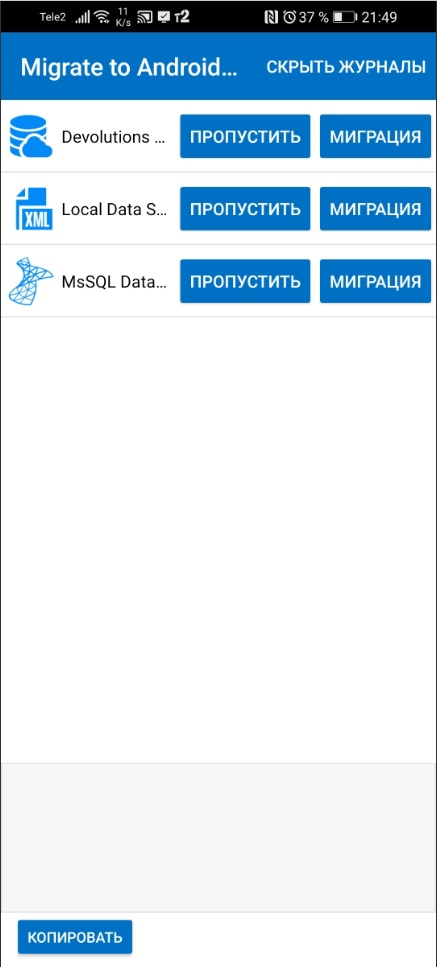
Buttons "Migrate" and "Skip" do not make any reaction. They is not working.
17.jpg
Hi,
This Phone is Honor 30i by Huawei. Android version is 10. Magic UI version is 3.1.0. Model NO: LRA-LX1.
Kernel version is 4.14.116
Could this affect the stable operation of the application?
Best Regards,
Gleb Grebenchikov
We are not sure what is causing the issue. The migrate/Skip feature has been deployed more than 3 months ago and you are the first user to report such an issue. We are currently building a special release with some logging information. Hopefully, this will help to find what is going on.
1- Would you be willing to install a special custom version?
2- When you press skip button, do you see a confirmation windows that asks you if you really want to skip the migration?
Best Regards,
Nicolas Dufour
When you press skip button, do you see a confirmation windows that asks you if you really want to skip the migration?
I don't see a confirmation windows that asks me if I really want to skip the migration. Button "Skip" does not show any reaction. At the same time, the application doesn't freeze or crash.
Would you be willing to install a special custom version?
I would be willing to install a special custom version if it doesn't require root access.
and you are the first user to report such an issue.
I can test this scenario on Android Emulator to identify a similar problem.
Thank you for your work. I look forward to further support.
Best Regards,
Gleb Grebenchikov
Your device doesn't need to be rooted.
Can you send me a private message with your email address? We will send you a link tomorrow with a special link to download the application.
To send me a private message, just click on my name next to one of my posts on the forum. A window will open and you will see an email icon at the top right of the screen. Click on the icon to send me a message.
Best Regards,
Nicolas Dufour
I am using an Android tablet and after updating the app I get the Skip and Migrate buttons. If I tap on migrate popup shows "Migrating" with blue wheel and it just spins.....and spins.....and spins....and spins for hours. Same results on both data of my sources and if I select Skip, the same results as well. If I select "Show Logs" it is blank at the bottom of the screen.
Is there a fix for this?
Hi,
We are currently working on it. We will keep you posted.
Best Regards,
Nicolas Dufour