Log SSH session

Disabled
I can't find the global setting to enable the logging of the output of the SSH sessions. I can turn it on for 1 session by selecting Enable Logging and setting it for Custom. Where is the global configuration for this?
Also I'd like to use the session name as part of the log file. Is there a way to set the log path using variables? In Putty I used this
c:\logs\&H &Y&M&D.log
This there such a thing available? If I turn logging on globally will I just end up with 1 huge file?
Thanks
All Comments (5)
Hello,
The global setting is in File -> Option -> Types -> Terminal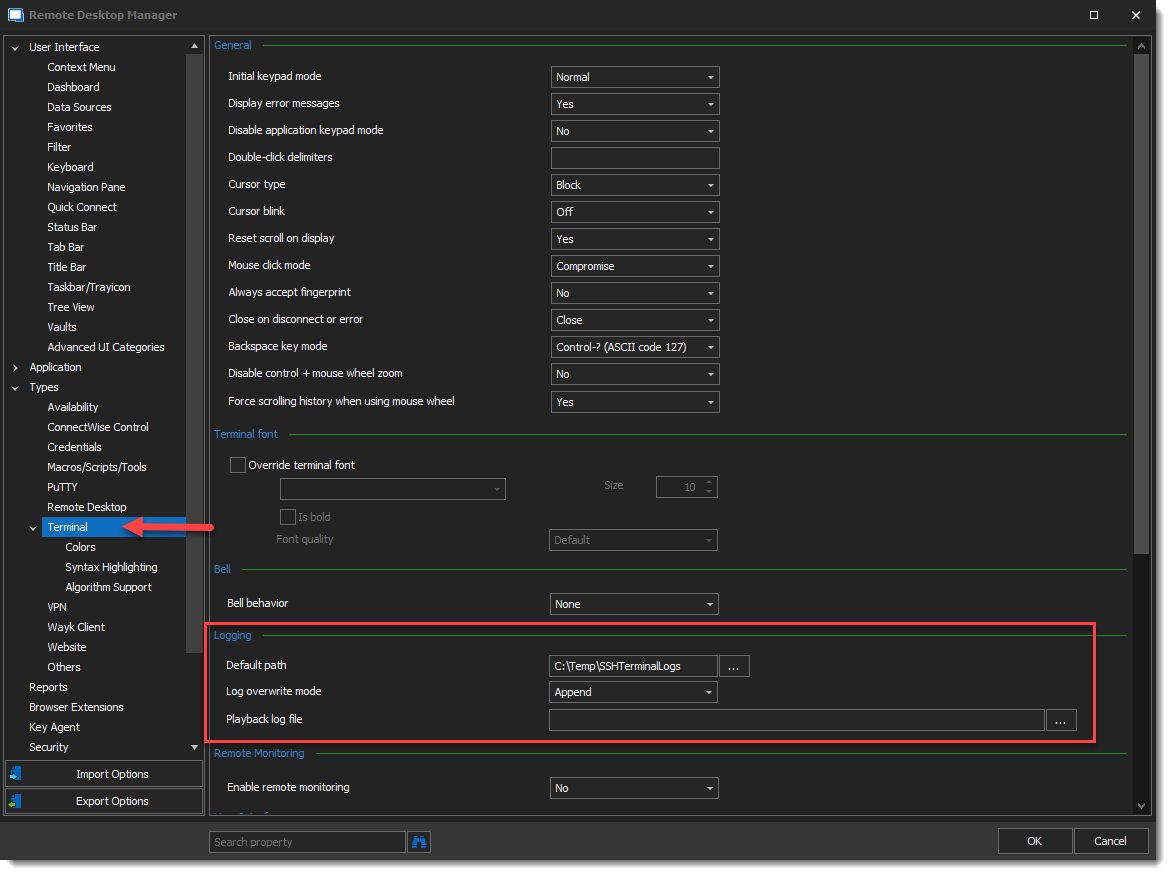
I hope this helps.
Best regards,
Alex Belisle
2021-10-06_9-43-24.png
Disabled
Thanks mate! I've now set the default path but I see that I need to manually turn it on for each session. Is there a way to turn them all on and use the session name as the filename? And can I use a variable in the name so that I don't end up with huge files as I don't want to overwrite the file each time. Putty can do this as mentioned in my first post.
Thanks.
Hello,
You can use our Batch Edit feature for this operation. I recommend using the Advanced Search, list all SSH session, Select them all -> Right Click -> Edit -> Batch Editor -> Edit Entries (Session Type Settings)...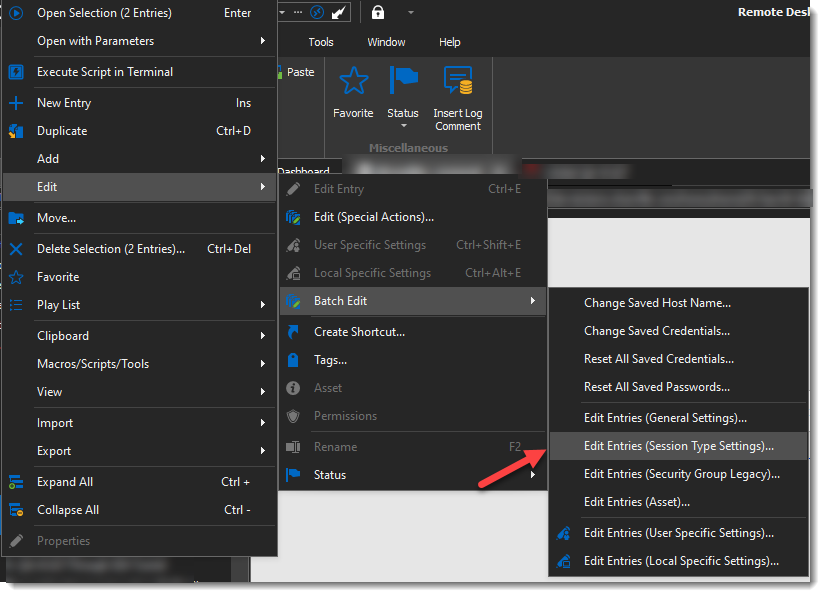
You can then use Variables to define the file name; like entry name, or any other relevant variables (you can view the list of available variables in the bottom Left corner of each entry property window,from the button "Variables")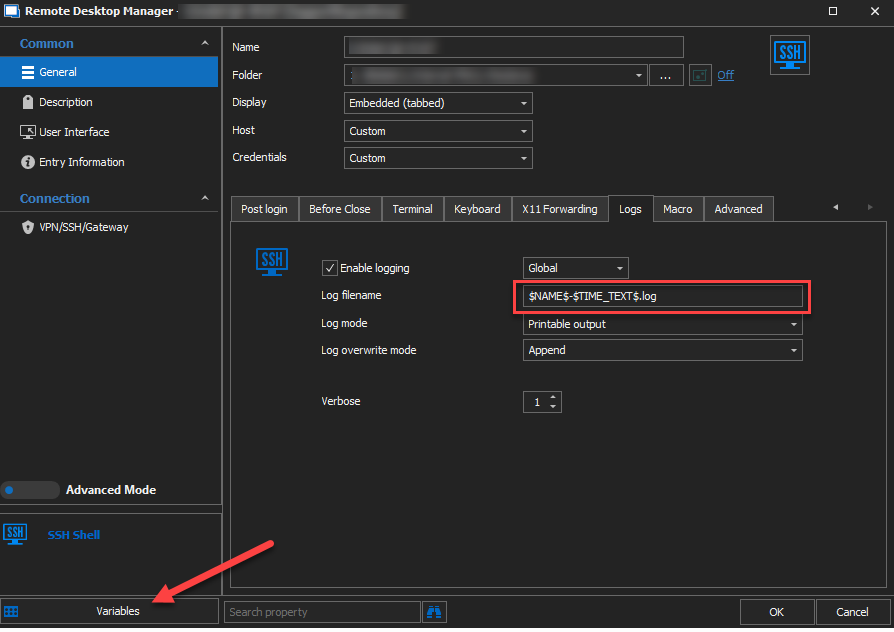
For the sessions you will be creating in the future, I suggest you edit your default template (or create a new one) with the Log Filename already filled, following the same method.
I hope this helps!
Best regards,
Alex Belisle
2021-10-07_14-09-26.png
2021-10-07_14-04-00.png
Hi,
Do you know if there's a feature to allow SSH Terminal Output logs into the database instead of local computer?
Thanks
Hello pplevesque,
I'd like to confirm which type of data source you're currently using in RDM?
If you're using DVLS, perhaps the recording server may be of interest to you? We have the following knowledge base article regarding this:
https://kb.devolutions.net/dps_recordingserver.html
That being said, I do not believe it is possible to achieve this, perhaps you could point the logs output to a shared drive instead of locally?
Let me know,
Best regards,
Samuel Dery