Tree View line spacing after upgrade

Hello,
This may seem trivial but it's bothering me quite a bit. Following an upgrade from 2012.1.xx to 2012.2.xx my tree view line spacing has increased although it is set at its minimum of 16. Increasing this value does increase space between lines but I cannot get it to where it was previously with 16 being noticeably wider than it has been forever. Image shows 2021.1.44.0 navigation pane on the left, and 2021.2.14.0.on the right. This is on Windows 10, 1080p at 100% screen scaling.
Any idea as to how I can condense the lines as they once were?
Thanks,
-Eric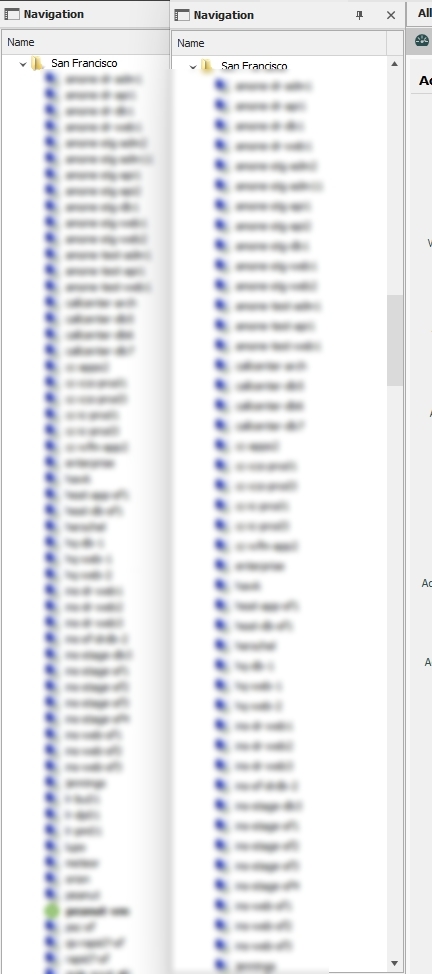
2021-10-05 16_48_13-Remote Desktop Manager.jpg
All Comments (7)
...actually I just noticed that line spacing has increased globally, affecting all menus. It's like MS Edge vs. Chrome and it's precisely why I refuse to use Edge. Is there a way to revert this change?
Hello,
I will check what can be done for the tree but for the menu, unfortunately it's not possible. There is no configuration for that.
Regards
David Hervieux
Thanks David. I'm okay with the menu, but being able to condense the tree would be great.
Appreciated!
-Eric
Hello,
We've looked into the issue and applied some changes. It might not be the exact same spacing as before, but we've improved it nonetheless. Unfortunately we are limited by the third party technology we use for this part of the UI. Hopefully this will be enough for your needs!
Regards,
Jafran Majeau
Hi Jafran. I am aware your hands are tied by DevExpress so I appreciate the effort.
Thanks again,
-Eric
This issue has now been resolved as of version 2022.1.12.0 (for me personally at least).
Items are now being condensed with the reduced line spacing as they were before.
Thank you Devolutions for resolving this issue.
Cheers!
This issue has now been resolved as of version 2022.1.12.0 (for me personally at least).
Items are now being condensed with the reduced line spacing as they were before.
Thank you Devolutions for resolving this issue.
Cheers!
Yes I did notice. A very welcomed fix and a cheers from here as well!