Navigation - Custom Field 1 and Custom Field 2 are Missing

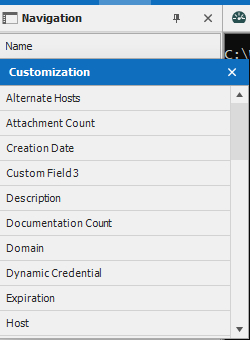
Navigation-Custom-Field-1-2-Missing.jpg
All Comments (5)
Hello,
What version of RDM are you running?
Best regards,
Jeff Dagenais
Forgot to mention, I added the custom 1 and 2 columns then hid them, after hiding them I do not see them to re-add them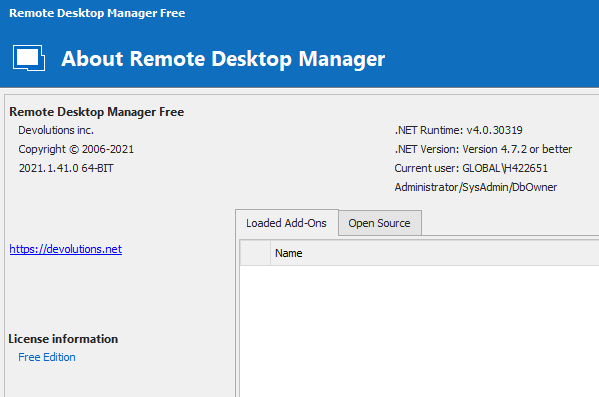
RDM Version.jpg
Hello,
Could you try the following:
- Close RDM
- Navigate to %localappdata%\Devolutions\RemoteDesktopManagerFree
- Rename the remotedesktopmanager.ext file into remotedesktopmanager.old
- Restart RDM
Let us know if the columns are back for addition.
Best regards,
Jeff Dagenais
I found the file in the RDM directory ( using the portable version ), after renaming the file and restarting RDM I do not see the Custom fields.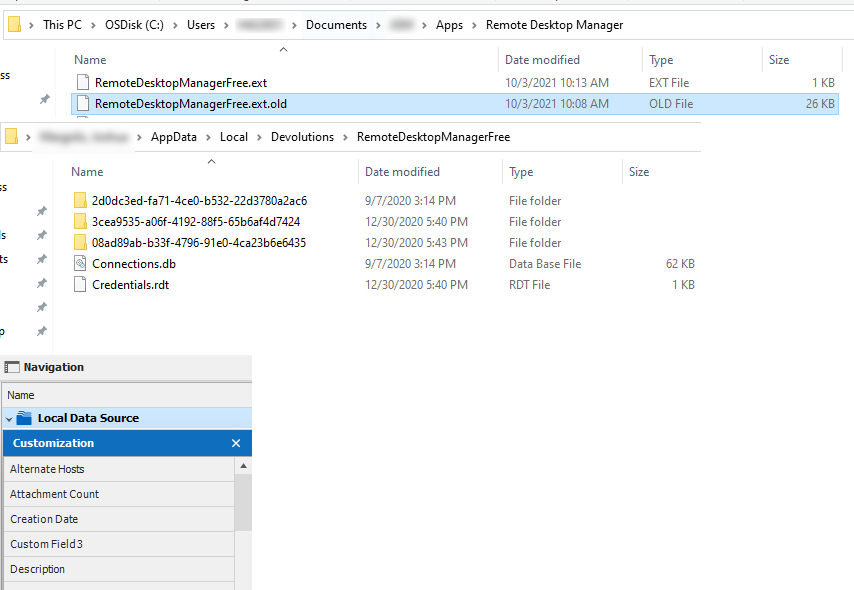
Navigation2.jpg
Hello,
If you right-click on the root folder, select properties and then, select User Interface, is it possible that you have renamed your Custom Field for something else? 
Best regards,
Jeff Dagenais