Macro to change settings in an objects Advanced Properties

I want to create a macro, or PowerShell script, to change the Advanced properties of whichever SSH session/s I have selected: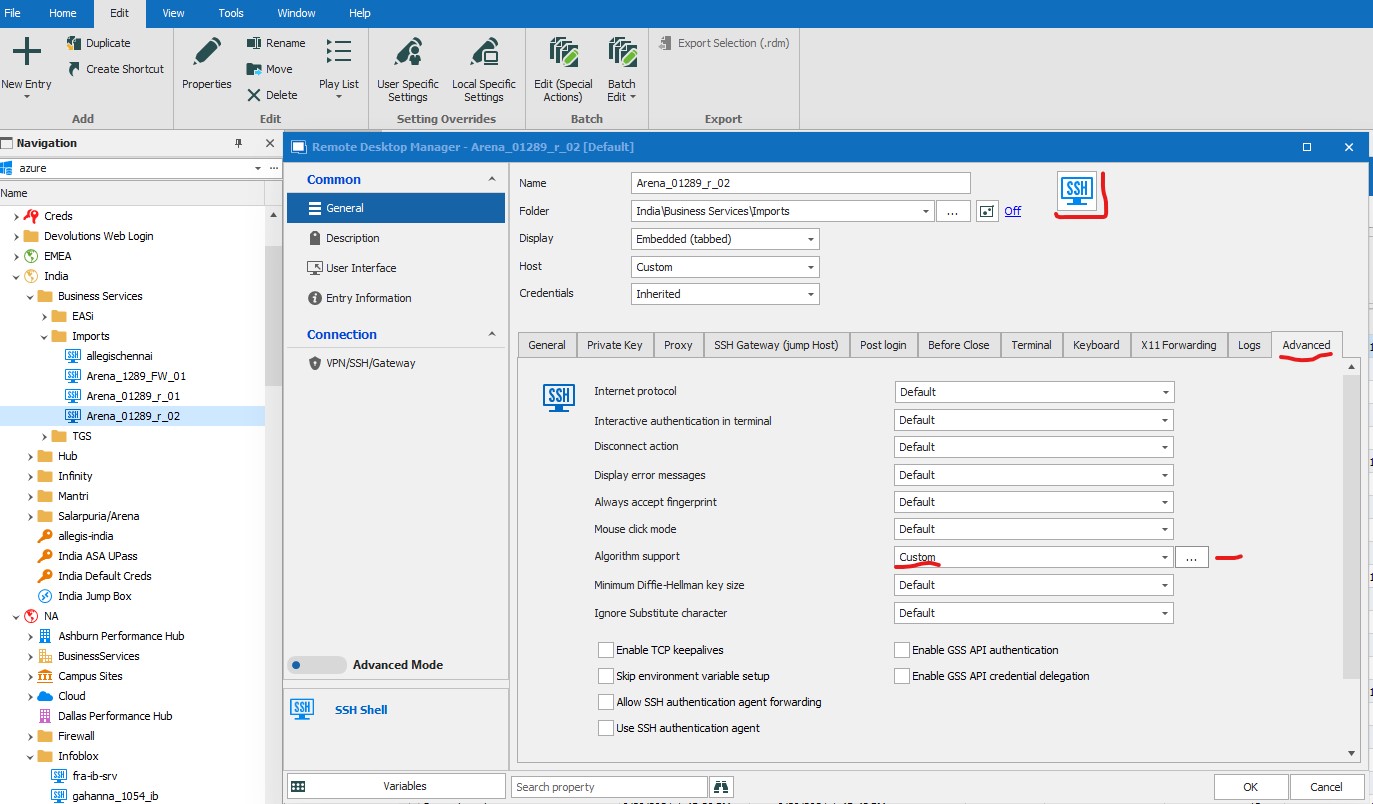
For some of my routers and switches I need to change the Algorithm support to include an additional settings on the Kec and MAC tabs, e.g.,: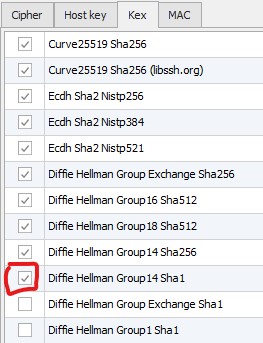
I’ve found a script to update the path in the Logs Tab, immediately left of the Advanced tab,
$connection.Terminal.MaxScrollbackLines = 2000;
$connection.Terminal.AlwaysAcceptFingerprint = $true;
$connection.Terminal.EnableLogging = $true;
$connection.Terminal.LogPath =
'$LOGPATH$\$NAME$_$DATE_TEXT_ISO$_$TIME_TEXT_ISO$.log';
$connection.Terminal.LogMode = 1;
$connection.Terminal.LogOverwriteMode = 0;
$RDM.Save();
but I can’t find any help on updating what I need. Any pointers will be much appreciated.
Thanks very much,
Ian Johnston
RDM Object Properties Advanced detail.jpg
RDM Object Properties Advanced.jpg
All Comments (3)
Hello,
Have you seen this Online Help article https://help.remotedesktopmanager.com/powershell_batchactionssamples.html ?
This describes how to find the names of the fields using Clipboard -> Copy feature.
Let us know if this helps!
Best regards,
Alex Belisle
It was a permissions issue - now fixed :-)
Hi!
Excellent news, thanks for the feedback
Have a great one!
Best regards,
Alex Belisle