SonicWall Netextender VPN with Vault (linked) credentials on Devolutions Cloud
SonicWall Netextender VPN with Vault (linked) credentials on Devolutions Cloud

Hi,
I'm trying to set up a session entry with SonicWall NetExtender VPN first and seems it only works if I save credentials inside the entry, in fact I can't link them to a PasswordHub entry (credential or credentials list with selection). Just to be clear: I can link the vault entry like any other session entries, but the VPN client would not connect. Maybe is related to "domain" field?
Attachment (session that work): 1, 2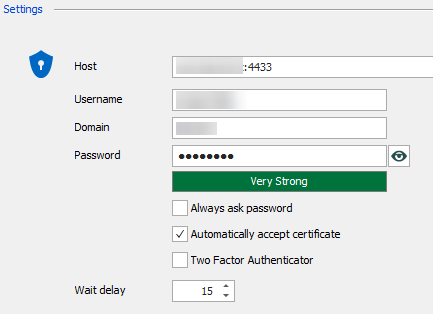
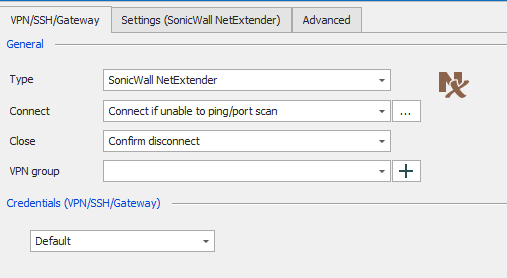
Attachment (session that doesn't work): 3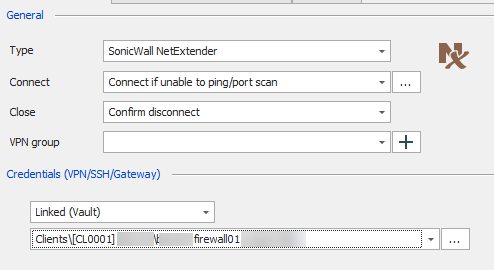
Attachment (credential entry): 4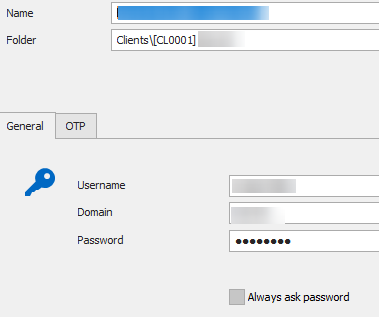
4.png
3.png
2.png
1.png
All Comments (6)
Hello,
Thank you for contacting us on that matter!
I would like to verify a few things
- What version of RDM do you currently use?
- What error message do you get when trying to
- If you right-click the Credential entry you are trying to use with your VPN configurations, and select "View Password", are the correct credentials displayed?
Best regards,
Gabriel Degrandpré
RDM 2021.1.44.0 64-BIT
Password Hub for Business
Obviously, the password is correct (checked many times, copy/paste within tests, etc.).
No errors, Command Prompt window raised from the NetExtender call closes itself in few seconds without any visible output (like always when NetExtender gives some sort of errors, RDM seems not capable to trap and warn the user).
Hello,
Thank you for your response. In that case, I would like to offer a test, to narrow down what could be causing this issue.
I would like to know if the same issue occurs if you configure a separate VPN entry. I would appreciate if you could verify if the separate NetExtender entry behaves the same way as your VPN configurations in the session (works with custom credentials, doesn't with linked credentials).
Let me know how this test goes!
Best regards,
Gabriel Degrandpré
Tested: the problem are the linked credentials.
"VPN - cred" (simple credential entry)
"VPN - 1" (netextender session entry with embedded credentials) > works great
"VPN - 2" (netextender session entry with linked credentials to "VPN - cred") > doesn't work
Copy and paste password and triple checked :)
Hello,
Thank you for your response.
Luckily, we use NetExtender as our VPN internally, so I was able to test and replicates the issue you describe. I will open a ticket to our engineering team so they can take a look at this issue. We will keep you updated when progress is made on this ticket.
Best regards,
Gabriel Degrandpré
Many thanks.