Save/Restore Window Settings

Is there a way through the user Interface or via RemoteDesktopManager.cfg to save the current Windows layout (application width, height, location and Navigation grid - Name, Parameter, Username, Description widths) and then have the settings automatically restored upon program startup? Every time I run the application I have to manually re-size the application and then re-size the Navigation grid. I'm using version 19.0.1.19041.1.
All Comments (3)
Hello,
It doesn't seem like the version you reported is correct, could you send a screeshot of your Help - About window?
Best Regards,
Etienne Lord
You are correct, sorry!. Mis-typed the version: 10.0.19041.1. See attachment.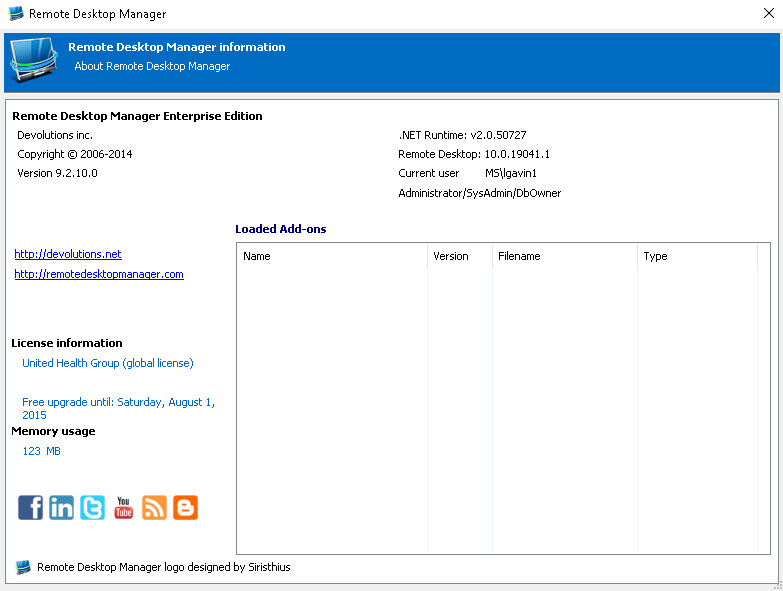
RemoteDesktopManager.jpg
Hello,
This is quite an old version, therefore I am not sure if the behavior will be the same. But with recent versions, it will automatically be saved. If it is not the case for your version, I do not believe there would be anything that could be done since it is not supported anymore.
Best Regards,
Etienne Lord