Problems using MAC

Hello all.
I would have two issues since I use a MAC.
1. how can I start the RDM again via runas script so that I can connect to the SQL server via AD.
2. when connecting with stored passwords from Pleasant I always get Errlogon 0x000014. When I do copy password it copies the correct password. What do I have to do?
Thanks a lot!
All Comments (4)
Hi jemueller,
- I would need more details as to what you are trying to do, I'm not sure I understand. Also note that it may very well not be supported. If you are talking about any of the Active Directory authentication mode that are available in RDM Windows, those are simply not supported on RDM Mac.
- I do not reproduce your issue. I tried to:
- Copy Password on the Pleasant Password credential directly (it copied the password correctly)
- Launch an ARD session with the Pleasant Password linked to it (the session launched and authenticated properly)
- Copy Password on the ARD session with the linked Pleasant Password credential (it copied the password correctly)
Are you absolutely certain the username/password from your Pleasant Password credential is correct for the session your trying to launch? What is the session type? And can you provide a screenshot of the error?
Best regards,
Xavier Fortin
Heya, thanks for your reply.
Im coming from an Azure AD joined computer. I used a batch script with a "runas" command so i could connect to our SQL Server with my onprem AD credentials. Isnt there any option with the mac to connect?
Session Type is RDP. If i copy the username or the password it works correct. From my windows mashine it works correct.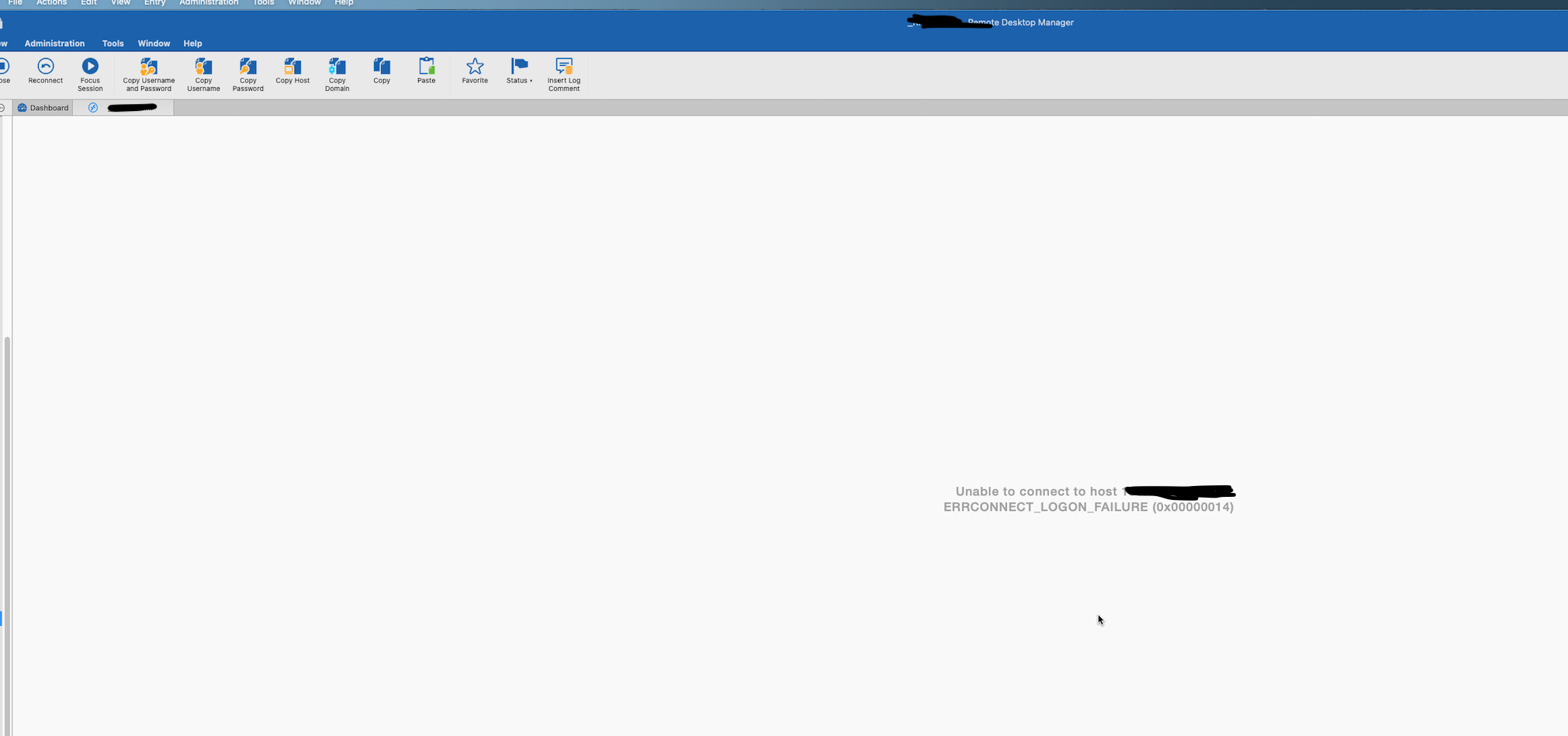
RDM.png
Hi,
I'm not familiar enough with SQL Server to answer your question. I'll have to get in touch with someone more accustomed with the subject. But at first, I do not think we have any options to support this.
As for the Pleasant Password, what is the format of the username (e.g. <username>, <domain>\<username>, <username>@<domain>)?
Best regards,
Xavier Fortin
Hi jemueller,
After discussing with a colleague, we came to the conclusion that you probably won't be able to connect to your SQL Server with your AD credentials. You could try to use the Integrated Security authentication mode: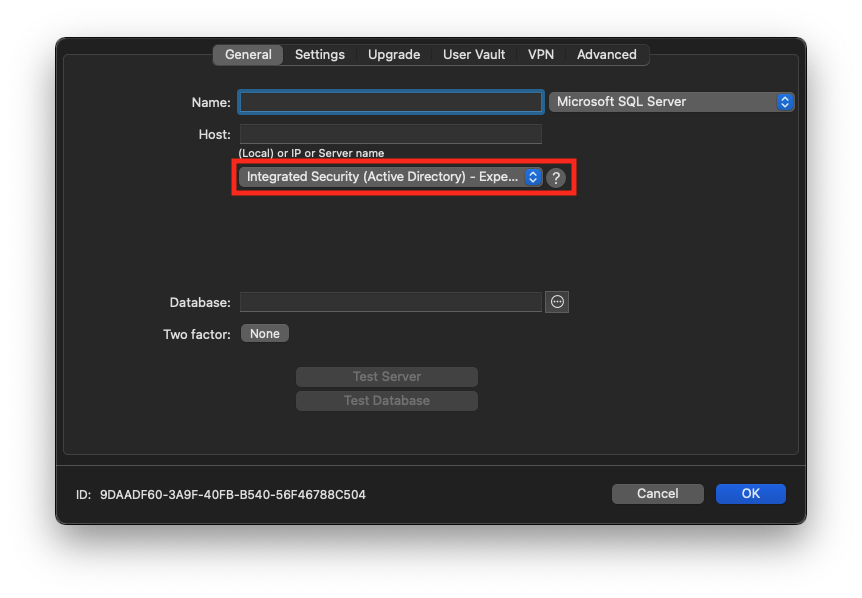
As indicated by the " - Experimental" label at the end of the option, this is not fully supported. This also requires the setup of Kerberos on the Mac (the instruction are on the "?" button). So far, I've only had it working on a very limited scenario in a test environment. The only other user that tried it did not succeed in making it works. If this does not work, there is not much help that we can do.
Best regards,
Xavier Fortin
IntegratedSecurity.png