Suppress \ disable the check of new Default.cfg after upgrade.
Suppress \ disable the check of new Default.cfg after upgrade.

Hi,
Is there a way to suppress the check of new default.cfg ?
After a upgrade all users gets asked if they want to "Use New Configuration" or "Ignore".
We want to suppress this dialog, and auto select "Ignore" if a config file already exist in users profile. (..\AppData\Local\Devolutions\RemoteDesktopManager\RemoteDesktopManager.cfg)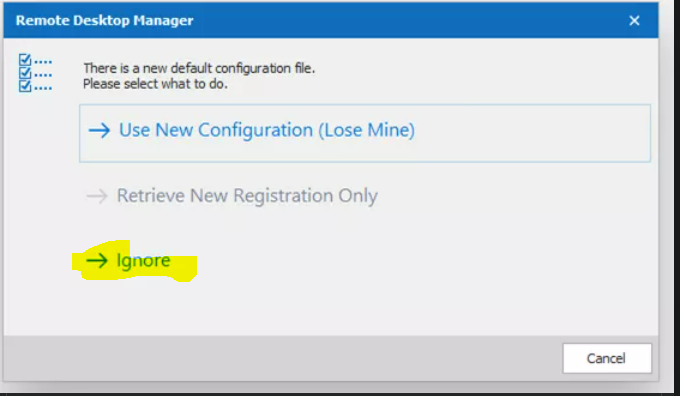
RDM.PNG
All Comments (6)
Hello,
Thank you for contacting us on that matter!
While it is possible with a GPO to force your users to use the new configuration but at the moment it is not possible to choose "Ignore". I will contact our Engineering Department on that matter to see if that is something that could be added. For more information, please consult this link: https://kb.devolutions.net/rdm_group_policies.html
Best regards,
James Lafleur
Yes I`m aware of the ForceDefaultConfigurationLoading setting, but as you understood this will not help us.
Please make a setting for "IgnoreNewDefaultConfiguration" :-)
Thanks!
Hello,
Thank you for your quick reply!
A ticket has been opened with our Engineering Department to add a GPO that will allow you to automatically ignore this prompt. We will let you know when this will be available.
Best regards,
James Lafleur
WOW - thanks for your prompt response!
You are more than welcome! Do not hesitate to contact us again if you have more questions.
James Lafleur
Hi
We have added this feature internally. It should be available starting with version 2021.2.0.0
Regards
Jean-Francois Duchesne