HashiCorp Vault Credentials is not loading the secret list

Thanks for adding this new feature. I am very happy to see it. However, it is not working for me and I would just like to get some information of what is expected in the host field. I have tried many different options:
https://server:port/
https://server:port
https://server:port/v1/data/folder1/folder2/secret
https://server:port/ui/vault/secrets/kv/show/folder1/folder2/secret
I have also tested using Token and LDAP Authentication Method. I have seen that providing the wrong credentials do not give any error.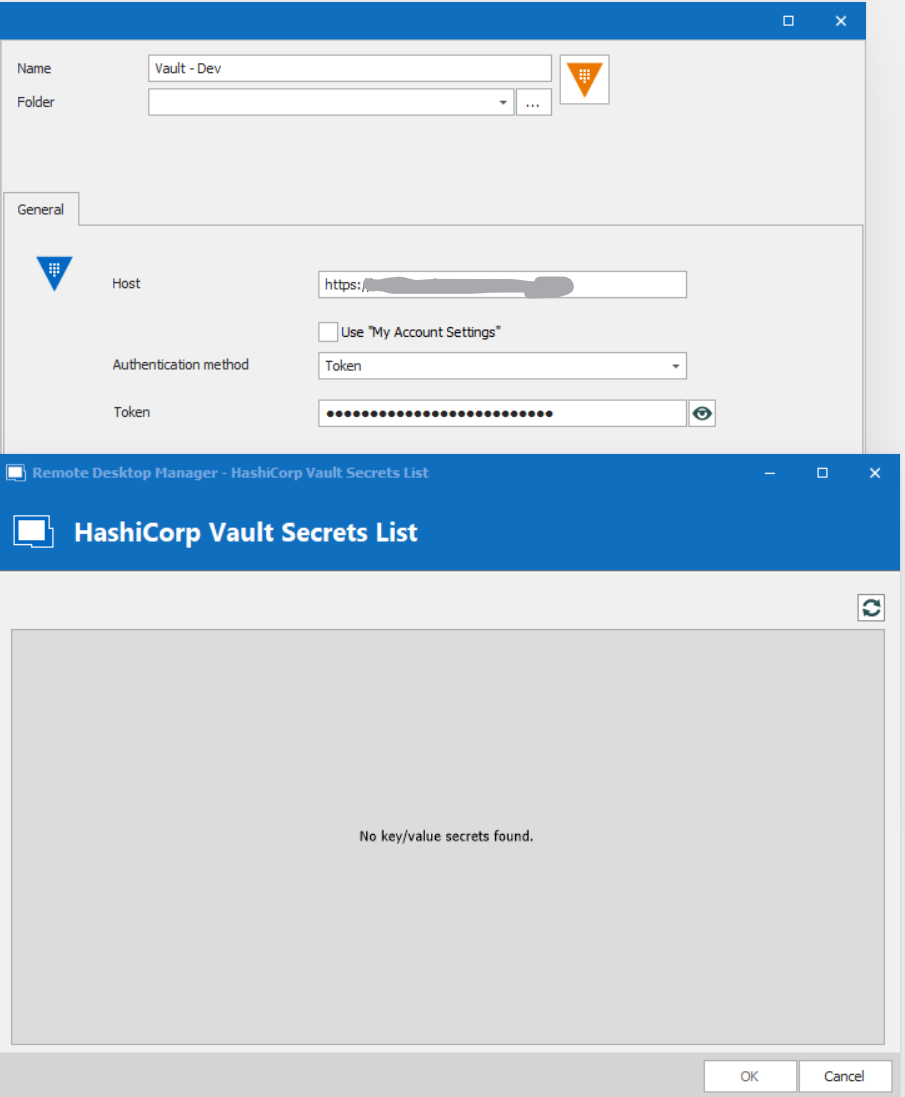
I would be grateful if someone could help me with this, as it would add a lot of value.
Thanks and regards,
Mikael
HashiCorpVault.png
All Comments (10)
Hello,
Thank you for contacting us on that matter!
I just wanted to inform you that a ticket has been opened with our IT department to see if we can reproduce this on our end and to confirm the information that is needed.
We will be in touch as soon as we will have an update on this.
Best regards,
James Lafleur
Hello,
I've done some testing on my end, and this issue seems to happen when using "https". Would you mind testing with http://server:port ?
Please tell me this solves your issue.
Regards
Jonathan Del Signore
Hi Jonathan,
Thanks for the feedback. I will test this shortly and provide the details.
I just would like to point out that we will not be able to use the integration if https is not working, as it will pass credentials or security tokens to our password vault in free text over the network. So, I hope that you will be able to find a solution to allow https connections to the HashiCorp Vault.
Best regards,
Mikael
Hi again Jonathan,
I confirm that using http is working by just putting the base url: http://127.0.0.1:8200/. But as mentioned, http is not supported unless running the server in dev mode and we cannot do that for our real environments. Would it be possible to open a bug or an enhancement request to make it work with https as well? Please note that we are using internal CA to sign our certificate, so I hope that your implementation will also support this. As mentioned earlier, I am really looking forward to be able to use this functionality.
Thank you very much,
Mikael
Hello Mikael,
Can you confirm that you can connect to your vault through a web browser with https://server:port/ui ?
I could be wrong, but I believe it should be possible to connect via https in RDM if your vault supports it.
Thanks!
Jonathan Del Signore
Yes, I can connect through my browser to https://hostname:port/ui and it redirects me to https://hostname:port/ui/vault/secrets (after I have logged in). The token I use is the same (in the browser and the vault).
- Our production environment where it is not working is running version 1.3.1 and it uses https
- The environment where it is working is running on my local laptop version 1.3.1 and http only
As you can see below it is the client closing the connection to the server after the handshake. See attached network capture
What type of information would you need in order to troubleshoot further?
Thanks for your support in resolving this issue.
Wireshark RDM.png
Hello Mikael,
We've tested on our side with an https setup, and we were also getting issues because we didn't support sealed vaults. We fixed that, which will be included in version 2021.1.40.0.
In case that's not what's giving you trouble, we've also improved the error logs, which should help us better troubleshoot your issue.
Looking forward to your results,
Regards
Jonathan Del Signore
Hi Jonathan,
I had the opportunity to test the new version of RDM (2021.1.40.0), but I still have the same issue. 
Checking the logs I can see:
[07/07/21 16:40:55 - 2021.1.40.0 - 64-bit] Error Silent: 1 error occurred: * permission denied
I have tested both with LDAP and token login.
This is what I see when I login to the web application: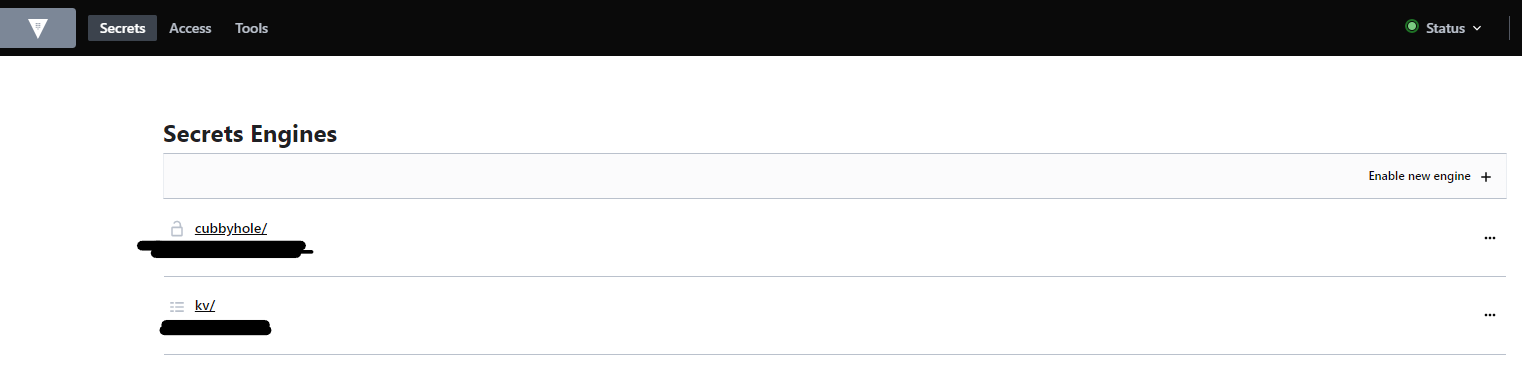
Not sure what permissions are required in the vault for the integration to work.
Thanks and regards,
Mikael
RDM Version.png
Vault 2021-07-07.png
Hi Mikael,
It looks like you're missing the "read" permission for the backends, which you can add like this:
path "sys/mounts"
{
  capabilities = ["read"]
}
You must also have the "read" and "list" permissions on the kv engine, like so:
path "kv/*"
{
  capabilities = ["read","list"]
}
Please note that the "kv/*" path might be a little different depending on the version of the engine (I can't see because of the blackened portion of your screenshot).
Other possible options would be "kv/data/*", "secret/kv/*" or "secret/data/kv/*".
Please let me know if these work for you.
Regards
Jonathan Del Signore
Hi Jonathan,
Adding the sys/mounts read permissions solved the issue.
Thanks for all your support and a great tool.
Best regards,
Mikael