Understanding Template Session Defaults

hi!
I don't understand how default template session settings should work (using DPS as data source).
here is what I did as an DPS administrator:
- opened RDM
- File > Templates > General > RDP
- changed Credential from "Custom" to "Inherited"
- changed Local Ressources: unchecked "Hard Drives"
then starting the RDM on my local machine with a non-DPS-administrator:
- File > Templates does not exist -> so I assume any template defaults will be synced from the data source
- creating a new RDP session:
- Credential is set to "Custom"
- Local Ressources has "Hard Drives" checked
why are the session template defaults not synced?
If this is the wrong doing: how can these options be deployed to every user/RDM?
KR
G.
All Comments (6)
Hello,
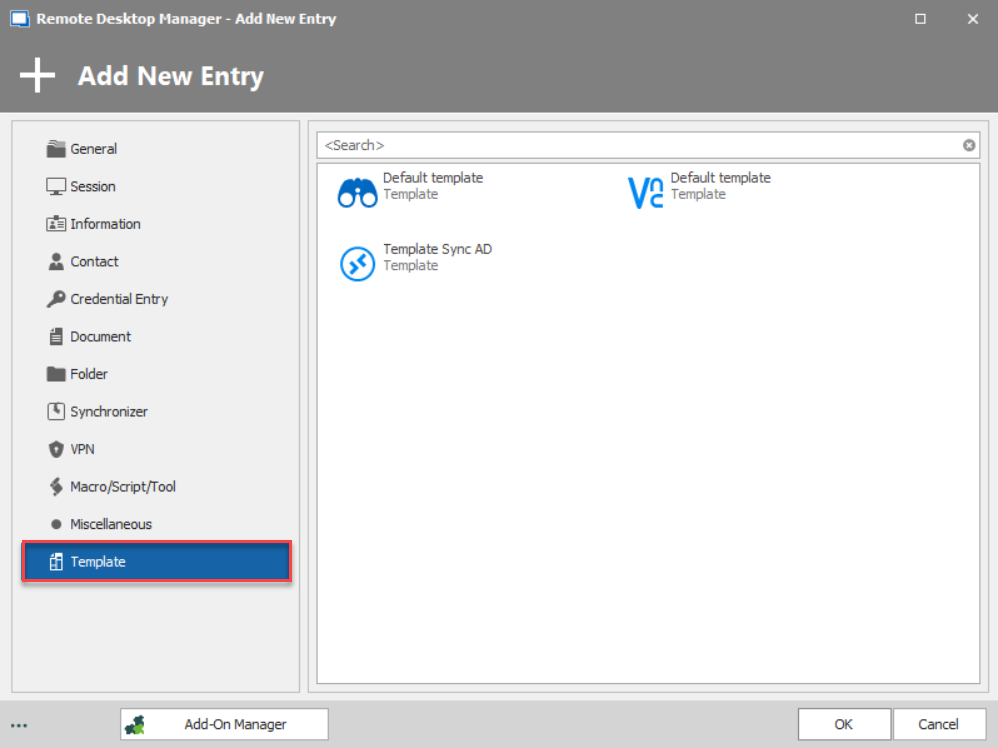
The templates are used when creating a new sessions .If you have a template for RDP, when creating a new entries, if you head over to "Templates", you will see your RDP template, make sure that they are "Database templates" in order for other users are able to see them.
File - Templates - Default Settings are settings that will be there by default when creating a new entry.
For Example, I check the "Hard Drives" option in RDP's default setting, the option will automatically be checked when creating a new RDP Entry.
This is a Local setting, which will not be applied to other users of the Database, nor will it be applied to existing sessions.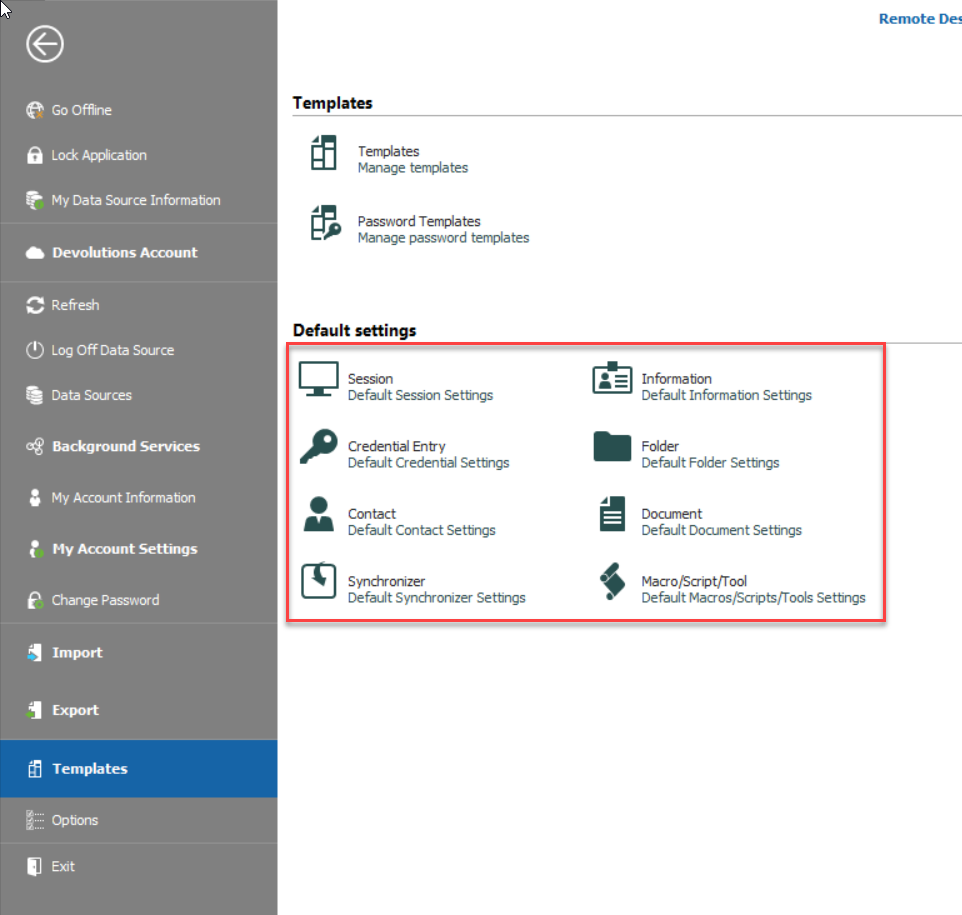
If you want to use default settings for multiple users, I would advise using Database Templates (File - Templates - Templates)
Best Regards,
Etienne Lord
defaultsettings.png
templates.png
hi Etienne,
where are these local default templates stored? we would like to ensure certain settings are always set company-wide and thus overwrite/deploy those settings.
or can these global templates be "forced" somehow?
IIRC the local default template is always shown as "Blank" when adding a "database template".
this is what we want to prevent. can we create a template and name it "Blank" thus overwrite the default local template?
KR
G.
Hello,
After investigation, the .RDT files are stored (By default) in %LocalAppData% - Devolutions - RemoteDesktopManager - Templates - DefaultTypes
You can actually set the DefaultTypes folder (with your RDT) in a Shared Drive and specify it under Administration - System Settings - Paths. As long as they have access to the Drive, they will have the Default Settings.
Note that if they set a Default Templates path in File - Options - Paths, it will override the one in Administration - System Settings.
Best Regards,
Etienne Lord
hi Etienne,
thanks for looking into this. much appreciated!
here is what I plan doing:
i want to create the path %LocalAppData% - Devolutions - RemoteDesktopManager - Templates - DefaultTypes if it does not exist and create/copy some default templates there.
to ensure this has no side effects i want to make sure that the ids within that RDT-file don't matter.
what i see is that there is a GUID in <id> and <stamp>.
can you please let me know if it is save to deploy the very same RDPconfigured.rdt to every user, or are there user specific GUIDs?
also, what i don't understand right now as an administrators i can edit templates through File>Templates - as a normal user however this option is not visible.
I couldn't find any option within RDM or DPS explaining why the Templates option is not visible.
do you have an idea why this is?
KR
G.
Hello,
For your first question, I will check with the engineering department
For your second question, you could make sure that they have the Template permission under Administration - System Permissions - Templates.
Best Regards,
Etienne Lord
Hello,
I got the confirmation that what you are looking to do should indeed be safe!
Best Regards,
Etienne Lord