Disabling Mac Keys in Windows RDP session

Hi All,
New to using this product, is there a way to disable keys such as command from popping open the start menu in a windows RDP session? This is causing issues with my spotlight searches when working with windows servers. Things I copy from spotlight end up being pasted in start menu. Is there a conf file somewhere I can disable this key from the "windows" key mapping?
Thanks
All Comments (8)
Hi,
There is a checkbox in the RDP session configuration itself (RDP -> Local Resources -> Keyboard -> Windows Key Passthrough) that, if unchecked, will not send the Windows key at all. This is a per session option though. Are you looking for a global settings that would apply to all of your sessions?
Best regards,
Xavier Fortin
Hi Xavier,
Ideally globally would be best, i've noticed that it seems to only happen when I'm using the command spacebar combo to bring up spotlight or alfred. Command + c or +v are all good.
Is there a way to disable it globally for just myself?
Thanks
Tim
At the moment, no. I'll open a feature request for a Preferences option to disable sending the Windows key on it's own to the server. Enabling this feature will make it impossible to open the Start menu in windows outside of using the Actions -> Start Screen button.
Best regards,
Xavier Fortin
Ah right okay, thanks for the help though Xavier.
Hi,
The latest version of RDM (2021.2.2.0) contains an option to disable opening the Windows Start menu with the Command key.
You can find the option named "Disable Windows Start menu on Command key" in the Preferences, under Types -> RDP -> General.
Best regards,
Xavier Fortin
Awesome thanks Xavier
This feature does not appear to be working in v2022.3.10.0. As shown in the images, I have disabled the OS X Command key pass-through globally and unchecked the Windows Key Passthrough at the session-level. However, after establishing a new session, pressing the Command key opens the Windows Start menu. See the attachments.
Session-level, cleared the Windows Key Passthrough: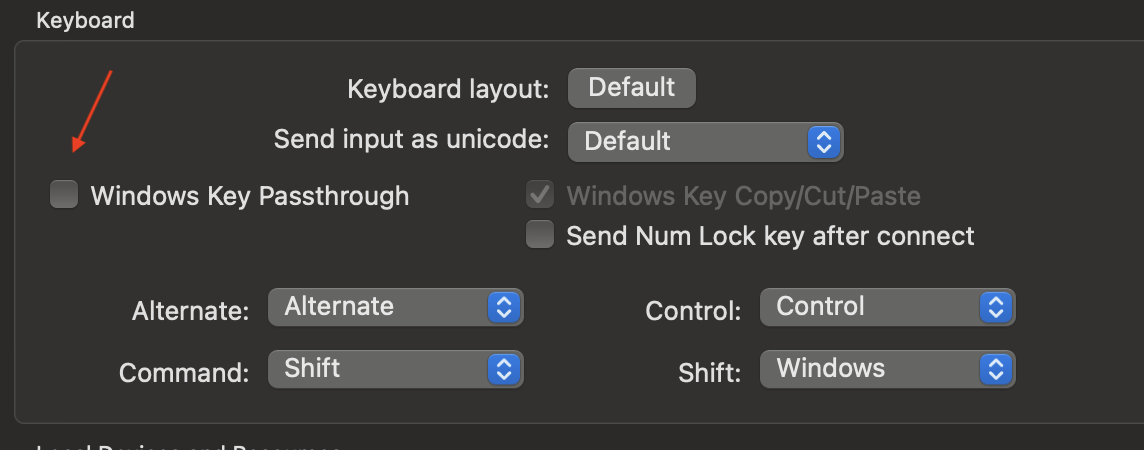
Globally, checked Disable Windows Start menu on Command key: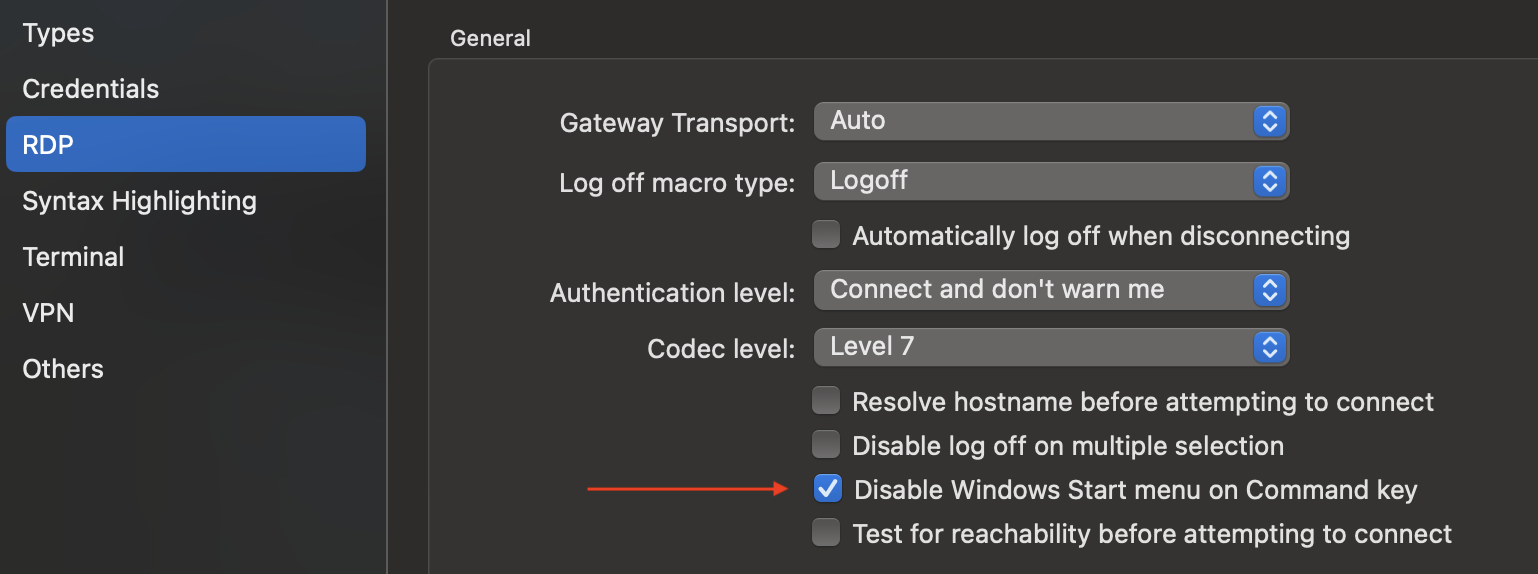
Pressing the Command Key after establishing an RDP session: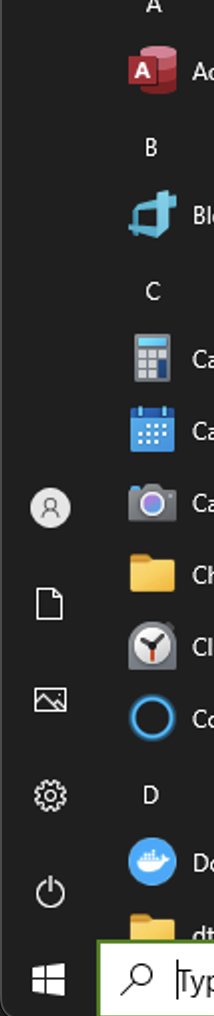
Screenshot 2022-12-10 at 5.04.28 PM.png
Screenshot 2022-12-10 at 5.06.19 PM.png
Screenshot 2022-12-10 at 5.03.20 PM.png
Hi,
I seem unable to reproduce your issue. With the option "Disable Windows Start menu on Command key" checked (regardless of the state of the session-level "Windows Key Passthrough" setting), pressing and releasing the Command key does nothing.
This shouldn't be necessary, but could you confirm that the issue persists after a restart?
Best regards,
Xavier Fortin