Set Gateway or Jump Host at Folder Level?

I feel like I'm missing something obvious, but have not found a way to set either an RDP Gateway or an ssh jump host at the folder level. I can configure these successfully at the individual connection level, and all works well. However my goal is to be able to set the gateway (for RDP) or the jump host (for ssh) on a site-specific folder, and have inheritance pass those values down to the connections within those folders. I'm handling credentials this way successfully. The primary problem seems to be that when I attempt to set these settings, at the folder level, the necessary config under the Settings tab is greyed out. This is only a problem at the folder level. Is setting this type of config at a folder level not an option (wouldn't think the options would be present if that was the case)? What is the proper way to set a jump box / gateway server once for a large number of connections and not have to edit the individual connections?
All Comments (7)
Hello,
On the Folder you can set the Jump/Gateway : 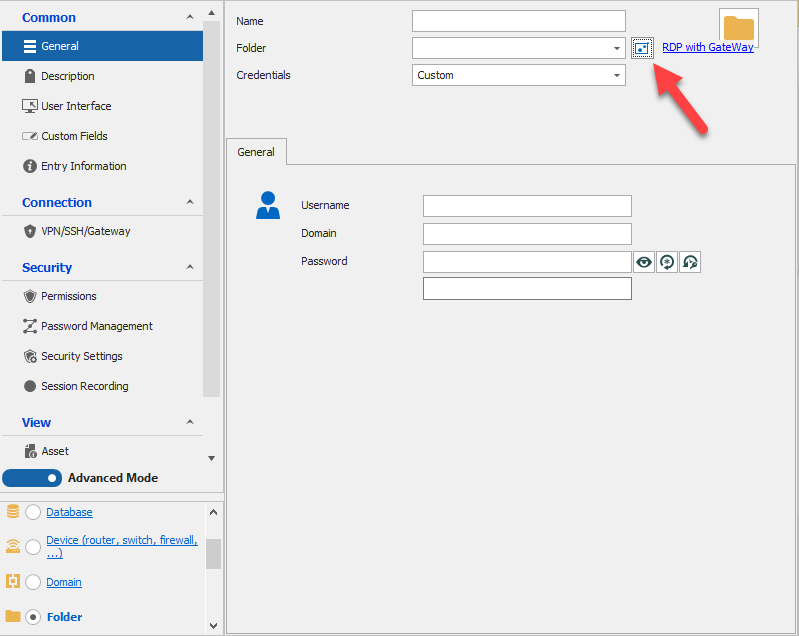
Everything under that folder must be set to inherited to use the folder's setting 
You can make a Batch Edit on the sessions under that folder in order to set the jump to inherited on multiple entries at once, select them, Edit - Batch Edit - Edit Entries (General Settings) : 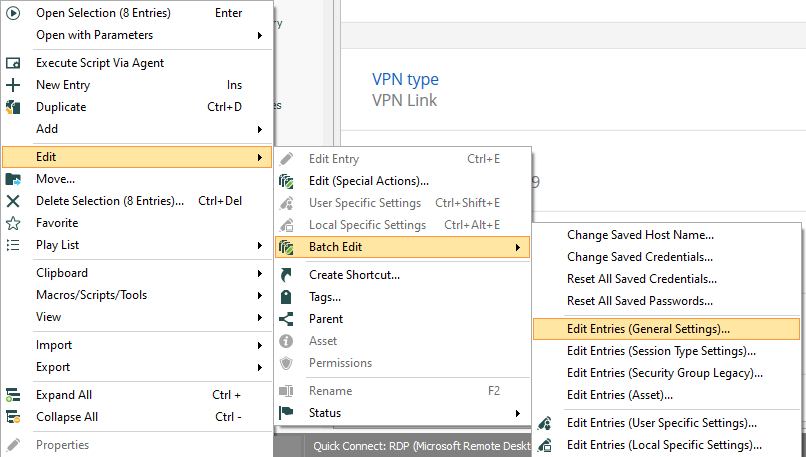
And from there, you will be able to check the "Override" setting and set it to Inherited : 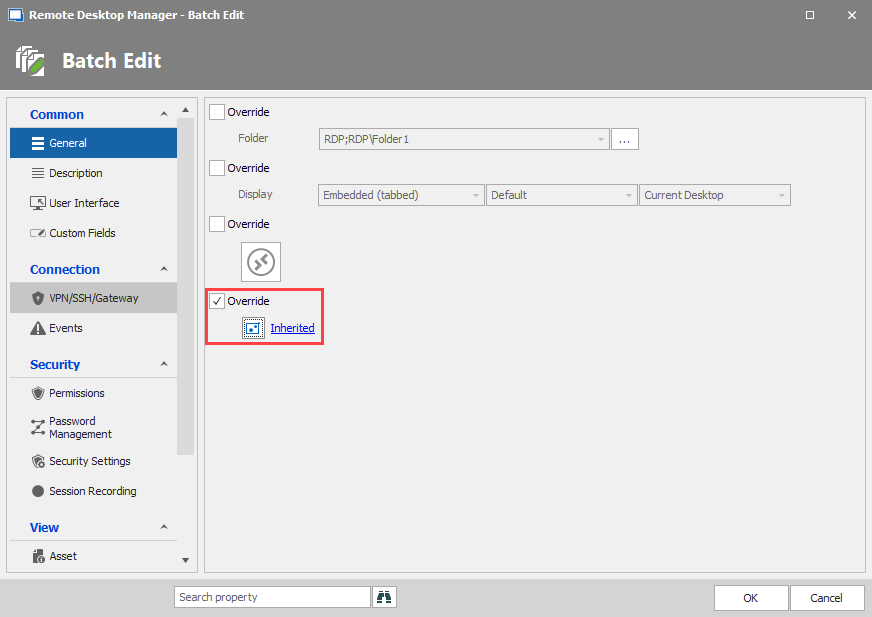
Best Regards,
Etienne Lord
override.png
Batchedit.png
RDP.png
Folder.png
Thanks for the reply.
Very odd, I don't have a similar layout to your screen. I'm on v 2021.1.32.0: 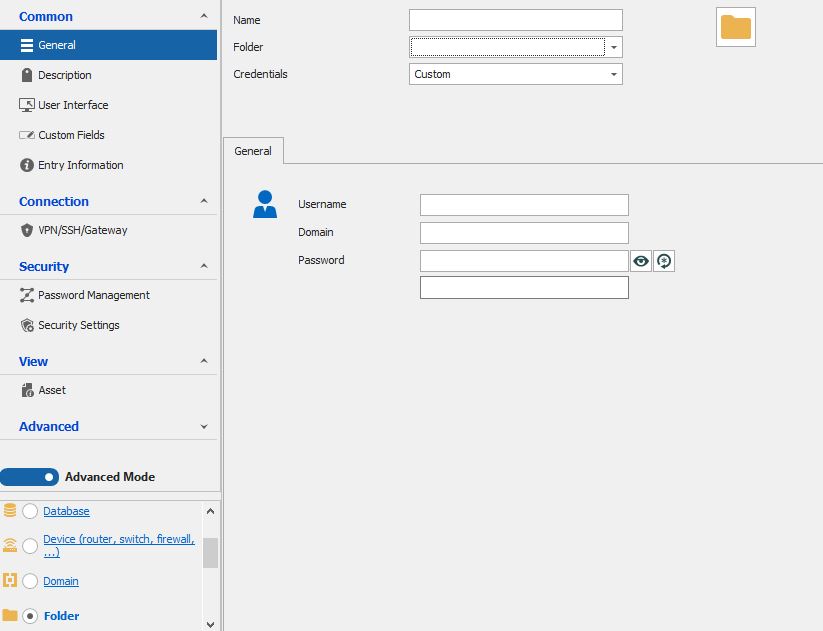
Capture.JPG
Hello,
The jump feature is only available in the Enterprise edition.
You could instead set your Gateway on the folder level using the VPN/SSH/Gateway tab :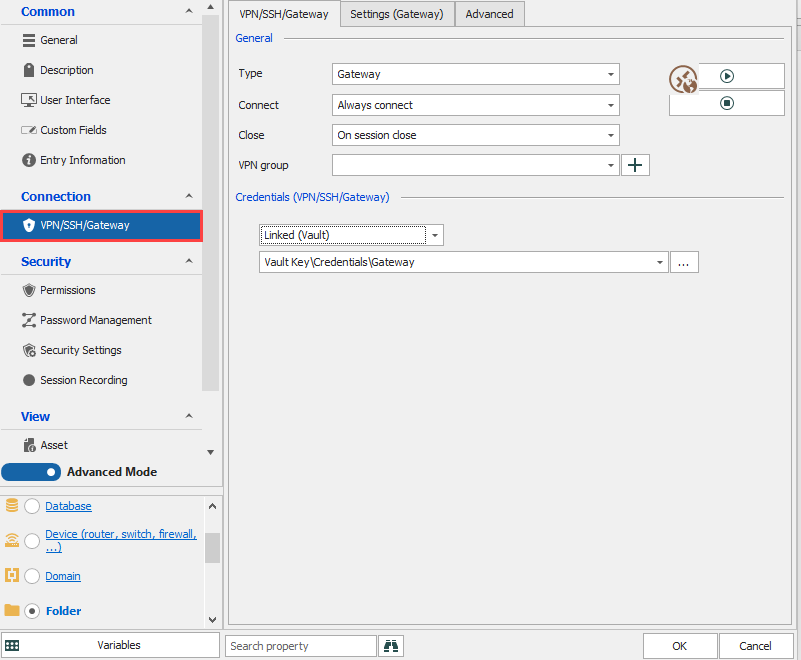
And using the same process as my previous response (Edit - Batch Edit - Edit Entries (General Settings) you will be able to set the option to inherited : 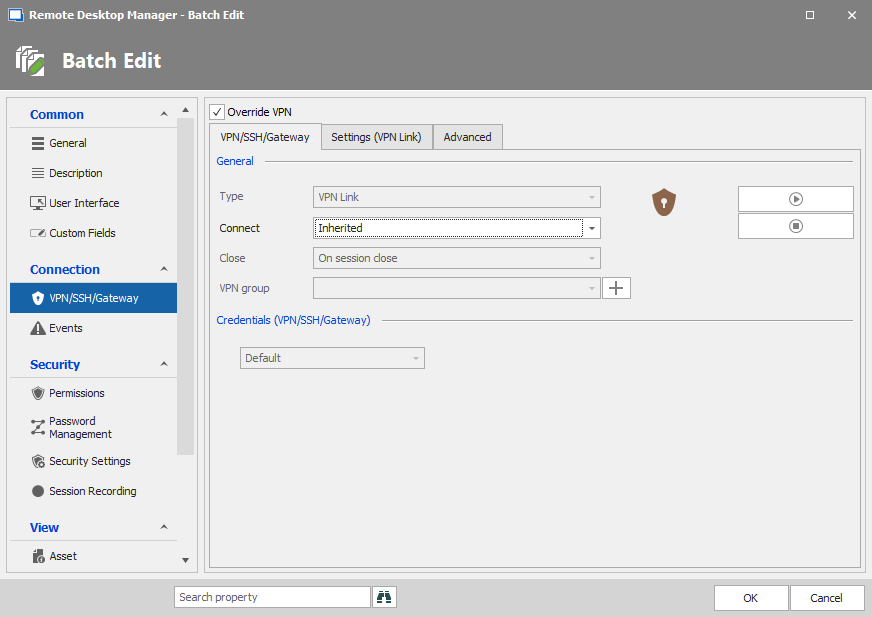
Best Regards,
Etienne Lord
vpnbatch.png
folder1.png
That's exactly what I had initially tried to do (set at folder level using VPN/SSH/Gateway tab), and my settings under that tab match your screenshot exactly (besides the credentials of course). However, the "Settings (Gateway)" tab, where it seems one would configure the specific gateway address, is greyed out, and despite various attempts at tinkering, I have been unable to get that field to become editable. The box just to the right of the Gateway field is also un-clickable. Is this also an enterprise version setting?
I also have the same problem when trying to do the same operation for setting an SSH jump host on this tab, the "Session" box under "Settings (Jump host)" is greyed out. 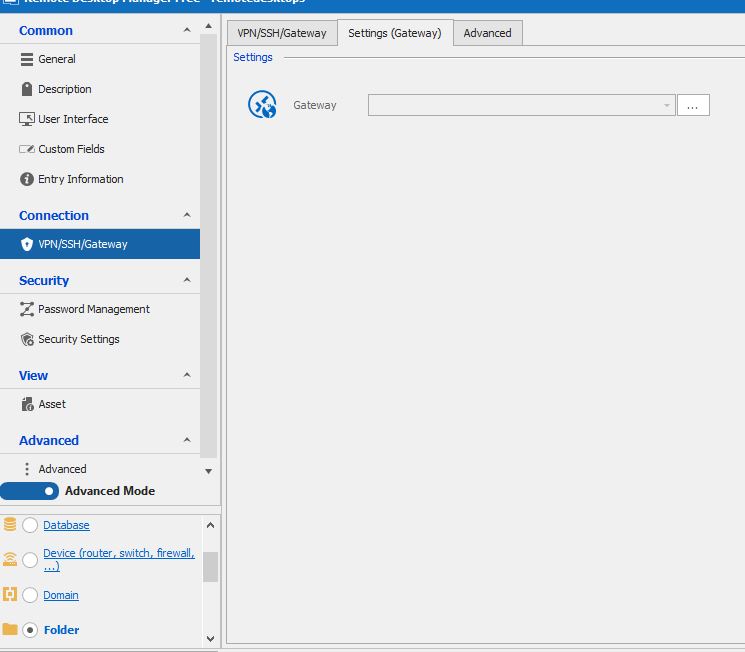
Capture2.JPG
Hello,
Could you send a screenshot of this tab on your side : 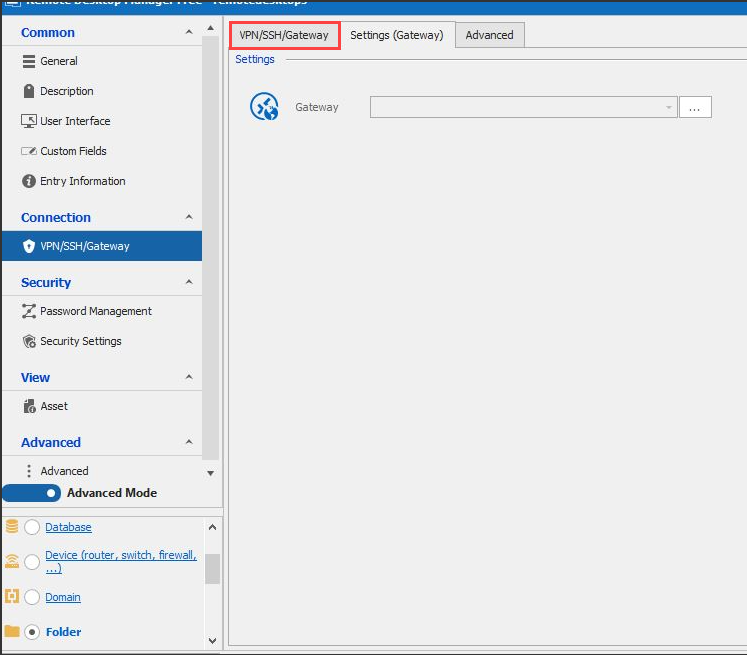
Best Regards,
Etienne Lord
vpnssh.png
Requested screenshot below. Thank you.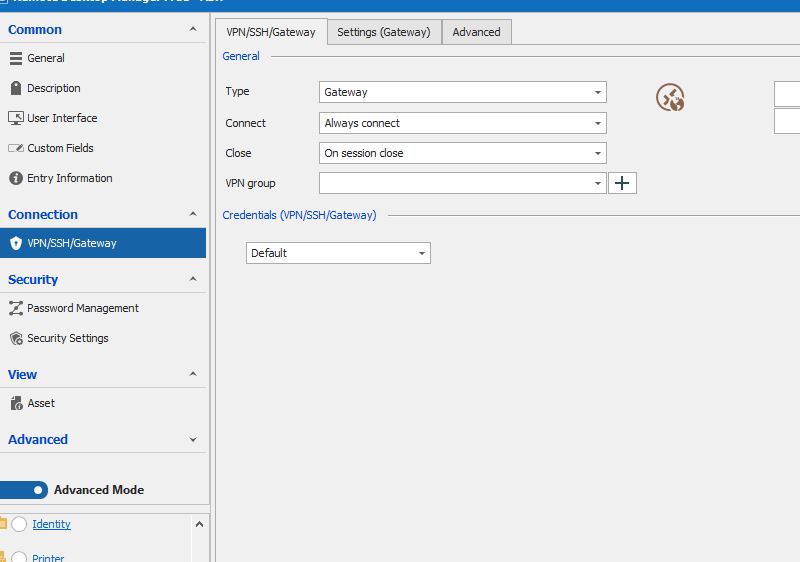
capture.jpg
Hello,
This is quite strange, it should be available even in the Free edition. Could you give it a try by creating a Portable Version.
1- Download the .zip file below:
https://remotedesktopmanager.com/home/thankyou/rdmfreebin
2- Create a new folder on your Desktop
3- Extract the content of the .zip file into the folder created at #2
4- Go in this folder once the .zip file has been extracted and run remotedesktopmanagerfree.exe
5- Enter your current serial
Best Regards,
Etienne Lord