AutoFill and Submit DropDown
For most items discover works great for login autofill and submit. However, I have a certain manufacturer that uses the drop down login form and I am unsure of how to get this to work with Desktop Manager. Currently I have it the webpage open in an external window. I have tried to inspect the element but I am not seeing anything. 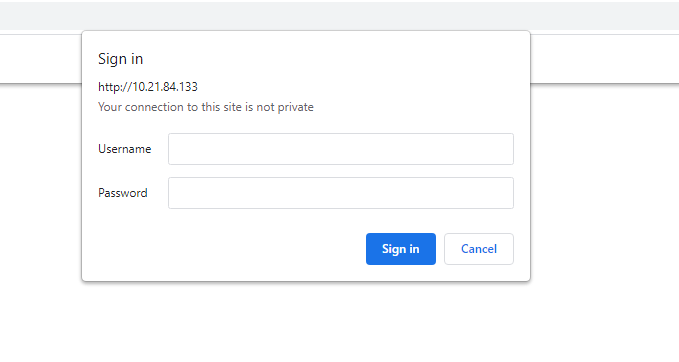
DropDown.PNG
All Comments (5)

Hi Aaron,
Thank you for reaching out to Devolutions support. Unfortunately this type of popup window will not work with RDM or Devolution Web Login since it doesn't have an element to inspect and cannot be seen by our service.
Best regards,
Eric St-Martin
Thanks for letting me know. It is a bummer but not entirely unexpected given the plethora of login types.
Hello Aaron,
I'm curious, have you tried using embedded mode with the login in "basic" mode? These pop ups can sometimes be filled by using basic authentication. In RDM you would need to configure your web browser entry with the "Basic" auth method:
Perhaps this could help you, but if this doesn't work I feel like we may not be able to fill these credentials.
Regards,
Hubert Mireault
That worked perfectly. Thank you. You all are the best. Thanks for being responsive.
Aloha!
Glad to hear this worked for you! 🙂
Regards,
Hubert Mireault