Connecting to Hyper-V: a connection will not be made because credentials may not be sent to the remote computer
Connecting to Hyper-V: a connection will not be made because credentials may not be sent to the remote computer

Hi,
I am not able to connect to my Hyper-V 2019 virtual machine, it throws out the below error:a connection will not be made because credentials may not be sent to the remote computer
But it works fine with my Hyper-V manager from Microsoft
All Comments (10)

Hello,
Are you using an RDP session type with the RDP type set to Hyper-V? 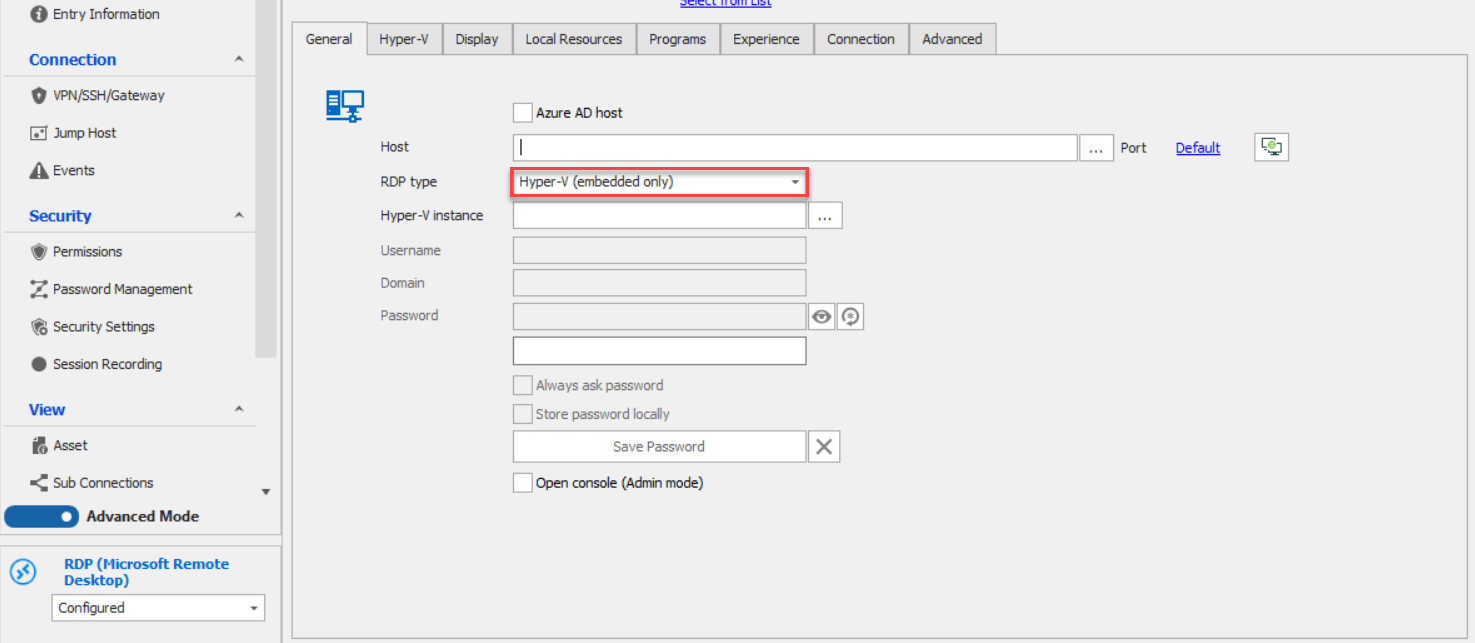
If so, what is your Remote Desktop Manager version?
Best Regards,
Etienne Lord
RDP.png
Hi Etienne,
I am using Microsoft Hyper-V Dashboard
And that error occurs when I try to connect to 1 of the Virtual Machine in the list
Hello,
It would seem like an error related to the Hyper-V server, I found the following : https://docs.microsoft.com/en-US/troubleshoot/windows-server/virtualization/vmconnect-fail-to-connect-to-virtual-machine if you could give it a try
Best Regards,
Etienne Lord
Hi Etienne,
I have tried that, still the same issue.
Please note, the issue only occurs to Devolutions RDP, it works fine with MS Hyper-V Manager.
Thanks!
Hello,
Are you running Remote Desktop Manager 32bits or 64?
If you are running the 32, could you give it a try with 64, you can find it in your Remote Desktop Manager installation folder.
(remotedesktopmanager64.exe)
Best Regards,
Etienne Lord
Hi Etienne,
Where can I download/find the remotedesktopmanager64.exe?
I downloaded the setup from this link: https://remotedesktopmanager.com/home/download
And the installation folder doesn't have remotedesktopmanager64.exe.
Hello,
It should run the 64bits version in that case. I will check with the engineering department. Keep you updated!
Best Regards,
Etienne Lord
Hello,
After having a chat on that matter with our Engineering Department, we would like to know if you could create an RDP entry that uses the "Hyper-V (embedded only)" RDP Type and see if this issue occurs with it.
To do so, create an RDP entry, use “localhost” as the Host. Select “Hyper-V” as the RDP type, then click on “…” to pop a dialog with the list of VMs that you can select by name to get the VM ID.
In the Hyper-V Tab, check “Connect with current user credentials”. When this option is enabled, there should be no custom credentials in the same entry, because it will connect using the current user context. Again, this is the same as when using Hyper-V Manager + VM connect, it doesn’t prompt you for a password.
Let us know if that works for you!
Best regards,
James Lafleur
Hy James,
The combobox of Hyper-V instances is not easy to manage the list of Hyper-V instances, I have many instances.
Anyway, let's leave it there because I don't think we can make it works.
I will keep using the Microsoft Hyper-V Manager.
Thank you for your great support even I am using free edition.