Problems with FastViewer in Version: 3.20.0063 - Credentials not passed to login screen
Problems with FastViewer in Version: 3.20.0063 - Credentials not passed to login screen
Hello,
we have RDM in version: 2020.3.27.0 on a Windows Server 2016 OS.
We use FastViewer for some connections. There is also a FastViewer Plugin available in RDM.
After updating the .exe-File: "FastMaster.exe" from version: 3.20.0062 to: 3.20.0063 the credentials for the FastViewer session are not passed to the login screen.
In version: 3.20.0062 this works without any problems.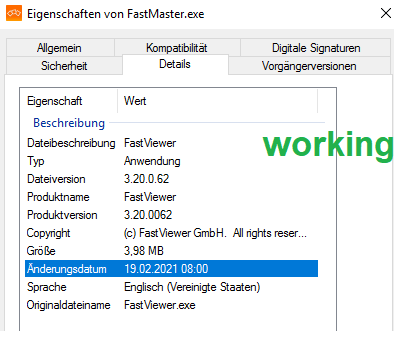

This are the settings in the session: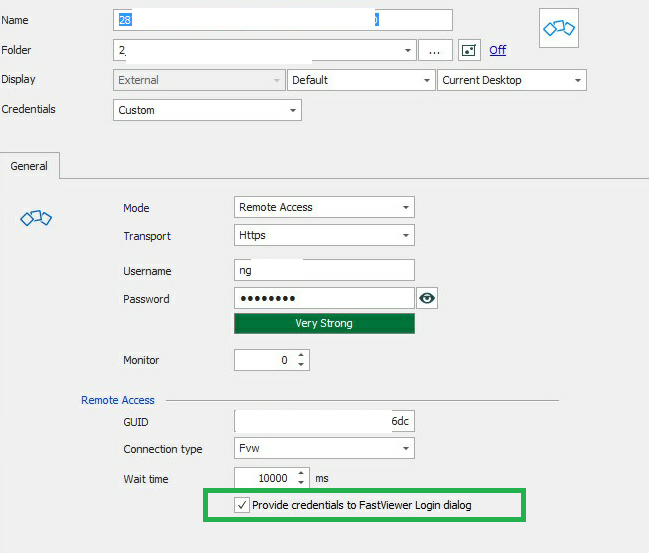
Parallel we opened a support case at FastViewer.
Best regards
Bepo
fw_session.png
0063_fw.png
0062_fw.png
All Comments (10)

Hello,
Thank you for reaching out to Devolutions support. We have opened a ticket with our developers regarding this recently and the added info of this being related to the FastViewer version will help us out a lot in our testing. Once we get news from the developers regarding this, I will reach out and let you know what they say.
Best regards,
Eric St-Martin
Hello Eric,
thank you for your answer.
I am happy to hear from you.
Best regards
Bepo
Hello Bepo,
After investigating, it's not possible for us to test Fastviewer easily since there is no possible trial of the paid application. But with the information you've given us, I feel like they changed the application in a way that doesn't allow us to send the credentials anymore.
Please let us know if your support case with the FastViewer team goes anywhere, and if there is something we must change to improve the integration we will happily do it.
Regards,
Hubert Mireault
Hello Hubert,
thank you for you answer.
I got this answer from FastViewer:
"On the homepage "https://fastviewer.com" it is possible to get a 30 day test version. This has the full range of functions."
Best regards
Benedict Poppe
We will take a look, thank you. Maybe we missed this when investigating.
Regards,
Hubert Mireault
Hello Hubert,
could you already test the behavior?
Hello,
We are still looking into it. Just note that it's possible we may not be able to fix this if it's something that is not supported anymore in FastViewer after one of their updates.
Regards,
Hubert Mireault
Hello Hubert,
we got a new version of the FastMaster.exe File.
Version: 3.20.0.64
Here we have the same problem.
I configured the plugin in the rdm as follows:
fastviewer_entry_rdm.png
Hello,
Unfortunately it's not possible for RDM to fill in the credentials automatically anymore. With their update, it made it so the way we used to fill the credentials doesn't work. We tried to find an alternative way to do this, but nothing could work reliably. As FastMaster doesn't have a command-line interface to send in the credentials in this mode, there is not much we can do to fix this.
Maybe you could use the "events" tab and configure a macro to enter the credentials, but macros are not very secure. Other than that, you would have to use the copy username/password buttons and enter them in the application manually.
Regards,
Hubert Mireault
Hello Hubert,
thank you for your information.
I think that the problem is since fastviewer version 063.
We will look for another way to pass the login data :)