Run Port Knocking command

Hi
In our environment, we should run multiple CURL and PING commands in a specific sequence in order to do a port knock and then firewalls will allow us to connect using RDP or SSH
How can I do this in RDM.
I remember that I do a simpler scenario using "events > before connection > command line" before,
But I can't find that connection now and my new Connection gives me this error: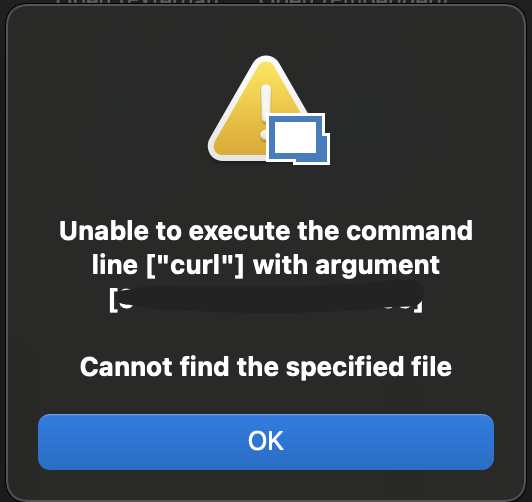
Screen Shot 2021-04-21 at 1.41.17 PM.png
All Comments (9)
Hi Heshmatkhah,
In the Events -> Before open tab of your entry, can you use the full path of the executable for your command. In the case of curl, this would mean using /usr/bin/curl. Here's an example of what I mean: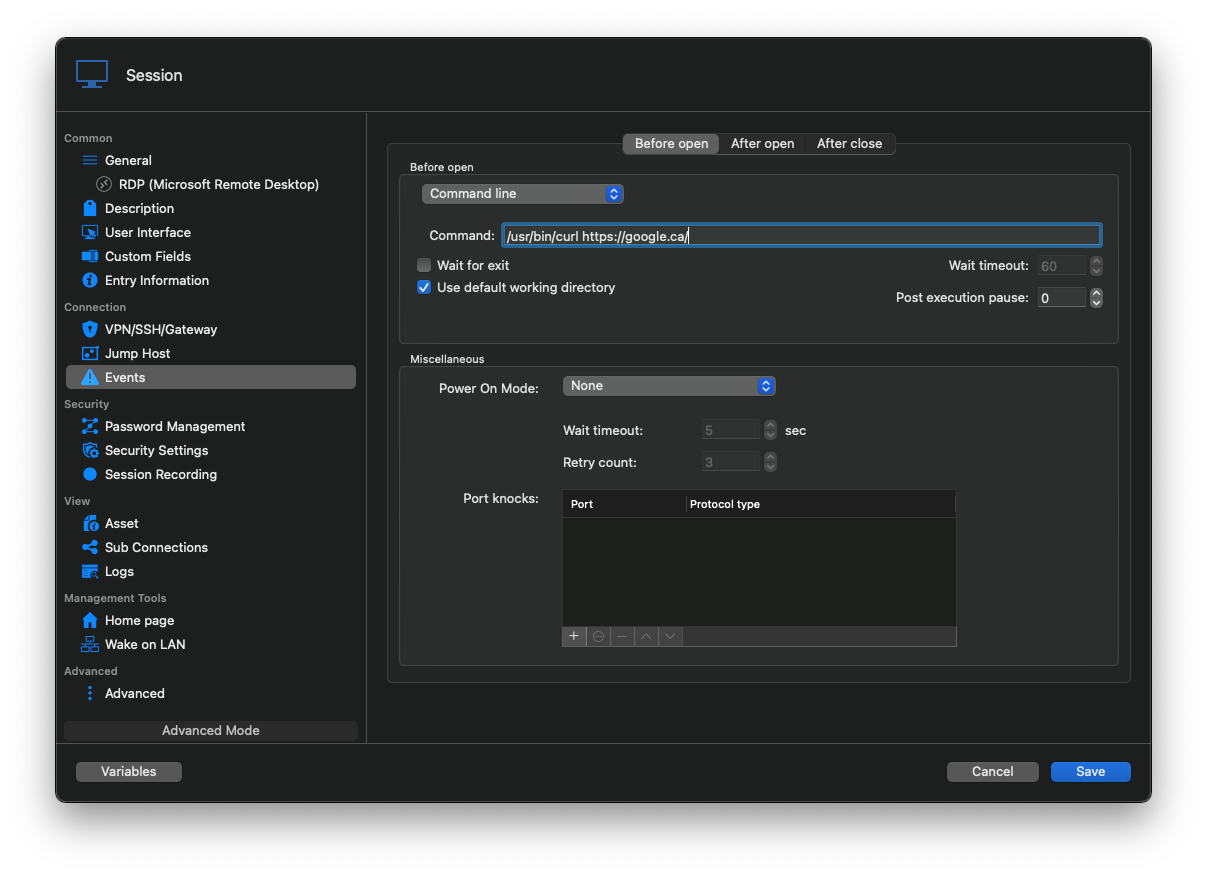
I think this should fix your issue.
Best regards,
Xavier Fortin
Curl.png
Hi,
Thanks for your reply.
this gives me the same error: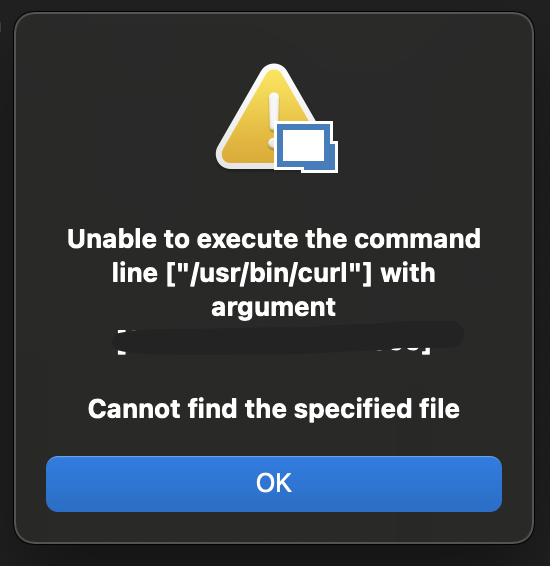
but I can run the CURL with bot "curl" and "/usr/bin/curl".
Screen Shot 2021-04-21 at 5.05.59 PM.png
Interesting.
In Terminal.app, if you type the following command: type curl
What is the output?
Best regards,
Xavier Fortin
$ type curl
curl is /usr/bin/curl
$ which curl
/usr/bin/curl
$ type /usr/bin/curl
/usr/bin/curl is /usr/bin/curl
$ which /usr/bin/curl
/usr/bin/curl
Hi Heshmatkhah,
I found and fixed the issue. This will be available in the next release of RDM.
I'm assuming this might be impeding your work, do you want me to provide a preview version with the fix? If so, which edition of RDM are you using, Free or Enterprise?
Best regards,
Xavier Fortin
Hi,
Thank you.
I'm using Enterprise Edition version 2021.1.2.0
Hi Heshmatkhah,
Here is the version with the fix: https://www.dropbox.com/s/whpn0xfu4qnr1p0/Devolutions.RemoteDesktopManager.Mac.2021.1.3.1619034345.dmg?dl=0
Please, do tell us if it resolves your issue.
Best regards,
Xavier Fortin
Hi Xavier,
Thanks a-lot.
It's working now!
Hi Heshmatkhah,
Glad to hear it!
Do not hesitate if you have any other issues.
Best regards,
Xavier Fortin