Expiration date picker
0 vote

It would be good to make the expiration dates editable. Each customer has a different security policy. For example, we use the default password validity of 13 months.
I would also like the option to set this value as the default for all credentials. (Not a specific date, but the time since the creation of the credential.)
Thank you for your great software
All Comments (5)
Hello,
Just to be sure we're talking about the same feature, you should already be able to set the expiration here: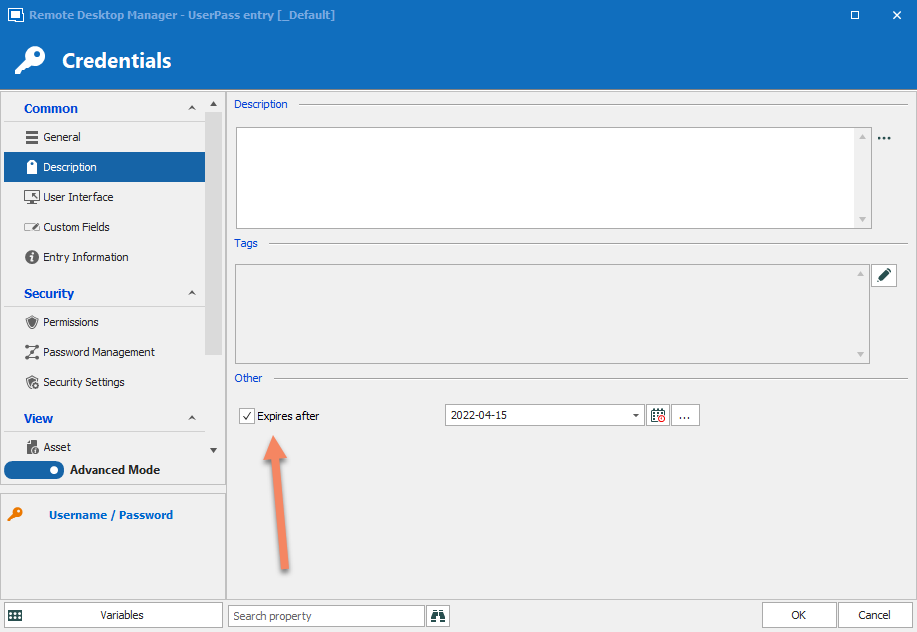
Currently the default value in the date is one year from the moment of creation. We could add an option to change what the default value is.
Regards,
Hubert Mireault
2021-04-15_7-41-40.png
Hello,
yes that's the function.
It's about automation for most users. It often happens that this manual setting is not set and the password expires.
If I choose the template as the default setting for all new objects of type "Username / Password", the password is valid for one year from the creation or change of the password.
If I do this now, a fixed date is inserted instead of a variable representing one year. And if someone creates a new name and password in half a year, it will be valid for only 6 months.
Thank you
We discussed it and we could add a setting for this in the templates. This would let you create a template with an expiration date set to the value you desire (for example, in 13 months). So all of your users that use this template to create the entry would have "+13 months" in the expiration, and it would be already checked. We'll give you more details once we have the feature done for how to configure it in case my explanation isn't clear. 🙂
I've opened an internal ticket, we'll let you know once we have an update on this.
Regards,
Hubert Mireault
Thank you.
Hello,
We've added a new option in the Template Settings to set an expiration date from the creation of the entry instead of a fixed date.
It will be included in our next major release this summer.
Regards
Jonathan Del Signore