Add in root permissions not working

Hello,
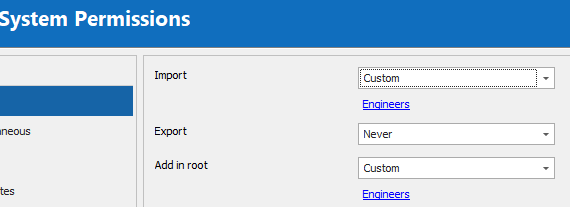
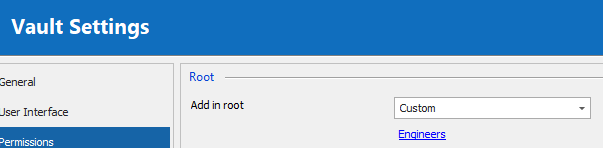
I'm trying to set up certain system permissions through user groups and when I create a user and put the user in a user group, all the permissions work except for the 'Add in root' option. Even though the group has permission in the 'System Permissions' and in the 'Vault Settings' to be able to do this, it does not seem to be working.
Same for add in root, I can't use the import option for this user on the root, import does work in underlying folders.
Is there anything else I can check?
User just has user permissions so not restricted user.
All Comments (14)
Hello,
which RDM version and datasource are you using?
Regards,
Min
Hello,
which RDM version and datasource are you using?
Regards,
Min
Hello,
SQL datasource not Azure
Enterprise Edition 2020.3.29.0
kind regards,
Hello,
It is only that User/Group that appear to have this issue or other users or group have the same behavior?
Best Regards,
Etienne Lord
Hello,
It is only that User/Group that appear to have this issue or other users or group have the same behavior?
Best Regards,
Hello,
When I do it on user level, it does exactly the same.
I tried to do it with another user group level too with different users in there and that also failed to apply or allow the "Add in root" possibility.
When I put everything on allow from the "Add in root" nobody can do this, I believe this has something to do with the level from the user which is just a normal user.
When I make this user an Administrator, he suddenly is allowed to do this and when I make him a normal user again, these permissions get removed even though it says that in both "system settings" as in "vault settings" is: Allowed.
with kind regards,
Hello,
Could you send a screenshot of Administration - Vault Settings - Permissions, with the "General" permissions (View - Add - Edit, etc)
Also, could you head over to File - My Datasource information and click on "Email Report to support"
Best Regards,
Etienne Lord