Link user to a DameWare remote connect entry.

Hello there.
Just want to ask: is it possible to link a employee to a DameWare remote connection entry.
For example: I have company organizational structure with employees phone numbers and credentials and i have DameWare remote connect entries. Can i link them together in some way, so i could connect through a DameWare client to user's PC from his page directrly.
Alternatively, can i solve it any other way?
All Comments (10)
Hello,
What do you mean exactly by "From his page directly". Looking at our Dameware integration, it is quite straight forward and it doesn't look like it would be possible to achieve what you are looking for unfortunately. You can link a credentials entry to the Dameware session in order to launch the connection using those credentials, but I am not quite sure if this is what you would be looking for. 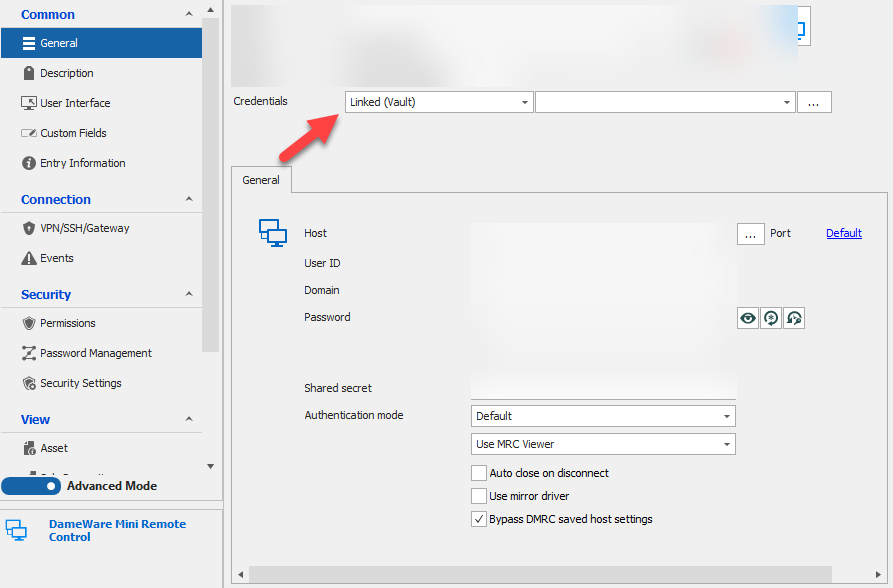
Best Regards,
Etienne Lord
dameware.png
I want to link "contact" type entry to DameWare connection entry to initiate remote help session. Or, maybe, you could recommend another way to achieve similar effect: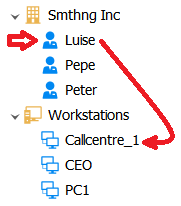
quest.png
Hello,
For example, when you click on Luise it would launch Callcenter_1 with Luise's information. And if you click on Peter, it would launch Callcenter_1 with Peter's information, is this what you want?
Best Regards,
Etienne Lord
No, each DameWare connection is dedicated to a different PC which belongs to different person.
In this example Callcentre_1 connects to the workstation of Luise, CEO - Pepe and PC1 - Peter.
I just want to find a way to connect to user's PC knowing only their contact information. I know that i can add a tag to a connection and then find and connect manually, or rename connections altogether.
How would service desk organize their navigation tab in this situation?
Hello,
Sorry to jump in but have you tried the sub-connection? You can add the machine under the contact (it will be the opposite of what you are have in mind) and you will have access in the Dameware session to the variable from the parent to establish the connection.
Regards
David Hervieux
Sounds like it's exactly what i need. But i can't find any info on sub-connections, can you point me in the right direction please?
Hello,
For existing connections, you can make a right-click (in this case, you DameWare sessions) and head over to Edit - Parent : 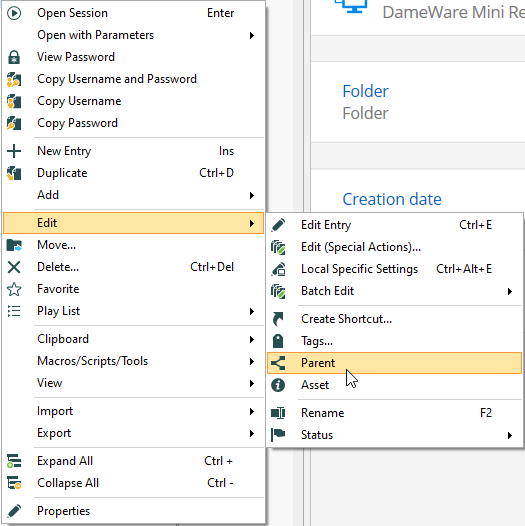
From there, you will be able to choose which entry you want to link it with.
When you create new contacts, you will see in the session's properties the Sub Connections tab, you will then be able to create you Dameware session directly as a Sub Connection :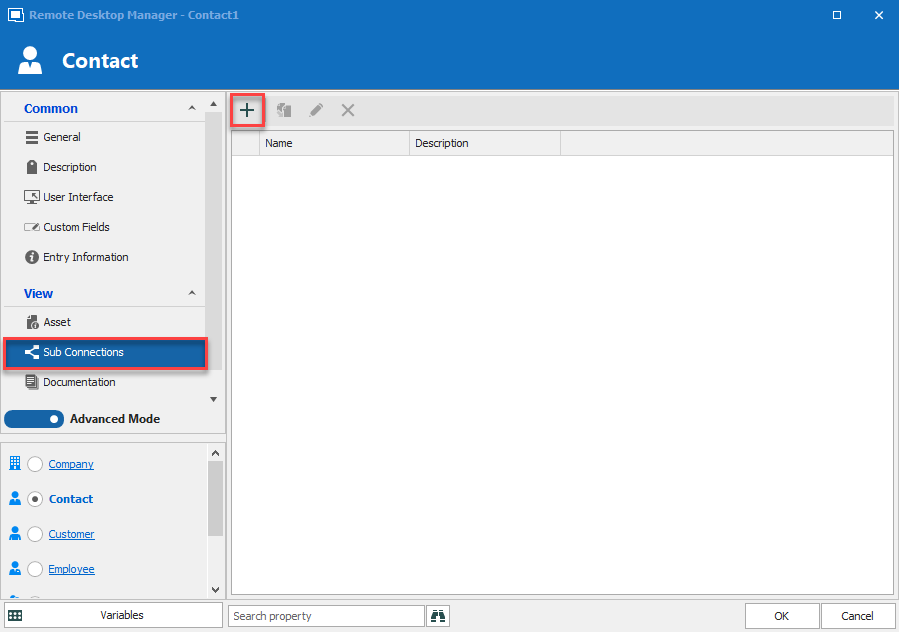
Best Regards,
Etienne Lord
sub.png
parent.png
Unfortunately i don't have this option. Maybe its because i have a free version of RDM?
Hello,
If you head over to File - Options - Advanced, you should find the "Allow Sub connections" option : 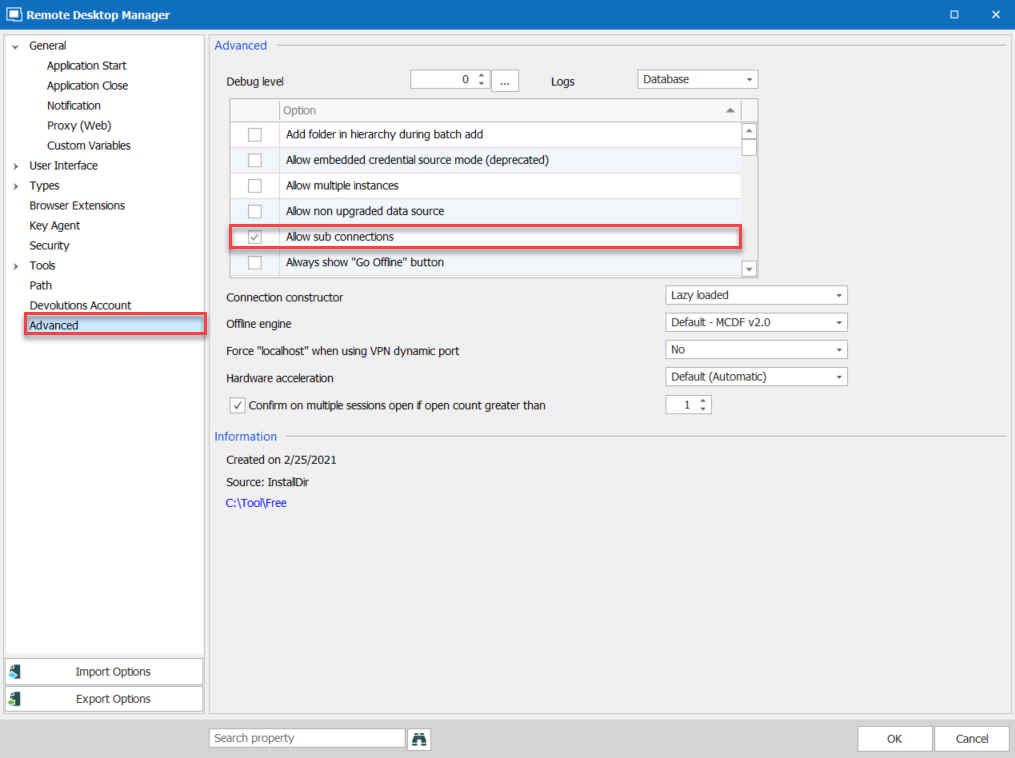
Best Regards,
Etienne Lord
sub2.png
Hello,
Sorry to jump in but have you tried the sub-connection? You can add the machine under the contact (it will be the opposite of what you are have in mind) and you will have access in the Dameware session to the variable from the parent to establish the connection.
Regards
Hello,
If you head over to File - Options - Advanced, you should find the "Allow Sub connections" option :
Best Regards,
It's not what i had in mind exactly, but it's the next best solution.
Thank you very much for help!