Multiple ssh tunnel hops

Is there any way to make multiple tunnel hops in a single session?
I currently make a single tunnel using the VPN settings, but I have a new customer that requires at least one additional jump point before logging on to the destination machine. Is this possible to automate end to end within RDM?
I thought I could use the 'Before Connect' using the command line option but that opens a completely new Remote Desktop Manager application.
The best I can do it to initiate the first ssh tunnel manually, and then it automatically opens the 2nd tunnel using the VPN settings.
This means I always need to have that first session open during any connectivity to that customers machines. If I close it by accident, everything at the next level disconnects.
All Comments (16)
Hello,
If you right click on the root of the vault > properties, you can access the vault settings. Then, you can check "Allow VPN chaining with SSH entries".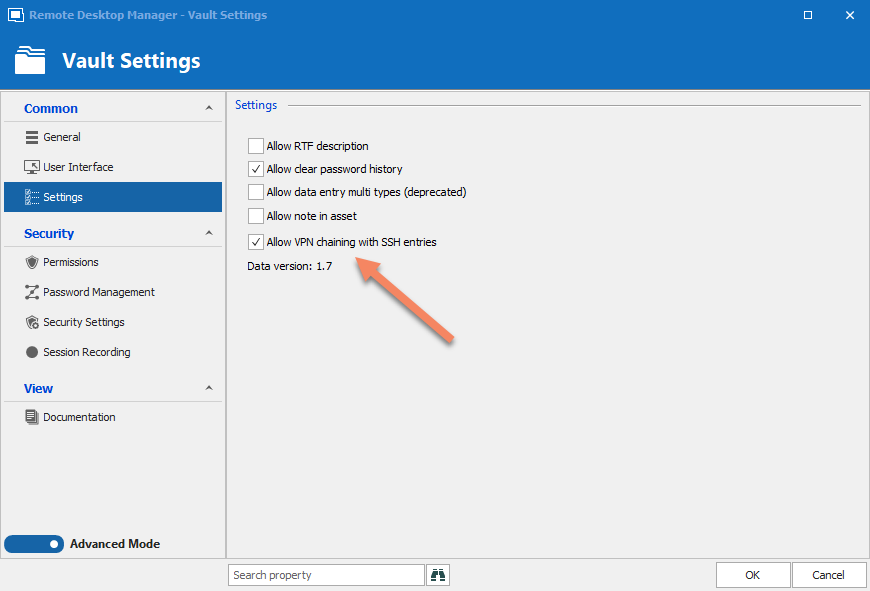
The way you would configure this would then be to create two SSH Tunnel entries (Tunnel1, Tunnel2). Configure Tunnel1's VPN/SSH/Gateway tab to point to Tunnel2. Then, configure your desired entry (for example, an RDP entry) to point to Tunnel1. Then, when you open the RDP, it should open Tunnel2 > Tunnel1 > RDP.
Let me know if this works for you.
Regards,
Hubert Mireault
2021-03-22_7-18-53.png
I have all of the other options except for that last "Allow VPN chaining with SSH entries"
I assume this was introduced after v2020.1.20 and I will need to upgrade to get it?
I have now upgraded to the latest version and I can see this.
However how do I configure the SSH tunnel to use dynamic port for the RDP session if I use an existing SSH session? This is quite different to how I usually use VPN options.
Edit: I currently use RDM in a way that 1000's of RDP sessions use the dynamic port via VPN settings.
I can't change this to setup a new ssh forwarder for each entry, that's not going to fly. It needs to be dynamic so hopefully it's just something I'm not able to see and can happen
Hello,
If you pick an existing SSH tunnel by selecting this option in the VPN/SSH/Gateway tab:
You should then be able to choose your SSH Tunnel, as well as configure it with the dynamic port:
Then, that configured tunnel should point to another tunnel in its VPN/SSH/Gateway settings, and it will open that one first.
Let me know if I'm missing a part of your scenario or if this works for you.
Regards,
Hubert Mireault
As I have never had to setup an SSH tunnel for this purpose, how do I set it to use a dynamic port?
It defaults to 3390 and the 2nd ssh tunnel doesn't connect even though I select use dynamic port in the VPN settings.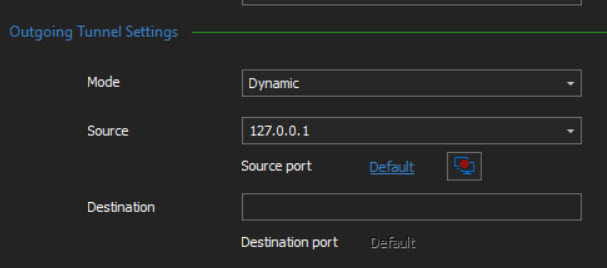
2021-03-24_7-33-33.jpg
Hello,
To confirm, do you mean using a dynamically-generated port (the option "use dynamic port"), or using the dynamic forwarding mode (as opposed to remote or local)? Your screenshot points towards the latter, but I thought you meant the former.
I think what would help is if you could show me the settings you currently are using in your tunnel entries that are currently working for you, so we can see if a possible solution already exists within RDM or if we need to open a feature request ticket to support your scenario.
Regards,
Hubert Mireault
I do mean dynamically-generated port (the option "use dynamic port"). But this requires the SSH tunnel to be setup first in the instructions above so I assumed it also needed dynamic forwarding?
These images show how I currently use a single ssh tunnel.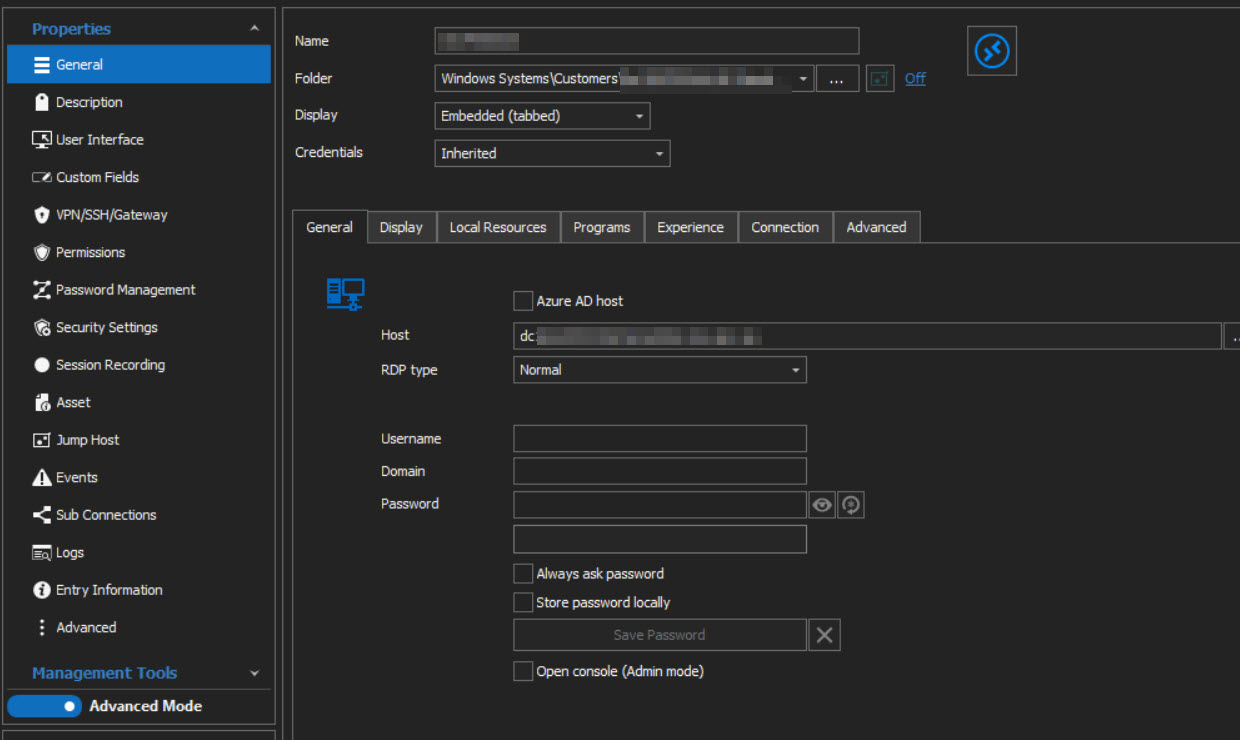
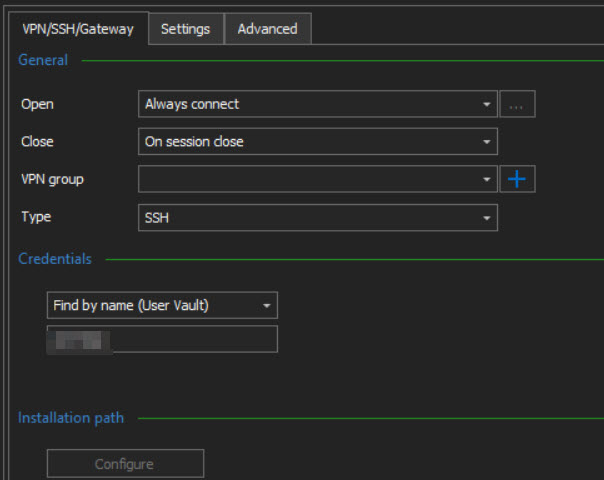
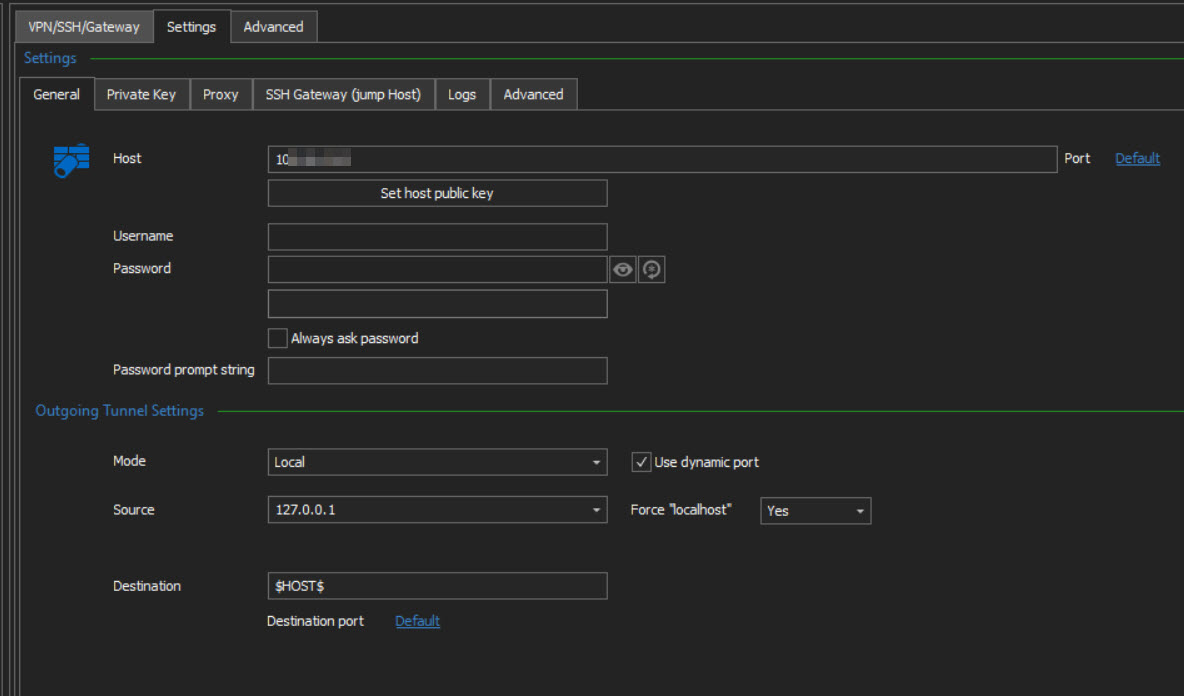
In future I will need this setting to connect after another tunnel is setup to allow it to connect.
3-2021-03-25_8-24-27.jpg
2-2021-03-25_8-24-10.jpg
1-2021-03-25_8-23-51.jpg
Hello,
From what I see, you set up manually the SSH Tunnel for every RDP Entries.
You can actually create a SSH entry that you will be able to link to your RDP sessions instead of re-creating it manually every time.
Simply create an SSH Tunnel entry : 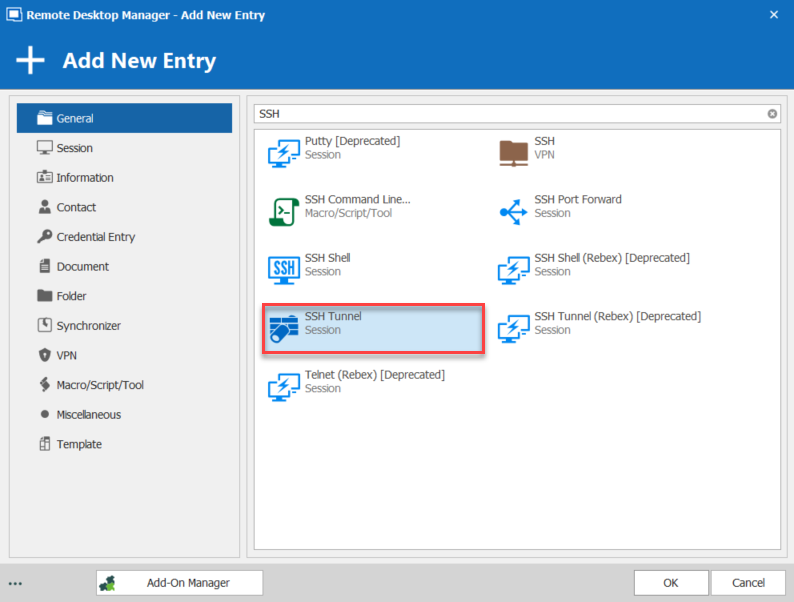
From there, in your RDP Session(s), in VPN/SSH/GATEWAY chose the type as (Existing) Session : 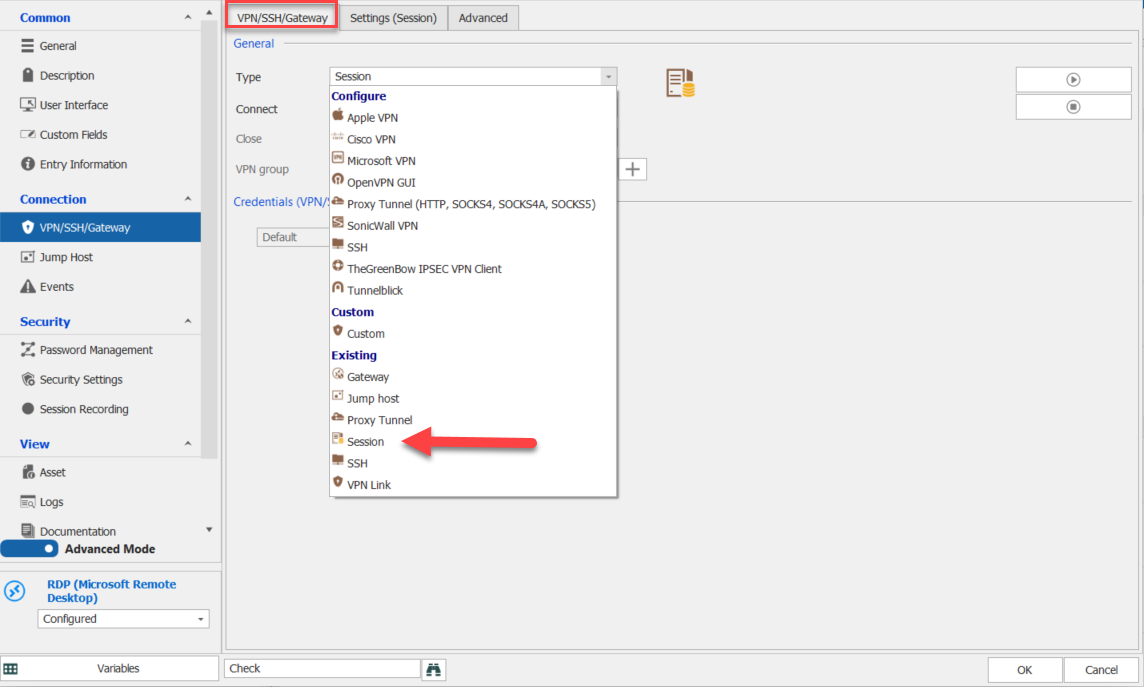
And in the Settings (Session) tab, choose the SSH Tunnel entry that you created : 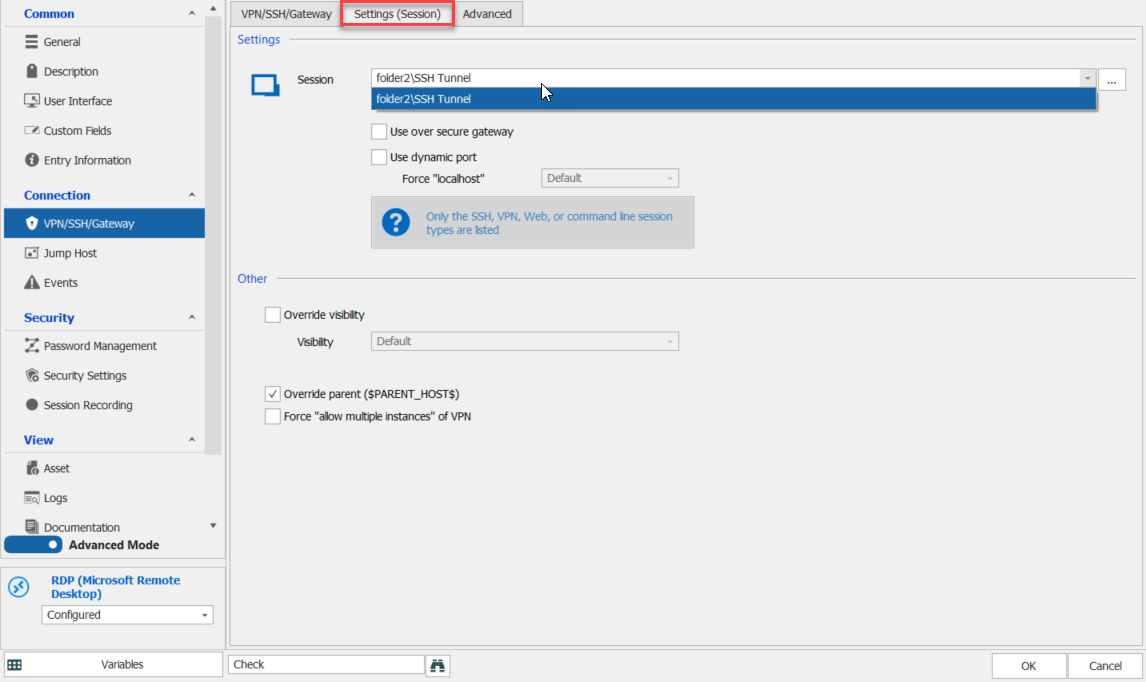
Let me know if this help.
Best Regards,
Etienne Lord
tunnel2.png
tunnel1.png
tunnel.png
I'm clearly not understanding or doing something right, sorry.
It's not connecting to the destination computer still. I believe it's because it's not using $HOST$ like I previously configured.
btw, it doesn't need to be manual on each entry. In some areas I add it on the top-level folder and it inherits from each entry.
What is $PARENT_HOST$?
How can I make sure that it connects to the destination using the dns name? I previously entered this into the Host entry field so it can lookup from the ssh server.
Hello,
Just to confirm, you would like your from your Outgoing Tunnel Setting's destination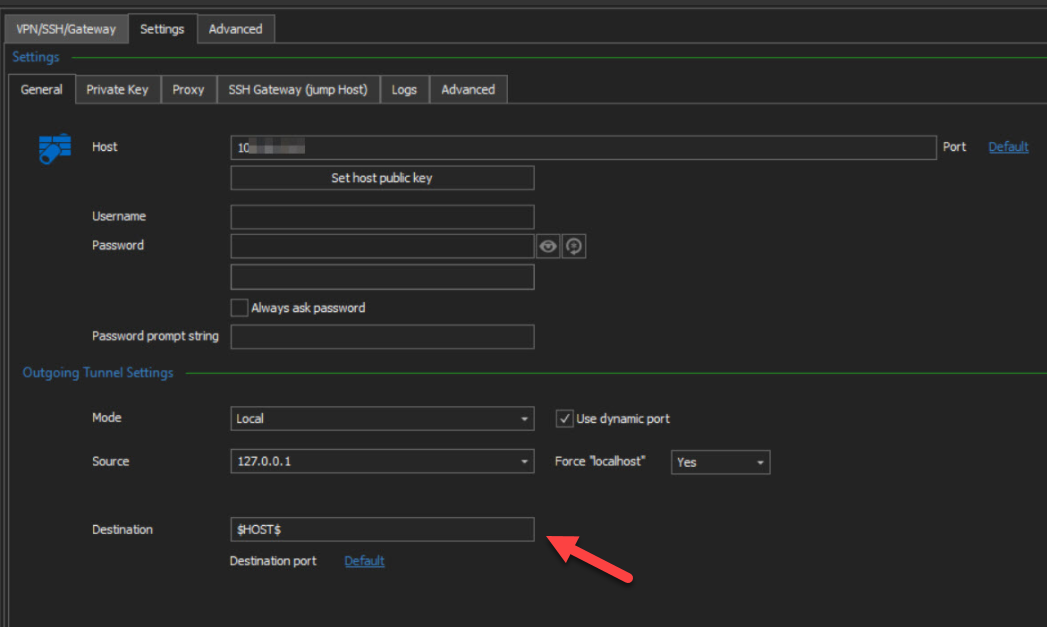
To refer to the RDP Host, correct? (Using a variable) 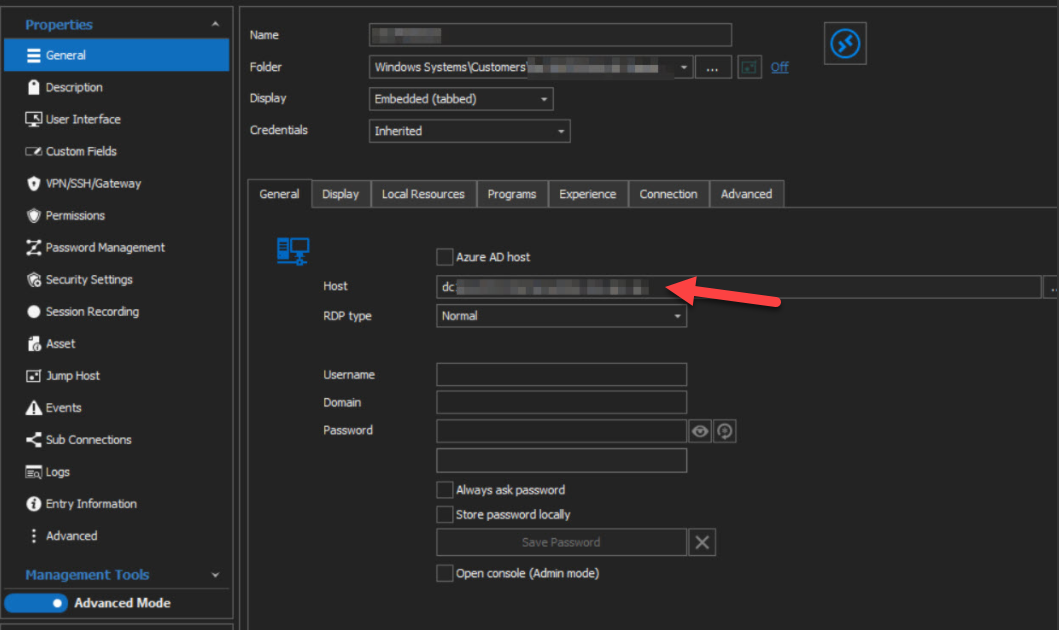
If that is the case, let us know and we will do some tests in order to see if this is something that is supported!
Best Regards,
Etienne Lord
rdp.png
tunnel.png
Yes, that's ideal since I can then lookup via dns. If there was an alternative workaround I could look at that.
I used to use the $IP$ variable but even then there is no option I can see to use any variable using this ssh session method.
What does it connect to using this method otherwise?
Hello,
Thank you for the details, we will look into it.
Best Regards,
Etienne Lord
Hello,
Could you try to also set your (RDP) Host/IP under the Asset Tab -> IP : 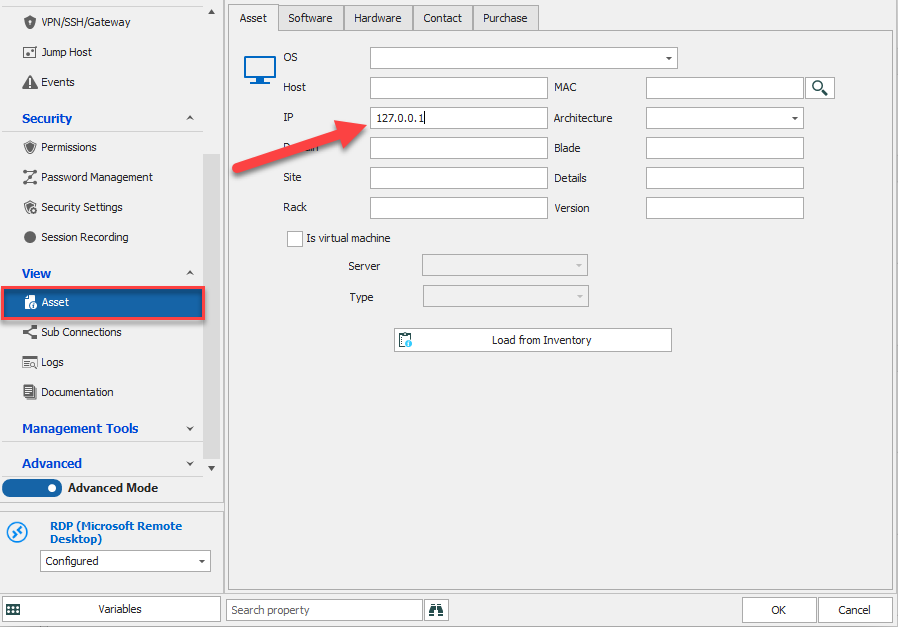
From there, use the $INFORMATION_IP$ variable in your Tunnel Destination Setting : 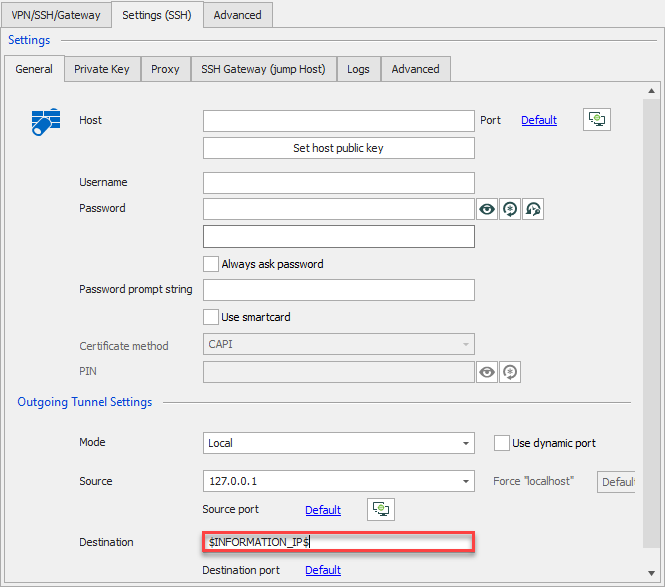
Best Regards,
Etienne Lord
tunnel.png
Asset.png
Where is that 2nd screen shot configured? I don't see a 'Settings (SSH)' tab anywhere.
Edit: I see where it is. But this is not using SSH session as per every response above. It's using plain SSH.
I will try if this works and report back.
So this doesn't open the other tunnel before it unless I open it manually which is what I'm trying to automate.
Hello,
We will continue to investigate on that in order to see what could be the issue. I will look into it and if needed we could perform a quick remote session to have a look at you environment so you could give us more details about your setup. I will keep you updated on that.
Best Regards,
Etienne Lord