launching remoteapp inside RDM

I'm going to post here because I've been very disappointed in 'supports' ability to understand and provide guidance on how to use RDM to launch remoteapp's.
https://help.remotedesktopmanager.com/tools_localrdpremoteappconsole.html
The help article is woefully lacking in exactly what is needed to set up remoteapp's. Has anyone here been able to get them to work? Can you provide any feedback on maybe what I'm doing wrong? Support seems to have no idea and its taking them almost a day to respond every time I send them back debugs and screenshots.
I have a RD session host server with a number of published apps. The RD web role is also installed and I can launch the remoteapp's from the RD website. In addition, I can download the RDP file from the website and launch the remoteapp's from the RDP file and everything works fine. So I know its not anything to do with my RDS implementation.
The problem is when I try and follow the above 'instructions' I can't get RDM to launch remoteapp's correctly. It just fails. Screenshots attached.
The RDP file: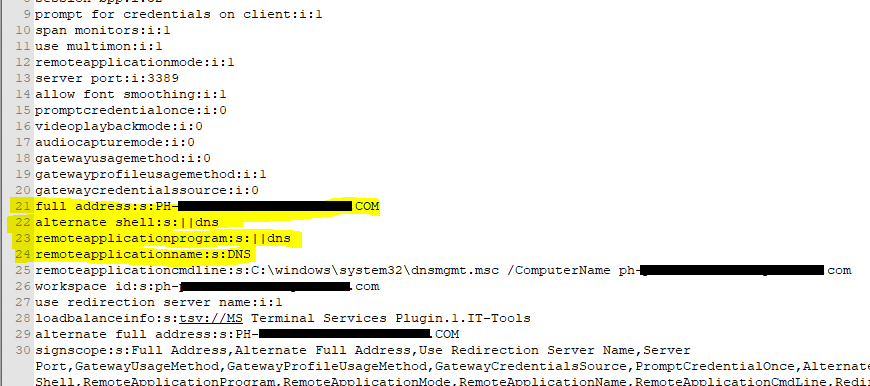
RDM RemoteApp config according to the instructions above: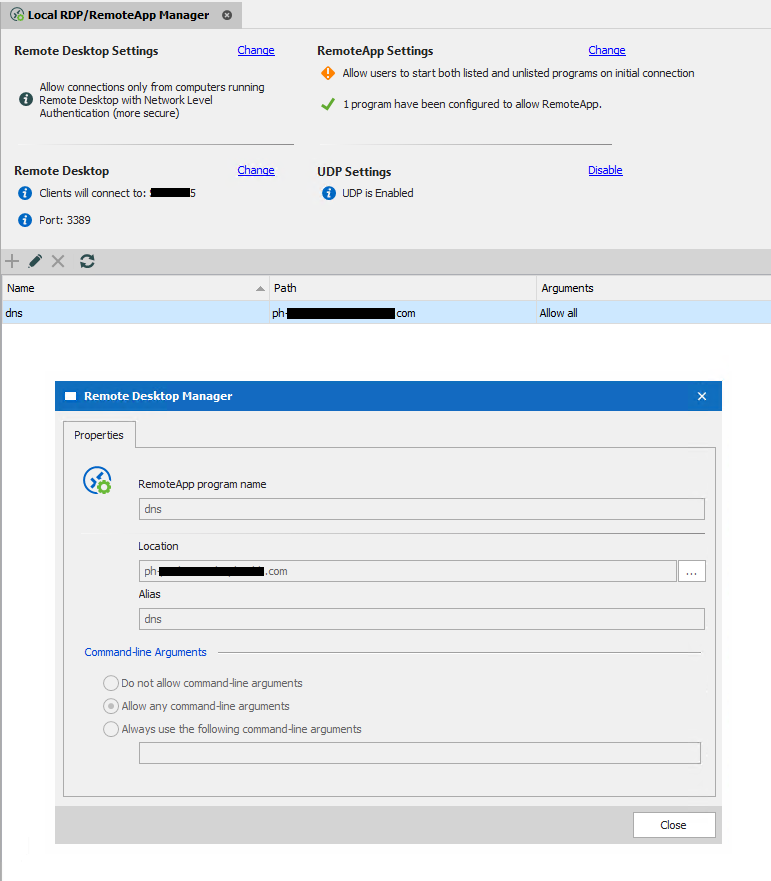
The DNS remoteapp working when launched from the RDP file: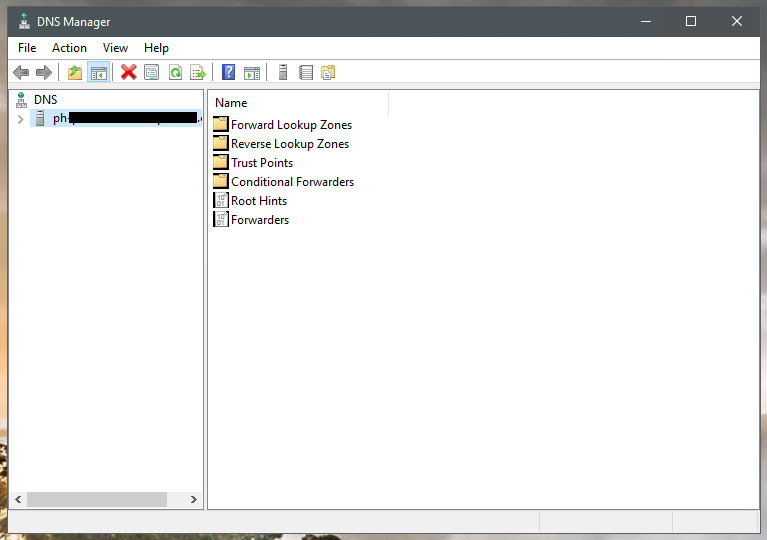
The DNS remoteapp being launched from RDM: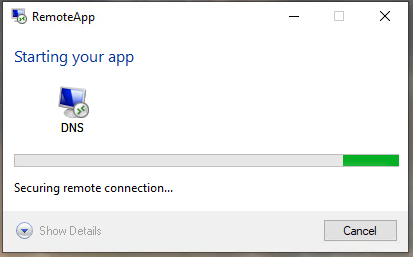
The error I got when trying to launch remoteapp's from RDM: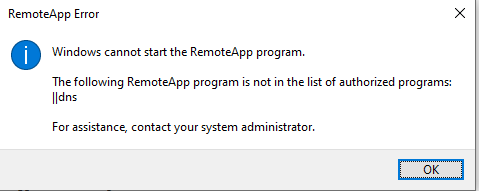
5.PNG
4.PNG
3.PNG
2.png
1.PNG
All Comments (13)
Hello,
I'm the one that did the RemoteApp implementation and I think it was 8 years ago. Unfortunately it seems that we are no longer able to make it work with the ActiveX. You can try to link your rdp file and open it externally. From what I remember anyway we never supported RemoteApp embedded in RDM:
https://forum.devolutions.net/topics/17485/remote-app
The support was really puzzle since it's not a common feature. I will remove the setting from RDM to avoid confusion. I know you might not like this answer and I'm sorry about that.
You can see from these threads that it's not just RDM which have the limitation:
https://support.royalapps.com/support/discussions/topics/17000018542
Regards
David Hervieux
So I've been messing with this and I have indeed been able to get remoteapp's to work. The main problem here is that things are not well documented for RDM.
That support guide I linked to in my original post actually has nothing to do with remoteapp's working or not in RDM. It's completely unnecessary.
What is needed is to point the host entry to your RDS session host server. That is the trick. That isn't how the remoteapp RDP files are set though which is what was giving me problems.
Typically in remoteapp you point to the server that hosts the RD Gateway which then acts as a kind of broker pointing you to the different session hosts servers you may have different applications installed/hosted on.
What is needed for RDM is to set up the host entry to point to the specific RD session host server where the application youre trying to launch is installed and published on. Then on the session host options on the 'programs' tab you check the box for using remote app (seamless) and specify the alias of the remoteapp you want (with any additional command line options you want to specify)
This method works. BUT, the big caveat to remember is it will only work correctly in 'external' mode. You can't run remoteapps embedded.
Wow, great job Hazen. I think you know more about RemoteApp than us. I have a business proposal for you. Would you be interested in writing the knowledge base topic about RemoteApp in Remote Desktop Manager?
You could create a simple word document with some print screen and an example. I will gladly pay you 200$ for that. This will be helpful for the RDM community as that same time. You already have done most of the job with your answer. What do you think?
Regards
David Hervieux
David, no payment necessary. I'll gladly write something up including screenshots. I've been using RDM for 8+ years so I'm happy to contribute something.
I'll forward the document through my open support ticket on this issue.
Thank you very much. What about a blog topic with you name as the contributor? I think that you deserve something. We know that we are not perfect at Devolutions and we get better with the help of the community.
Regards
David Hervieux
David, I sent the help file to you guys attached to my ticket. DEVO-30535
Hello Hazen,
The document has been received. I will check with my team to create a KB article with the information.
Thank you very much!
Jeff Dagenais
Thank you very much.
Regards
David Hervieux
Hello Hazen,
Here's the knowledge base article that we have created with the information that you have provided us
https://kb.devolutions.net/kb_rdm_launch_remoteapp.html
Thank you very much again for your help regarding this!
Best regards,
Jeff Dagenais
You may want to update https://kb.devolutions.net/kb_rdm_launch_remoteapp.html to include instructions for a connection broker that is deployed in high availability.
Hello dmprogram,
Would it be possible for you to provide more details about what you would like to see added to this topic? With these guidelines, we will be able to see what can be done.
Best regards,
James Lafleur
Hello there,
Just wanted to add that I was able to get a RemoteApp functioning as well thru RDM. The key step for me was using the "Embedded RDP File option" in Properties ("RDP File Link" also worked, the default "Configured" option was the one that wasn't working).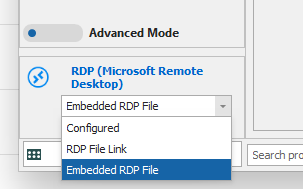
Embedded.png
Hello LouieBee,
Thank you for sharing this information with our community!
Best regards,
James Lafleur