Mac RDP Issues, Screen is at a 45 degree angle!

I just recently installed Remote Desktop Manager for Mac (v2020.3.4.0) and created a single RDP connection. When I connect, the screen comes in at a 45-degree angle. I tried connecting to other servers with the same results.
However, I noticed that it will connect normally when I do one of two things:
- Use the legacy engine or
- Set the remote desktop size to something OTHER than the default
Curious if others have seen this issue? Thanks!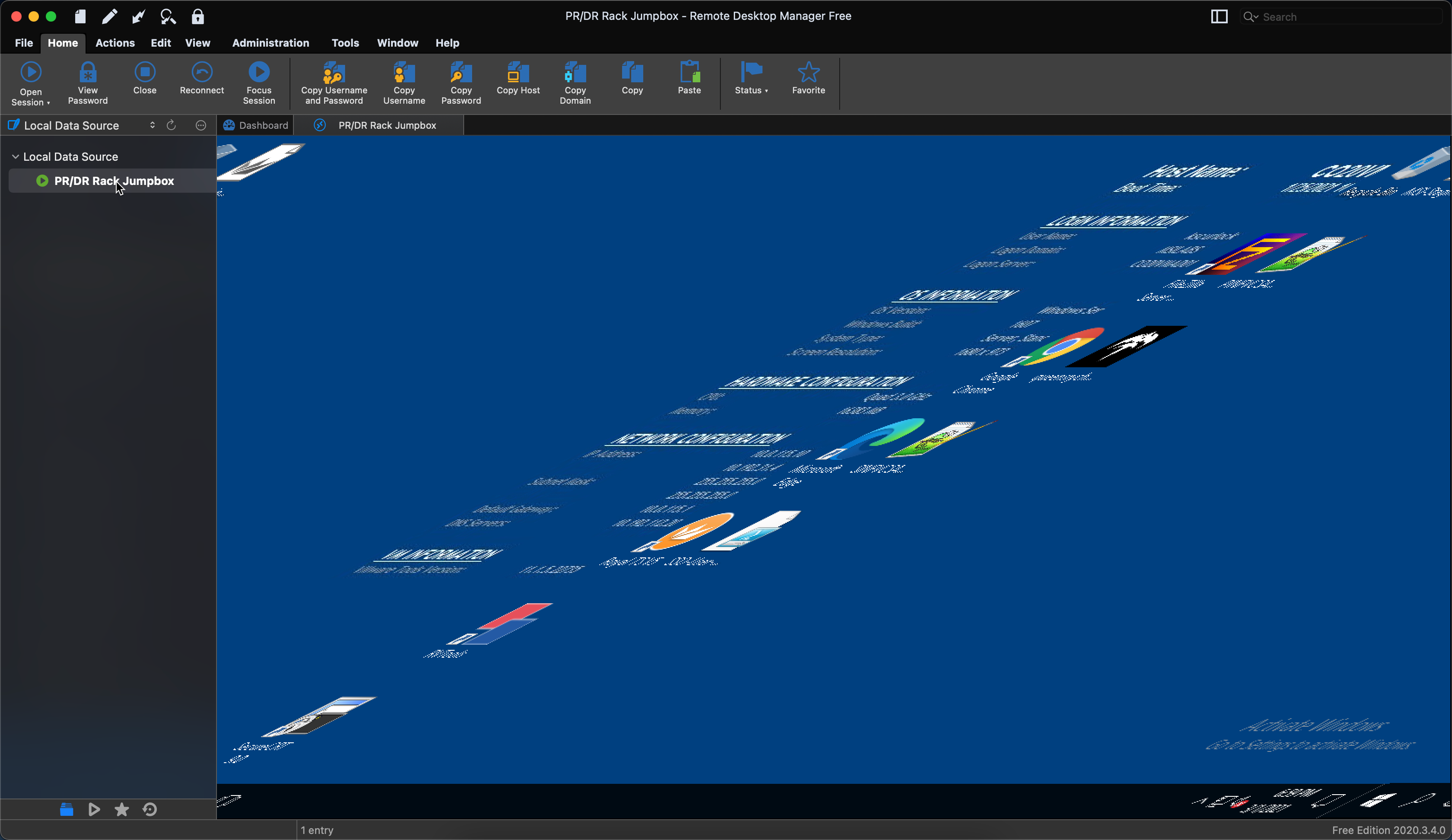
2021-03-01_18-58-44.png
All Comments (12)
Hi,
This is weird, I've never reproduced this with any of our servers. Have you change the settings in the Preferences? Those: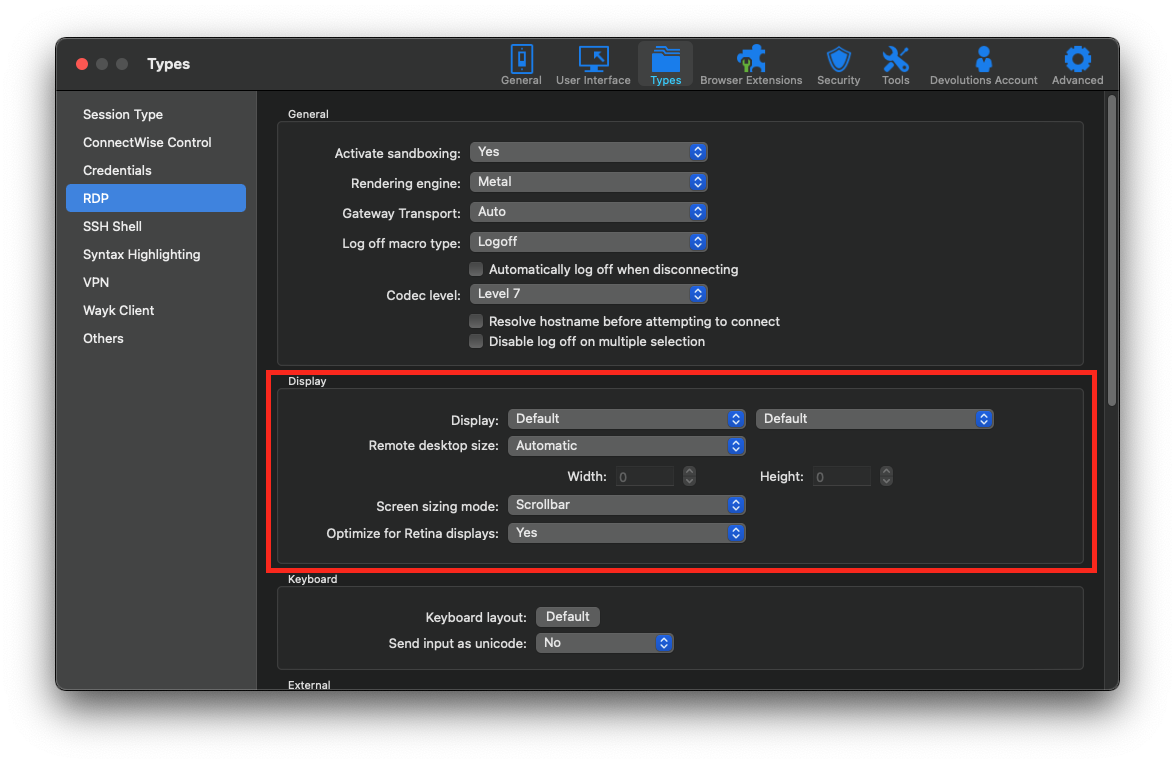
Best regards,
Xavier Fortin
PreferencesRDPDisplay.png
Thanks for replying!
I have played with those settings, yes. Obviously not every combination. This only happens when the "Remote Desktop Size" is automatic or I use legacy. Very strange.
BTW, is there a way to put ALL settings back to default. I've been playing so much with this trying to make it work, I don't remember every setting I've changed. If reinstalling it is the only option, that's ok.
There are no way in RDM to restore all preferences to Default. You can manually do it though by 1) closing RDM 2) open ~/Library/Application Support/com.devolutions.remotedesktopmanager.free/RemoteDesktopManagerFree.cfg in a text editor 3) remove all tags except for "EncryptedDataSources", "RegistrationName" and "RegistrationSerial".
As for you issue, this might be some weird scaling issue. In Default mode, we calculate the dimensions the session should have based on the available spaces in the embedded tab. Maybe we're improperly informed of some scaling information and as a result improperly render the images. What is the resolution of your screen? And what are the settings applied to it in System Preferences -> Displays -> Display panel?
Best regards,
Xavier Fortin
So yeah, I do scale both my screens... my laptop display, and an external Dell monitor.
I put them back both to "default for display", tried again with the same results. Rebooted, same thing.
Default resolution:
Laptop: 1440 x 900
Ext. Dell: 3840 x 2160
When I have it scaled:
Laptop: 1680 x 1050
Ext. Dell: 3008 x 1692
I've been investigating by manually tweaking the width values we pass to our renderer, and it's quite obvious to me that (for some unknown reason) we do not pass the proper "width" value in your case (i.e. the renderer and the session itself do not work with the same width, hence the shifting of pixels on every new lines). As of yet, I can't see why, for all intent and purpose, the renderer should "take" its width and height values from the session itself.
Xavier Fortin
Thank you for taking to time to look into this. At least I have a workaround that I can use for the time being.
I really appreciate the quick response and helpfulness you've provided.
Hi Kevin,
I've built a version with more logs to (hopefully) pinpoint where the issue occurs. Here it is.
Can you reproduce the issue in it and share your application log (Help -> Application Logs -> Open)?
Best regards,
Xavier Fortin
So.... seems the problem has gone away with this release? I created a new session, used all the defaults, and it connected just fine this time.
Here are the logs, just in case.
Interesting. And everything in the log seems fine. There might have been an issue in the previous versions that I am unaware of.
When we release the next version (2021.1.1.0), if you reproduce the issue again, can you post back? I'd like to make sure the problem is really fixed.
Best regards,
Xavier Fortin
Absolutely! Thanks again for all your help!
Where can I download the new release 2021.1.1.0 ?
@vitexeon,
RDM 2021.1.x for MAC is not available yet, but should be available before the end of next week if everything goes well with the engineering department and the QA team.
Best regards,
Jeff Dagenais