"An internal error has occurred" when trying to open any RDP session
"An internal error has occurred" when trying to open any RDP session

When I try to open a session with an RDP, I get the message, "An internal error has occurred," and the connection attempt cancels. Repeating the open session command usually returns the same message, except about one out of every dozen or so tries will succeed.
The problem is not solved by deleting the RDP and then adding it back. The only solution I've found is to go to the control panel of my RDP host and open a session through their HTML5 VNC Client SSL feature, log onto the RDP, and then try again to open a session through the Desktop Manager. Half of the time, it will connect and terminate my HTML5 session, and the other half of the time it will give me the same error message. If I keep trying, it will usually connect eventually, but not always.
This problem affects all of the 25 RDP connections I have saved in the Desktop Manager.
Please help.
All Comments (4)
Hello,
Do you launch your RDPs in External display or in Embedded (tabbed)? 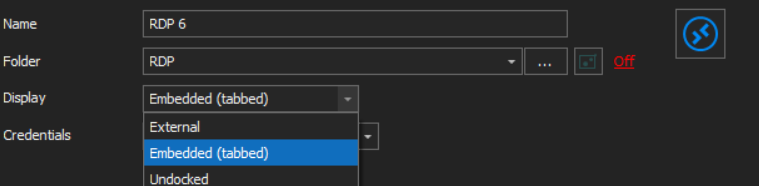
Best Regards,
Etienne Lord
display.png
Embedded.
Hello,
Do you launch your RDPs in External display or in Embedded (tabbed)?
Best Regards,
Embedded
Hello,
Do you encounter the same error in external mode?
Do you have something relevant in Help - Application logs?
Best regards,
Jeff Dagenais
