Request to Auto-refresh & repopulate the navigation tree after a Windows disconnect or Windows idle timeout..re-establish connection to datasource
Request to Auto-refresh & repopulate the navigation tree after a Windows disconnect or Windows idle timeout..re-establish connection to datasource
0 vote

Users are complaining to have to hit the manual refresh button after a Windows idle timeout....or extended idle (away from keyboard).
Our SOX policy require us to lock the user machine. Upon unlock and re-login to RDM, we have to manually hit the refresh button to get RDM to repopulate the navigation tree structure. We are running version: 2020.3.18.0 but I have seen this in older version as well.
I have reached out to support for help but was told to create a feature request.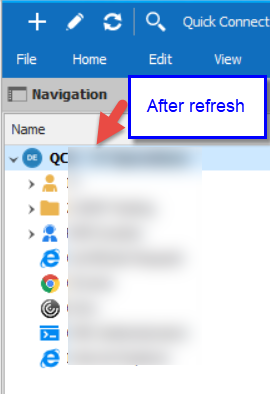
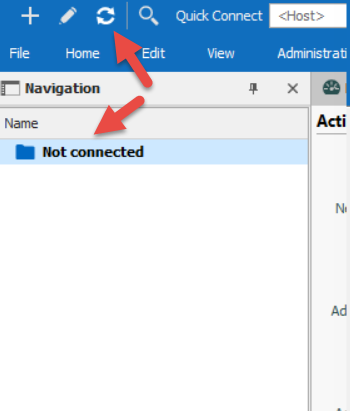
2021-01-22_15-03-12.png
2021-01-22_15-02-05.png
All Comments (1)
Hello,
We actually are adding a feature that will be released in RDM 2021.1 to automatically reconnect your datasource on activity. It will require having configured the "datasource disconnect" feature. Here is where they'll be located in the System Settings: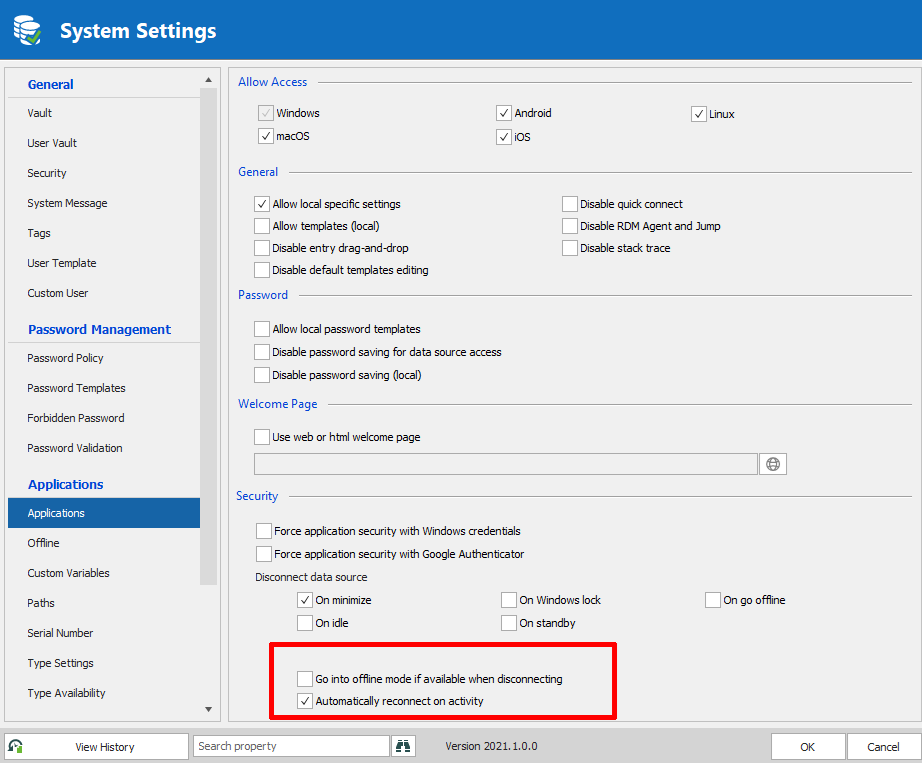
I think this might work for your users.
Regards,
Hubert Mireault
Untitled.png