ConnectWise Control in the Cloud

OK, what am I missing here? I have the RDM extension enabled in my CW Control cloud instance. I create a new CW Control session in RDM, but what am I supposed to enter in the host field? I can't find any documentation on how this particular session type gets configured.
All Comments (7)
Hello,
What version of RDM are you running?
Could you post a screenshot of what your entry type looks like for now?
Best regards,
Jeff Dagenais
v2020.3.16.0. What am I supposed to put in the Host field for CW Control cloud instances? Will this pull the list of sessions from our instance's 'Access' tab?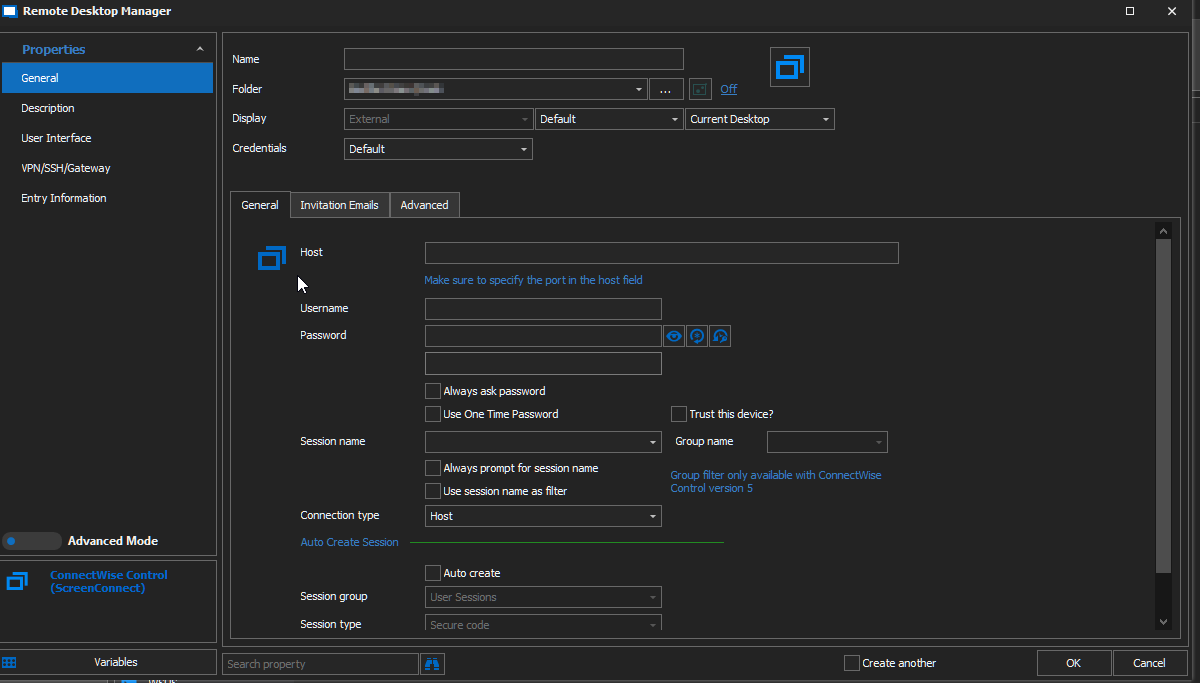
2021-01-07 08_17_43-Clipboard.png
Hello,
In this case, the host field is for the instance name of your server. The session name will be the name of the remote session that you would like to use.
Best regards,
Jeff Dagenais
I've entered the same FQDN that I use to connect to their site (something.screenconnect.com), but the host field is red and won't connect. If there's a different value I should be putting in there, please let me know where I can find it.
Hello,
Is your host looks like https://comething.screenconnect.com ?
If it's red, we suspect that the https:// part is missing
Best regards,
Jeff Dagenais
That did the trick, thanks! I'd like to request that the documentation be updated to indicate the proper format, and the GUI field label changed to indicate that it needs the full URI - currenty, it says "Make sure to specify the port in the host field"
Hello,
Glad that is now working.
I am in charge of the documentation team and I will get the documentation updated.
Have a nice day!
Best regards,
Jeff Dagenais