unable to connect to raspberry pi vnc

Hi All,
im not sure if its a simple fix or an issue itself but i cant seem to connect to my raspberry pi via VNC?
i have set the ip address, entered user/pass, click connect
then it just says disconnected and the embedded panel closes?
it never actually connects?
i can connect perfectly fine from the realvnc app on osx?
OSX 10.15.7, RDM Free 2020.3.3.0
Regards
Simon
All Comments (20)
Hello,
Do you have something relevant in Help -> Application Logs?
Best regards,
Jeff Dagenais
Hi Jeff,
no sadly the application logs is completely blank?
Regards
Simon
Hi,
the only thing i have spotted is under General->VNC for the entry
the VNC application is set as UltraVNC [Deprecated]
however in the drop down the is only UltraVNC or Default
and also under the dropdown it says 'VNC application not supported, the default client will be used'
Regards
Simon
Hello,
Sorry to jump in and not sure if it's going to be of any help, but selecting External in the Display DropDown will give you access to other VNC Applications (especially RealVNC)...
Thanks for keeping us posted!
Best regards,
Alex Belisle
Hi Alex,
that doesn't seem to work either as when you select the external option
it just opens up Apples Screen Sharing application and then says
Connection failed to 192.168.23.232 - The software on the remote computer appears to be incompatible with this version of Screen Sharing.
it doesnt seem to open realvnc even tho i have that installed?
Regards
Simon
Hi
OK I've enabled the logging and recording in the session logs and the below is the ONLY output that is produces, if any help
[13:59:04:306] [44882:0ed97000] [DEBUG][freevnc] - << ServerProtocolVersion: RFB 005.000
[13:59:04:307] [44882:0ed97000] [DEBUG][freevnc] - >> ClientProtocolVersion: RFB 003.008
[13:59:04:309] [44882:0ed97000] [DEBUG][freevnc.auth] - numberOfSecurityTypes: 5
[13:59:04:309] [44882:0ed97000] [DEBUG][freevnc.auth] - 	[0] Unknown (13)
[13:59:04:309] [44882:0ed97000] [DEBUG][freevnc.auth] - 	[1] RA2 (5)
[13:59:04:309] [44882:0ed97000] [DEBUG][freevnc.auth] - 	[2] RA2ne (6)
[13:59:04:309] [44882:0ed97000] [DEBUG][freevnc.auth] - 	[3] Unknown (130)
[13:59:04:309] [44882:0ed97000] [DEBUG][freevnc.auth] - 	[4] Unknown (192)
ALSO I am unable to connect via Windows RDM either now (ive only just spotted this i through it was just a mac issue?)
Windows RDM pops up a box saying 'No Supported authentication methods!'
Regards
Simon
Hello,
Thank you for the logs.
I opened a ticket to our engineering department regarding this thread. However, our office is closed until next week, so they will have a look at it on their return.
Best regards,
Jeff Dagenais
Hi Jeff,
ok ive had SOME success but not alot its more of a pain in the bum
ive created a new vnc entry using RDM on windows, ive set it as EXTERNAL instead of EMBEDDED, and then i can now set the server to REALVNC instead of DEFAULT
when i click the connect now, it does indeed open up RealVNC on windows externally and asks for user/pass and works fine,
however when i click open on RDM for mac, it still opens up the Apple Screen Sharing app and says failed ???
i have checked all the settings too, and on RDM for mac it is indeed set to REALVNC and EXTERNAL, so i thing the must be a bug!
another issue i have i have to enter the user/pass in the realvnc app seperately, i cant seem to pass it the user/pass set inside RDM?
Regards
Simon
Hello,
Will see next week if it's a bug or not.
Regarding the credentials not being pass with RealVNC, I think this is normal since I don't believe we have the possibility to send the username/password via a command line.
Best regards,
Jeff Dagenais
Hi Simon,
RDM for Mac does not support RealVNC (hence the "VNC application not supported" message). I'm assuming that our embedded VNC client does not support your server. This seems to be confirmed by the fact Screen Sharing (Apple's default VNC client) seems unable to connect to your server too.
Best regards,
Xavier Fortin
Hi Xavier,
thats a bummer!
any chance of fixing the external app opener then in mac?
ive set it to open with realvnc but it still opens apple screen sharing!?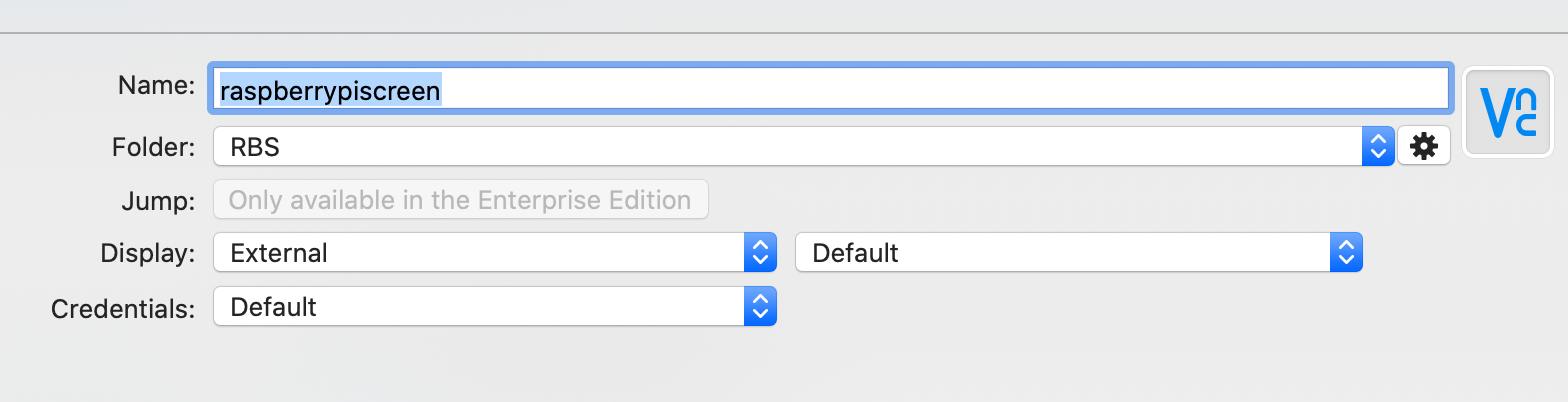
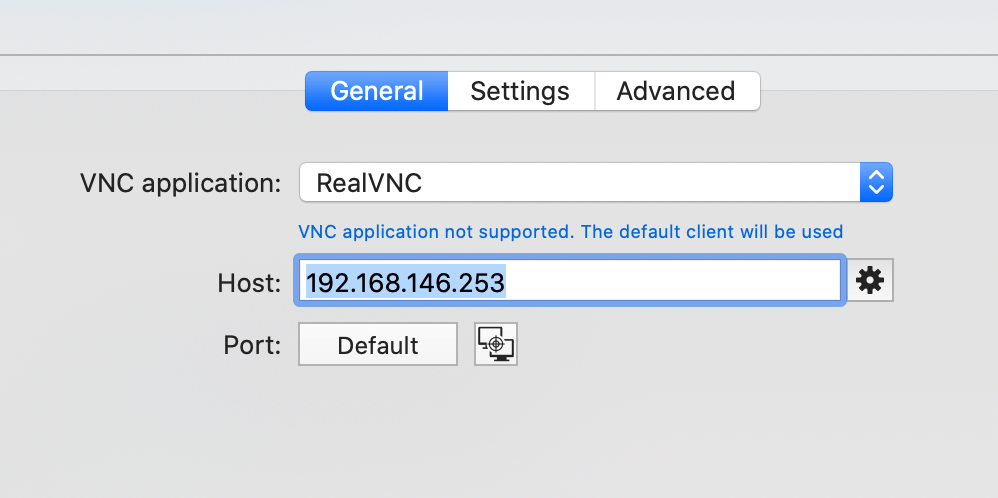
however it happily opens realvnc on Windows no problem
Regards
Simon
Screenshot 2021-01-04 at 14.46.59.png
Screenshot 2021-01-04 at 14.46.50.png
RealVNC seems to support command lines in macOS. This should be feasible.
Best regards,
Xavier Fortin
Hi,
so it appears the VNC built into RDM is incompatible with Unix Auth in RealVNC on the Raspberry Pi
if you change the RealVNC to use VNC Password instead, it works straight away! no issues!
Regards
Simon
Hi Simon,
Thanks for bringing this up with us. This is good to know.
Best regards,
Xavier Fortin
Hi Simon,
RDM 2021.1.1.0 just got released. While we've still not added the support for RealVNC in our embedded VNC client, it's now possible to configure the sessions to launch externally and use the RealVNC client externally.
You can download the version here.
Best regards,
Xavier Fortin
Hi Xavier,
downloaded update and it loads up realvnc as expected when selecting external now,
HOWEVER its not auto entering the password for the session?
it still asks me for the password?
so i have to go back into RDM then select 'copy password' and then paste it into realvnc for it to then login?
Regards
Simon
I think we directly mirrored what is done in RDM Windows. Is there a supported way to send the password to RealVNC (with command line)? Or do we need to fill the field after a delay?
Best regards,
Xavier Fortin
Hi Xavier
I just remembered the is no command line entry/object for entering the password automatically
its a security feature!
thank you anyways :)
Regards
Simon
Hello Simon (it's been a long time!)
I've taken a look at the original ticket (RealVNC "System Authentication" using the embedded RDM VNC client), and the workaround remains to use RealVNC in external mode.
The VNC (rfb) protocol defines a weak authentication method (the "VNC password"), and other VNC vendors extend the protocol by implementing their own authentication methods. Some are open, some are documented - in these cases they can be easily reimplemented by other vendors (for example, Windows authentication in UltraVNC is simple to integrate since it's all open-source).
For the ones that are undocumented and closed (like RealVNC system authentication), the only option is to examine the network traffic and client behaviour and try to recreate the behaviour. This is extremely challenging given that such protocol extensions rely on strong crypto.
We still have the ticket open on our side, but I can't give any kind of timeline for integrating that.
Thanks and kind regards,
Richard Markievicz
Hello again Simon
I wanted to post an update on this. We've implemented enough of RealVNC's RA2 encryption to support connecting to a raspberry pi using the integrated FreeVNC application in RDM.
This will ship in RDM Windows 2022.3. The same backend improvements are available on macOS, I believe it'll ship in the same version (although I don't have a ticket tracking it on the macOS side). I encourage you to try this again with an embedded VNC connection once 2022.3 is available.
Let me know if you have further questions or comments!
Kind regards,
Richard Markievicz