Import Error

Moving data from an old DPS to a new DS using RDM with export/import.
Exported from RDM 13.0.6.0 running against Devolutions Server 4.7.1.0.
Importing into RDM 2020.3.19.0 on a different machine running against Devolutions Server 2020.3.14.0
There are around 6000 entries, I keep having a ton of pop-ups for "Unable to save the entry; invalid data sent. The data entry name is required".
How can I get these entries cleaned up so I can import everything as I can't have any level of data loss?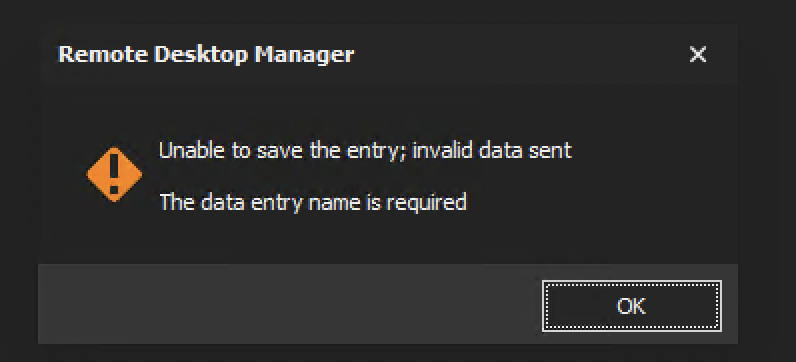
ss.png
All Comments (8)
Hello,
On your old DVLS and RDM environment, are you using Security Groups?
Do you have documents or attachments saved in the database in the old system? The Export operation will not export those documents. It is possible to do it using a PowerShell script.
Let me verify with the engineering team and will get back to you.
Best regards,
Érica Poirier
Hello,
Is it possible that some entries in your old system don't have names?
Best regards,
Érica Poirier
There were security groups in place in the old system. To the best of my knowledge there are no blank entries, I can't find any at least and I opened the file in a text editor and searched for <Name></Name> and had 0 results, so all seem to have something in that field.
There are some that have documents. Can you provide more info on the powershell approach? I'd like to try that out and maybe I can get more verbose feedback on which entries are having issues, if they still have issues.
As always, thanks for the quick follow-up.
Chances are, sessions without a name won't even have the "<Name></Name>" tags. Could you compare the occurrence count the tags <Connection> & <Name>. They should be equal.
Also keep in mind that an RDM export only exports the data not the other things like: tasks, attachments, entry history & more.
I will let Erica, answer the PowerShell question, since she is the expert.
Stéfane Lavergne
@Erica, if you can shoot me a copy of that PS script I'd love to take that approach. Thanks!
Hello,
I just sent you a private message with the PowerScript script to export all the documents and attachments.
Best regards,
Richard Boisvert
@Richard - Thanks so much for getting me this, greatly appreciated!
Hello,
@everyone this issue has been fixed. The problem was few entries that were created without a name in an older RDM version. To fix this, we have run this small PowerShell script to update those entry's names.
$sess = Get-RDMSession -Name ""
foreach ($s in $sess) {$s.Name = "Entry"; Set-RDMSession $s -Refresh}
With the updated entries, the customer has exported again the entries and successfully import them in the new DVLS data source.
Best regards,
Érica Poirier