RDM stuck after decryption

I have an encrypted vault with a password and Yubico YubiKey OTP which both get prompted and accepted but afterwards the application hangs, doesn't respond to UI interaction and doesn't display the vault. I was using the beta version but I have downgraded to the latest stable and the problem persists. Any ideas what to do from here?
All Comments (9)
Weird, it started working after a while.
Hello,
Glad that it is now working, do not hesitate to contact us back if the issue occurs again!
Best Regards,
Etienne Lord
Well even though it works now the <enter> key is not forwarded into the remote session and I can no longer use it because of this. Other keystrokes work and the enter key works in any other application locally and through the regular remote desktop application. Any ideas what could be the problem? I have tried restarting the app.
-Paul
Hello,
The issue has been fixed internally, it will be available in the next release of Remote Desktop Manager :)
Best Regards,
Etienne Lord
Hello,
For the time being, if your uncheck this option (magnet), it should work normally : 
Best Regards,
Etienne Lord
magnet.png
Awesome, thank you!
The decryption problem happened again. If I close RDM and do a print screen really fast I see some dialog show and disappear that says that the certificate for api2.yubico.com couldn't be verified. I can open it just fine in the browser without getting any SSL trust issues.
I did manage to get the window to show and the app not to close, it looks good though if I look at the certificate.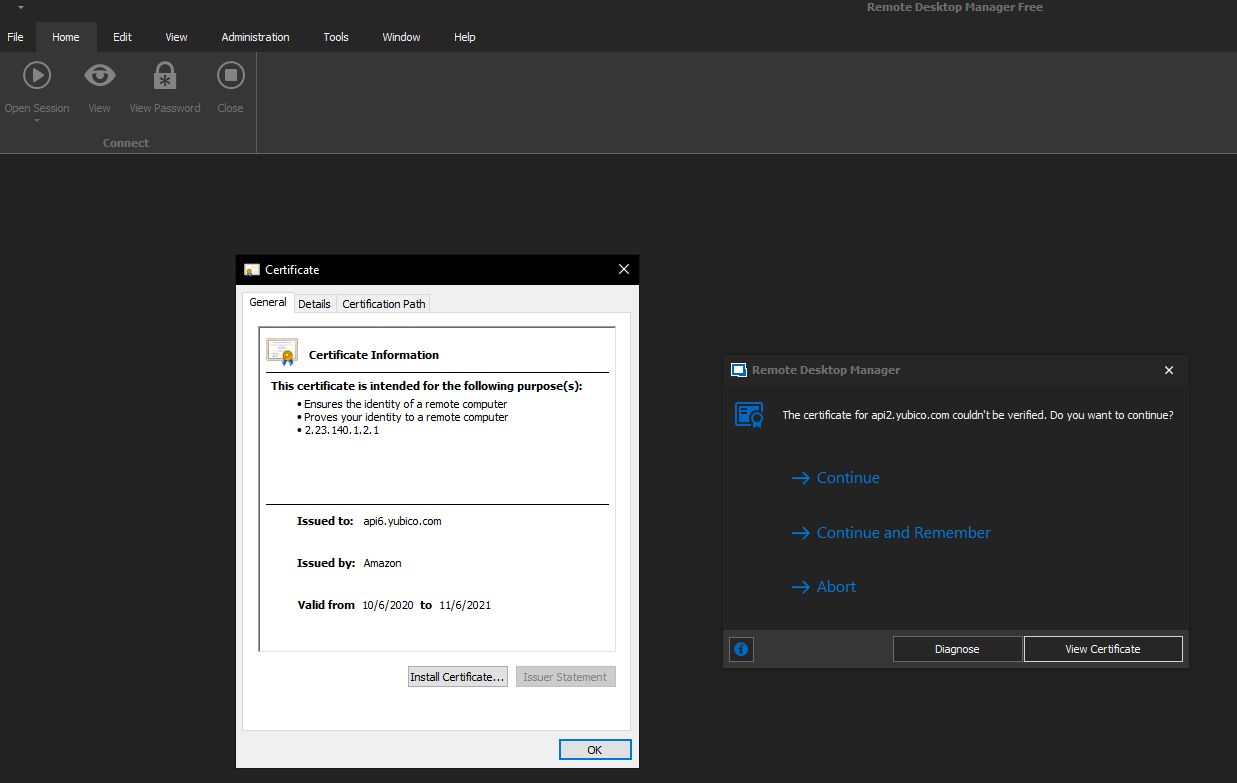
yubico.png
Hello,
Are you able to go in "Diagnose" and send us the output?
Best Regards,
Etienne Lord
I'll do it as soon as it happens again. Very weird that the issue comes and goes.
-Paul