Website credential not working on MAC but working on WIN

Hello
Latest WEBSITE credential created from CHROME/EDGE extension in MAC doesn't work.
The extension save the credential in RDM but they aren't show and extension are unable to fill in browser.
But same credential from RDM for Windows version work as expected.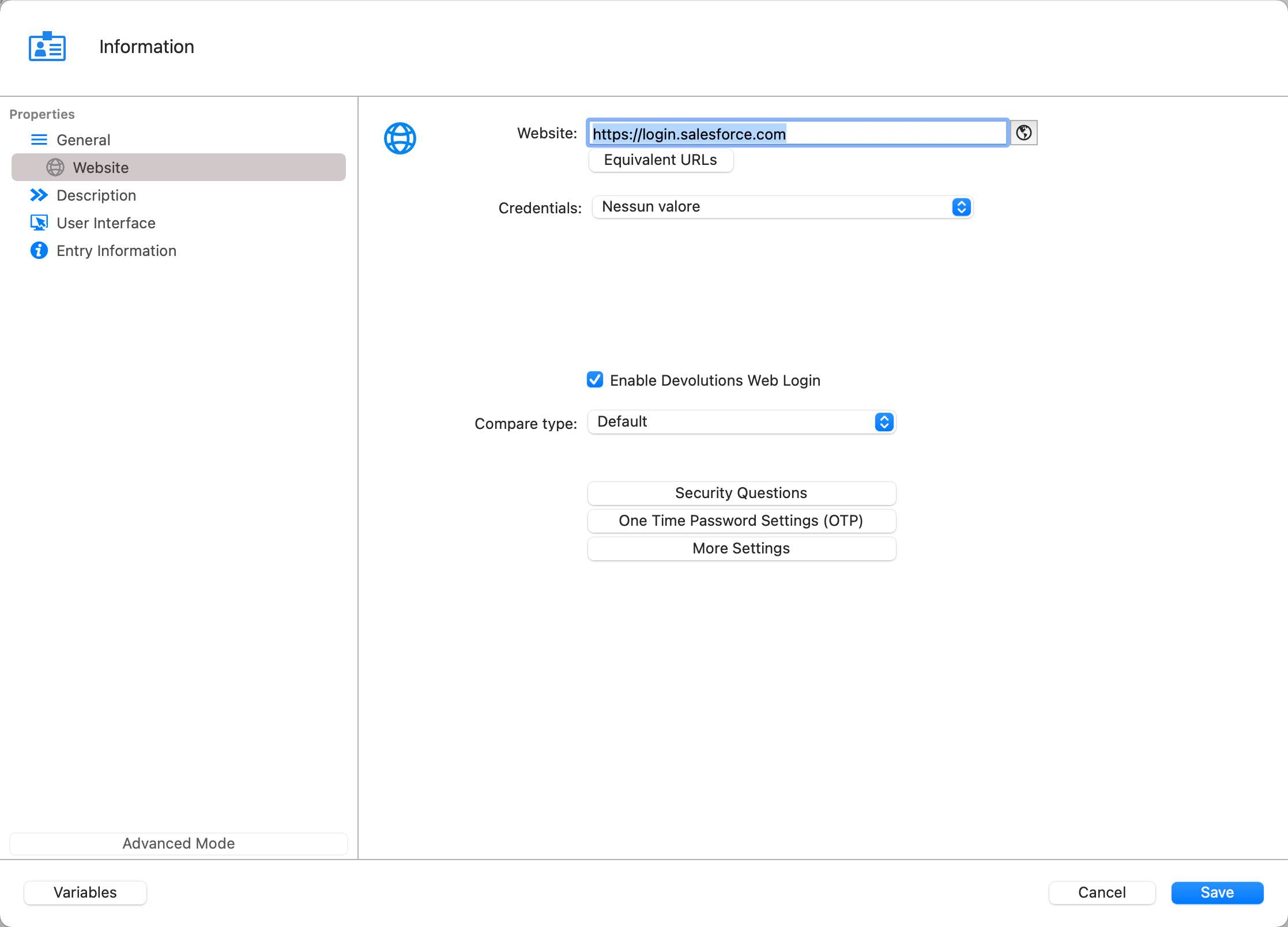
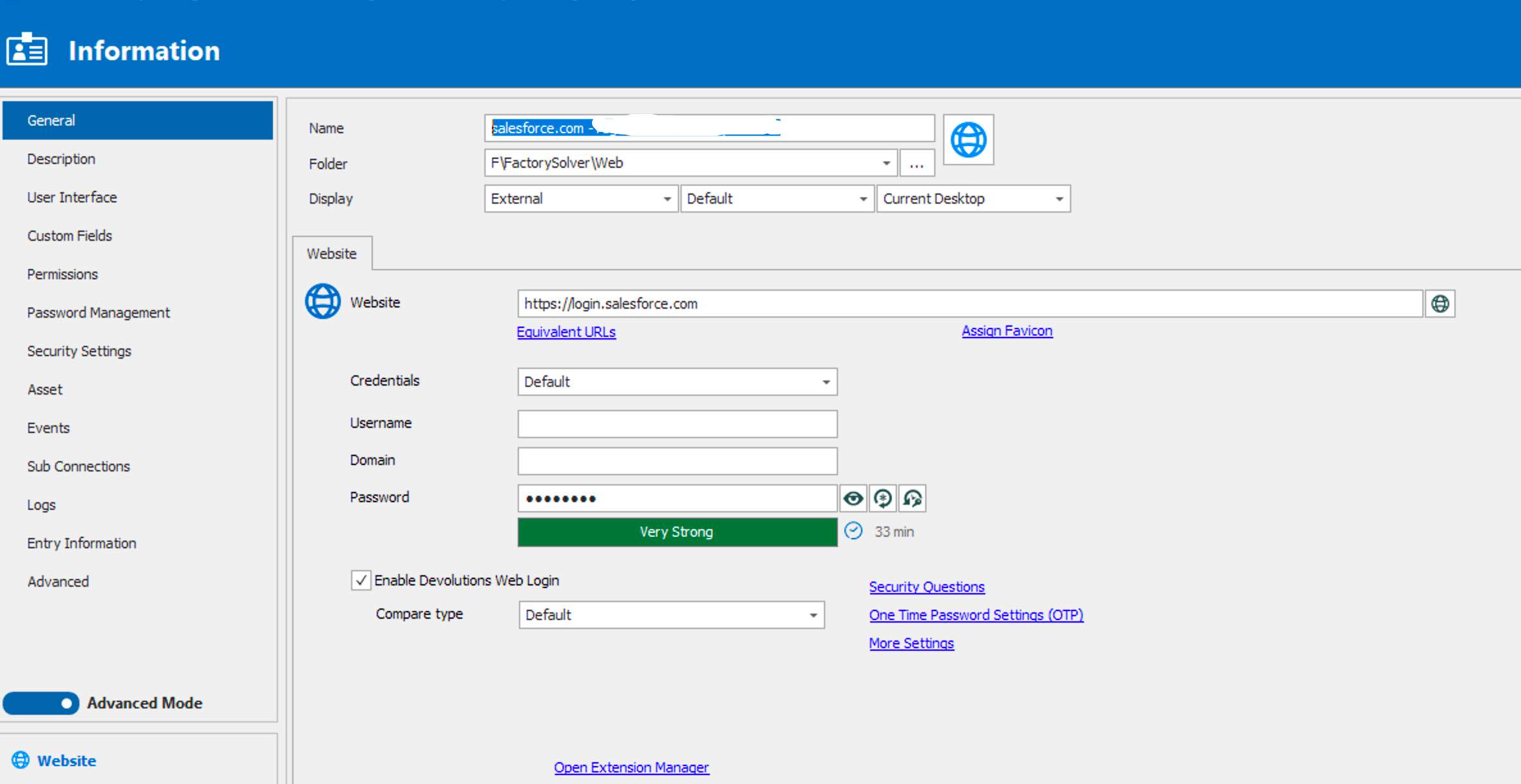
WIN.jpg
MAC.jpg
All Comments (8)
Hello,
On RDM Mac, you are launching the session in external mode in Chrome right?
Does the web extension (DWL) populate the username or the password or nothing?
What version of RDM Mac are you running?
What version of DWL is installed on your computer?
Best regards,
Jeff Dagenais
Im' using RDM 2020.3.2, Edge and Chrome plugin 2020.3.1.10 Mac Os x Big Sur 11.0.1.
After saving the credential entry directly from EDGE this new Website entry appears in RDM and apparently correct.
The overview panel show Username and password (hidden) but if i try to use it or to modify it show the credential option as "none".
If i change to "default" username adn password appears blank.
If i use RDP for windows (same Sql Azure datasource) the entry is showed correctly and the credential entry show "default".
It's a big issue.
Thanks
Hello,
we were able to reproduce the issue and a ticket has been sent to our engineering department.
Best regards,
Antoine Mauger
Hi,
RDM and RDM Free 2020.3.3.0 should be available shortly. Entries created from the Devolutions Web Login will now be created properly. Alas, this will only applied to new entries. Old entries will still need to be corrected manually.
Best regards,
Xavier Fortin
Hello Xavier
"Old entries will still need to be corrected manually."
It means that i lost login and password for this entries?
I'm pretty sure the credentials are inside the session. There's just an improperly set property that prevents RDM from properly interpreting the session.
Do you use RDM only as a repository for your Devolutions Web Login entries (i.e. your RDM vaults only contains entries created from Devolutions Web Login)? If so you can run the attached script. As followed:
osascript ~/Desktop/FixDataEntries.scpt
This will remove the problematic property from all Data Entries (Information entries). I couldn't narrow it further because of limitation in our integration of AppleScript.
I strongly recommend making a backup (Right click -> Export -> Export All (.rdm)... -> Include credentials) before running this script.
Best regards,
Xavier Fortin
Oups, forgot to attach the script, here it is.
Xavier Fortin
FixDataEntries.scpt
An additional note that I forgot to mentioned. When executing the script RDM must be opened and the proper data source must be selected (the one with incorrect entries).
Xavier Fortin