Ssh tunnel

When trying to use ssh tunnel on an andriod device
I get an error message:
Unable to use the key
No authentication method available
The server does not accept interactive authentication
The server does not accept password authentication
This is connecting to a centos box using pub/priv key with password
Using a straight ssh connection to the box using rdm, the connection works
Note this doesn't work on its either, but on its it does connect
Any ideas
All Comments (8)
Hi,
Here are some possibilities
1- An error in the password
2- The private key file corrupted during the file transfer
3- There could be special characters in the password that are not handled properly.
You could:
- Make sure the password is ok and that the private key file was not corrupted during the file transfer
- See if your password contains special characters. If so, list those characters so that we can do some testing on our end.
Best Regards,
Nicolas Dufour
so with my setup i have the datasource shared via devolutions online drive.
on the windows version, using the same config/connection detail as on the android device it connects fine
and i can telnet to the other end
so
1- An error in the password - set to always ask - its a simple password - no special characters i.e. name2239328
2- The private key file corrupted during the file transfer - the windows connection rules this out?
3- There could be special characters in the password that are not handled properly. - as 1?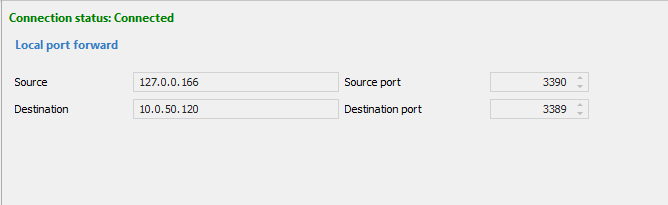
Capture.PNG
Hi,
Thank you for the information. The password should be ok.
Since your data source is DOD and you are sharing your data, everything should be the same as RDM Windows.
The problem could be related to your private key setting. We would like to know if your private key type is set to file.
If this is the case, that would explain why it is not working. The file type lets you select a file that is on the device from which you
configure your entry. If you configured your entry on Machine X, the system will not be able to find your private key file on Machine Y. If you want to open your
session on multiple devices/platforms, we suggest using the Data private key type. The configuration with the Data private key type if very similar to the
File private key type. The difference is that your private key data will embedded into the session itself. Since it is embedded instead of being located on
the device from which your session was configured, you will be able to open your session from multiple devices/platforms.
Best Regards,
Nicolas Dufour
private key is data pasted into rdm: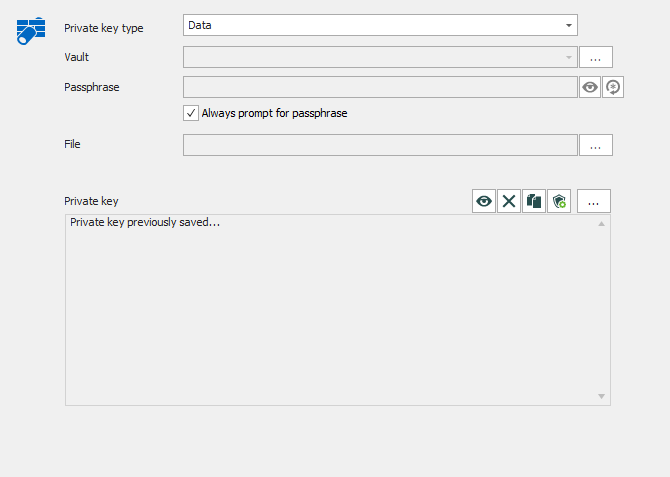
Capture.PNG
Can you tell us what is your RDM Android version?
Best Regards,
Nicolas Dufour
2020.3.0.0
Hi Adrian,
Thank you for the info. Since it is hard to determine what causes the issue, we could create a custom build with additional logs that you could install and test.
If you are interested, you can send me an email at: ndufour@devolutions.net
Best Regards,
Nicolas Dufour
Hi Adrian,
Thanks to you help, we have found the passphrase issue. The fix will be available in the next
release.
Best Regards,
Nicolas Dufour