Unable to connect using SSH

I am a new user so it might be simple answer.
I am unable to connect using SSH to my network gear. I add new ssh session, enter name, add IP...when I try to connect i get 
All Comments (10)
Hello,
Since version 2020.3.12.0. Remote Desktop Manager has now a selection of algorithms for the SSH session type.
It is recommended to enable the algorithms in the entries where you have the connection (-1) issue. You can do so in the Advanced tab of your session by setting the Algorithm Support option to "Custom" and check the missing one :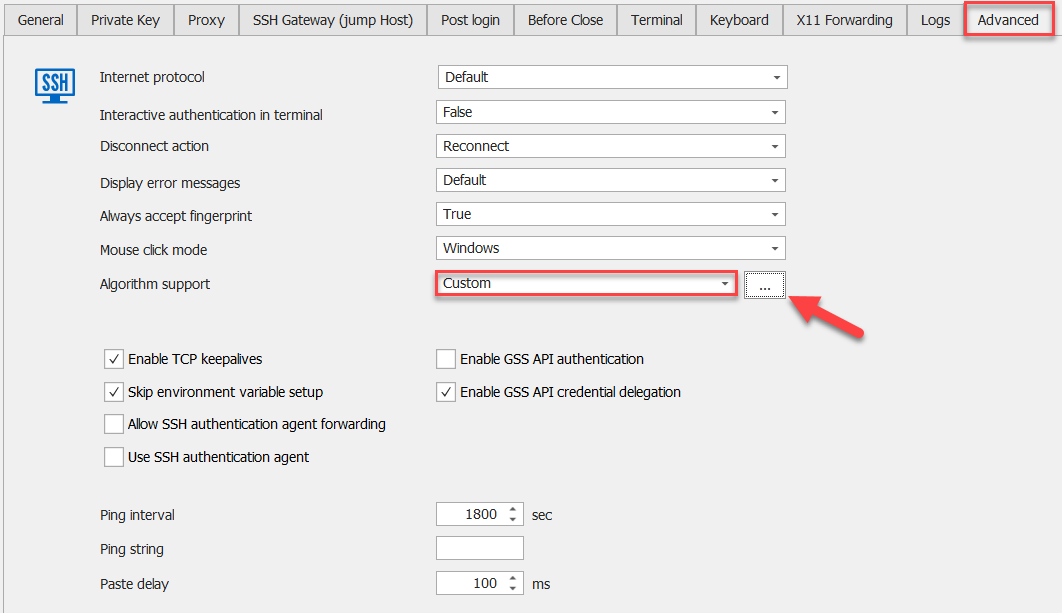
It's also possible to globally reactivate all the algorithms in RDM via the File -> Options -> Types -> Terminal -> Algorithm support menu.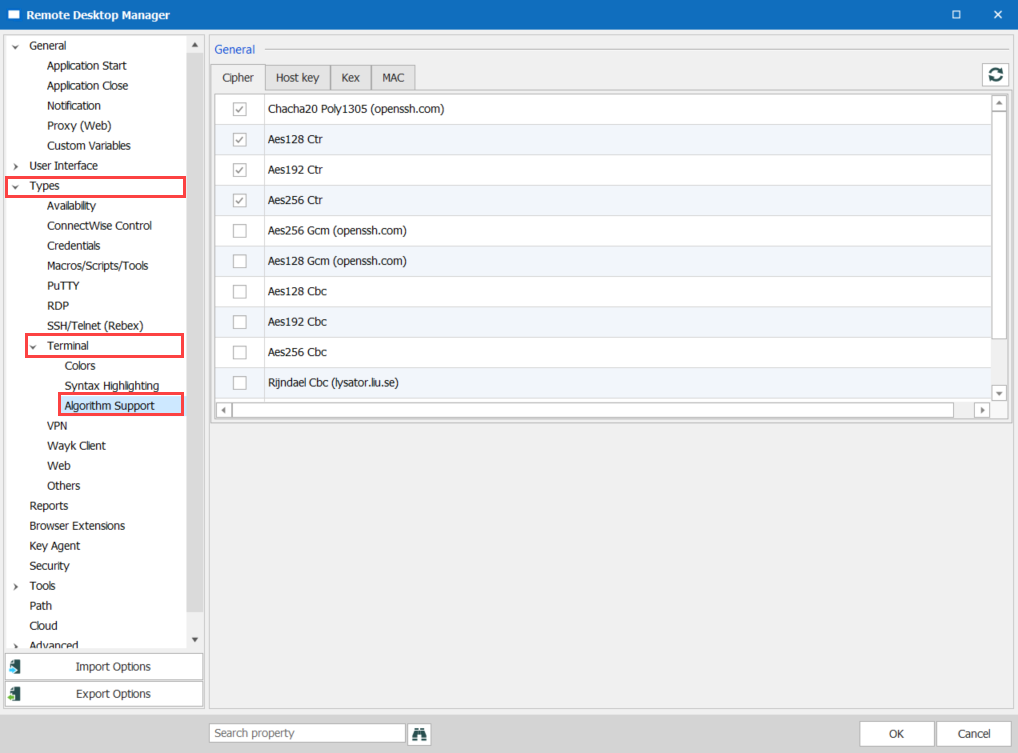
Best Regards,
Etienne Lord
algorithm2.png
algorithm1.png
This isnt working for me. I tried both your suggestions and still get error message
Hello,
It doesn't work even if you checked all the missing Algorithms?
Best Regards,
Etienne Lord
I am having the same issues after upgrading today.
@Etienne
Correct, it does not work even if I check all the missing algorithms.
This isnt working for me. I tried both your suggestions and still get error message
I had to restart the program after making the changes
Even after restarting it still does not work for me. I check the boxes for the ciphers
Hello,
Could you also try with the others (Host Key, Kex, MAC)?
Best Regards,
Etienne Lord
I checked all the boxes on all the tabs. Still does not work.
Hello,
If you did that and you still get the error after a restart, I will have to check with the engineering department, will keep you updated.
Best Regards,
Etienne Lord