OTP with Sophos VPN does not work

Hello,
I think you derived Sophos VPN from OpenVPN. While Sophos VPN is based on OpenVPN handling of OTP is differently.
With both VPN you currently send keystrokes in the Form {username}{TAB}{Password}{TAB}{OTPToken}{ENTER}...(Tested with fast switch to a notepad ;) ) This is correct for for OpenVPN but Sophos VPN does not use the same Dialog, it handles OTP differently with just appending the Token directly to the Password.
So the correct sequence would be {username}{TAB}{Password}{OTPToken}{Enter}.
This should also work with the authentication File with just combining the Password and the Token.
Thanks & best regards,
Heinrich
All Comments (17)
Hello Heinrich,
Thank you for contacting us on that matter!
I have opened a ticket with our Engineering Department and they will take a look into it.
Best regards,
James Lafleur
Hello,
Just to let you know, we've made the change and now we don't send "tab" between the password and the OTP code. This will be available starting from RDM 2020.3.11.0 which is planned to release on October 28th.
Regards,
Hubert Mireault
Wow, that is what i call fast!!!
Thanks a lot!
Hello,
I tested the fix with the RDM Free Beta 2020.3.11.0
The typing now in principle works and i can successfully connect the VPN with OTP... (Which is great :))
But there is a small "BUT":
- "Use authentication file" does not work with OTP. I checked the temporary pwd file you write. The token is missing there completely. (BTW: The temporary files are created in the enterprise directory tree, not in the directory of the free version... which could interfere with the as well installed enterprise edition)
- The auto typing seems to have a small timing problem. Quite often when trying to connect the first letter of the username is missing in the Authentication dialog. Which points that it is send before the dialog is completely open. Setting of "Login window title" and/or Advanced->"Hide connection status" does not solve the problem.
best regards,
Heinrich
Hello Heinrich,
Thanks for the feedback! I've opened a ticket to take a look at these two additional issues. I'll update this thread once the changes have been made.
Regards,
Hubert Mireault
We've made the changes and they should be available in RDM 2020.3.12.0, which we are planning to release the 28th. To go over them:
- We added the OTP to the authentication file appended to the password.
- The path will now be in %LocalAppData%\Devolutions\RemoteDesktopManagerFree\SophosVPN for RDM Free instead of being in the enterprise folder.
- We added a small delay (100 ms) to hopefully fix the issue with the first letter of the username sometimes getting cut.
Let me know if these changes work out for you once the next version is available.
Regards,
Hubert Mireault
Thanks, i will try as soon as possible and post here the result.
br,
Heinrich
Tested with 2020.3.12 BETA Free
Everything works now without any problems (Typing and file authentication)
Well & Super fast done!! Thanks!!
Thanks for the feedback! Glad to hear it now works as expected for you.
Regards,
Hubert Mireault
How did you set it up to pass password + OTP? I can only get it to pass just the password.
Hello,
I will contact our Engineering Department on that matter and get back to you once I have an update from them.
Best regards,
James Lafleur
Hello again,
After having a discussion with our Engineering Department, they mentioned that you would need to do the following in order to have pass the password and the OTP.
1- Go in the properties of your Sophos VPN entry, under the General tab and check the "Use auth" option:
2- Move to the "Login" tab and check "Enable automatic authentication":
3- Set "Two Factor Authenticator" to "Google" (1), use the dropdown menu to select your OTP source (2), and use the ellipsis button (3) to select your OTP entry (4):
Let us know if that helps!
Best regards,
James Lafleur
That was the ticket. I was able to get it working. Is there a guide or wiki that explains all of the different options in all of the different entries? Or is the forum the best place to go?
Hello,
Thank you for your quick reply! I am glad to see that you have been able to make it work.
As for your new question, we do not have a guide that explains in detail all of the different options in all of the different entries. That being said, we do have the following sections on our website that should provide you a lot of guidance when it comes to using our products and their different features.
The Online Help: https://devolutions.net/support/onlinehelp/
Ou Knowledge Base: https://kb.devolutions.net/index.html
If you have more questions or issues that are not answered there, you can always contact us by creating a post on our forum, sending a quick email to ticket@devolutions.net, or joining our online chat. For more information, please consult this link: https://devolutions.net/contact
Best regards,
James Lafleur
Hi all
I see this ticket is 2years old, back in the days the RDM had a different look and feel. Some options have changed and are accessible on different places now. I have excatly the same problem as described in the inital post.
When i try to use the sophos VPN client, i'm unable to make RDM attaching the OTP token to the end of password.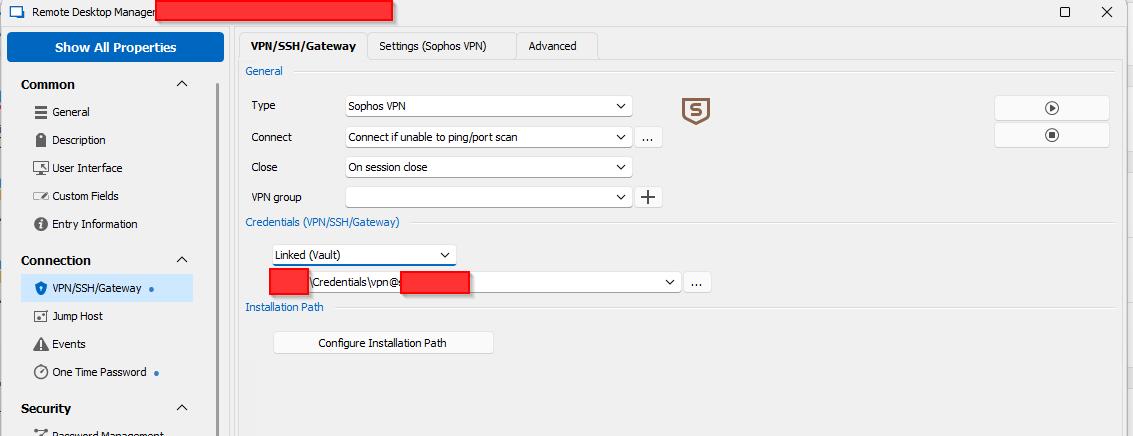
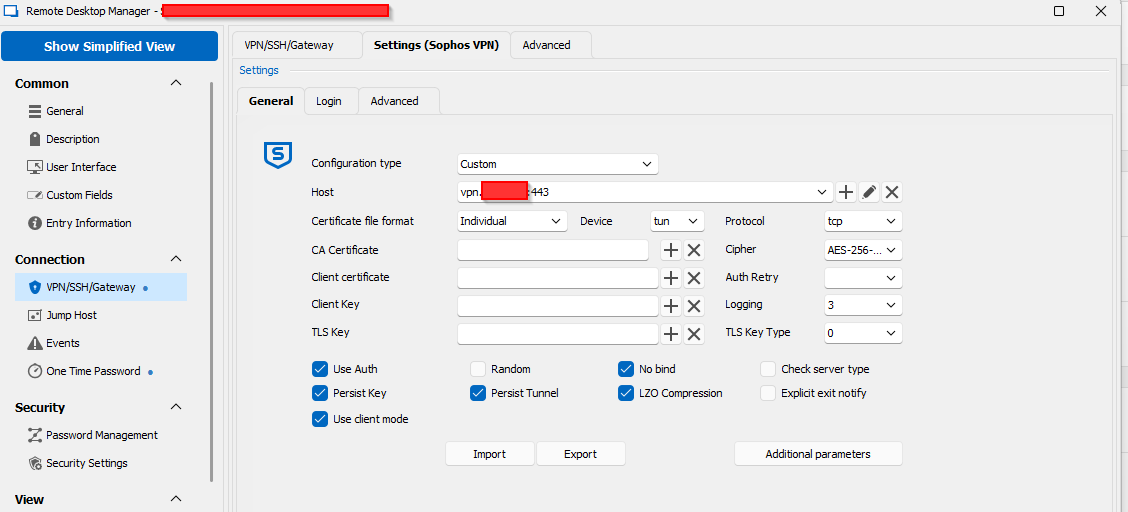
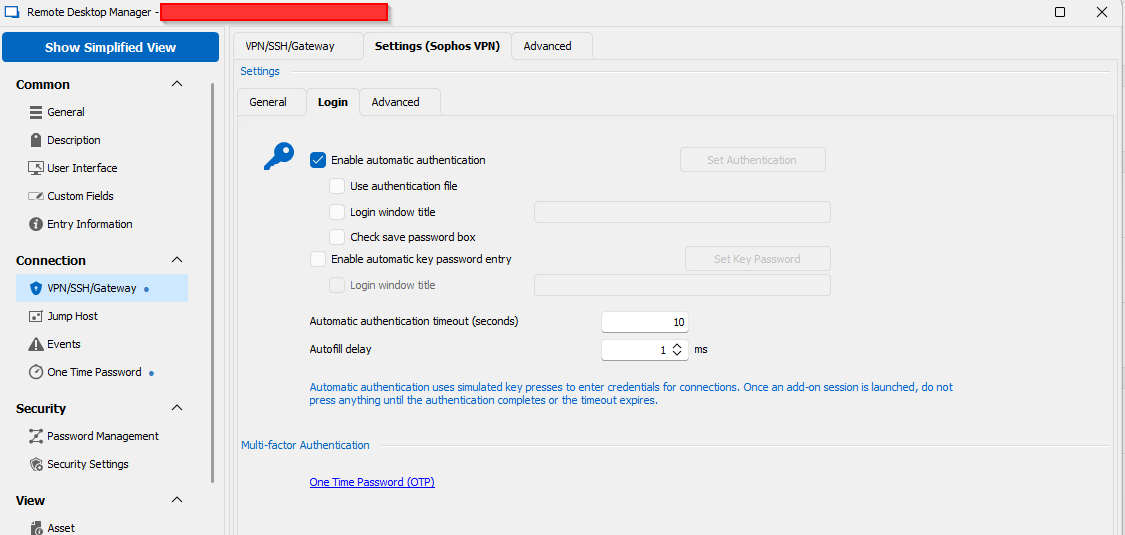
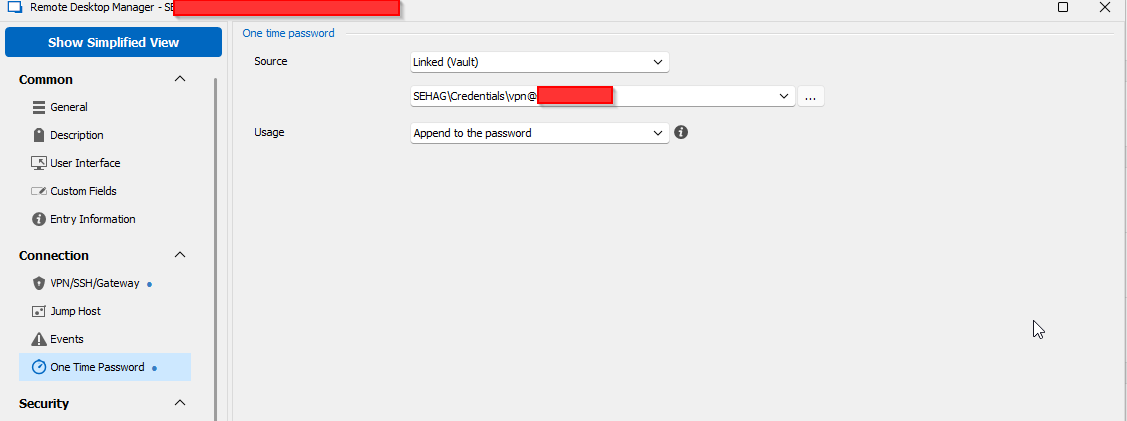
If i try to attach the token to the end of the username to see if the toke will be attached, then i can see that the token is also not attached to the username.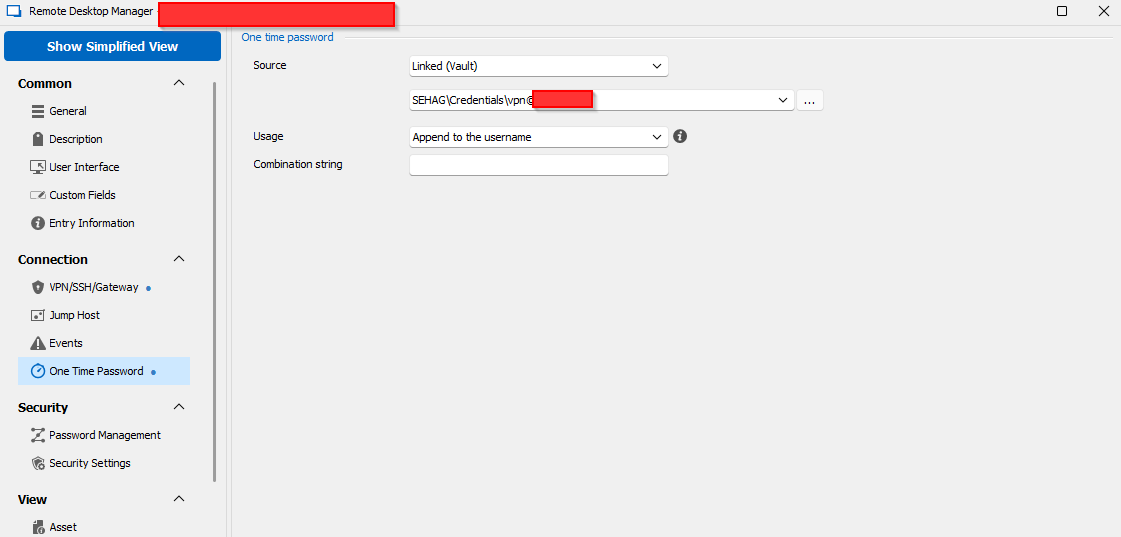
I only can make that the username/password will be typed, but the otp token is not applied to the end of the password (or the username). Of course, this will result in an authentication failure.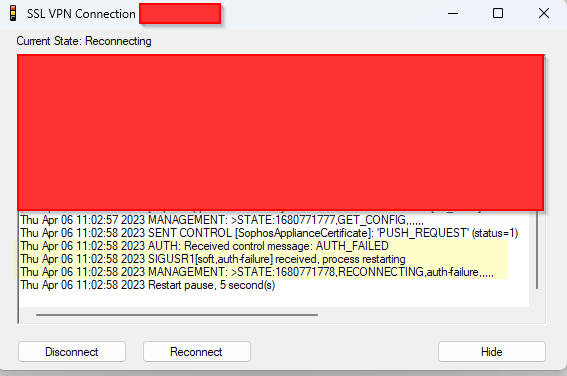
Any ideas how i can make it work?
I'm using: 2023.1.20.0 64-bit
Best regards
- Tom
6.png
5.png
4.png
3.png
2.png
1.png
Hi all
I found the solution - the "usage" need to be "Specific to session".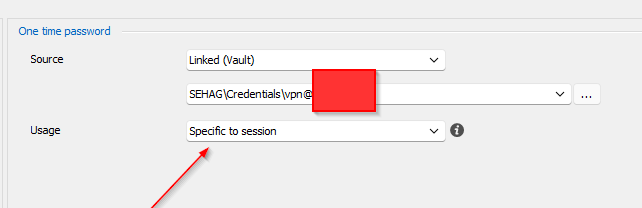
Regards
- Tom
7.png
6.png
Hello Tom,
Thank you for sharing the solution with the community!
Best regards,
Richard Boisvert