New Entry: Folder in Filesystem/Network
0 vote

We store customer relevant files in customer specific directories on our file server:
- customer A
+-documentations
+-Licenses
+-Certificates
+-...
- Customer B
+-documentations
+-Licenses
+-Certificates
+-...
-...
To be able to access these directories faster, we have created "Web Browser" entries in RDM, which refer to the target e. g. file://fileserver/customers/customer_A. This works fine in itself, but there is a catch: There is no button to go from a subfolder to the folder above, i.e. from customers/customer_A/licenses to customers/customer_A.
The existing "Back" button fails at the moment when, for example, a folder has been deleted.
So it would be great if you either implement a new entry type "Link to directory". Alternatively, if the target at website starts with file: instead of http: / https:, corresponding buttons are displayed instead of the website buttons.
So among other things: Up, back, forward, delete, new folder, view (tile, list, details, icons, ...) etc.
In addition, it should be possible with an option to prevent leaving the customer folder. So that you can get to customers/customer_A with the up button, but not to customers.
Best regards
Sebastian Gohres
All Comments (1)
Hello,
I would suggest creating a File Explorer entry type to access a network share on your network. 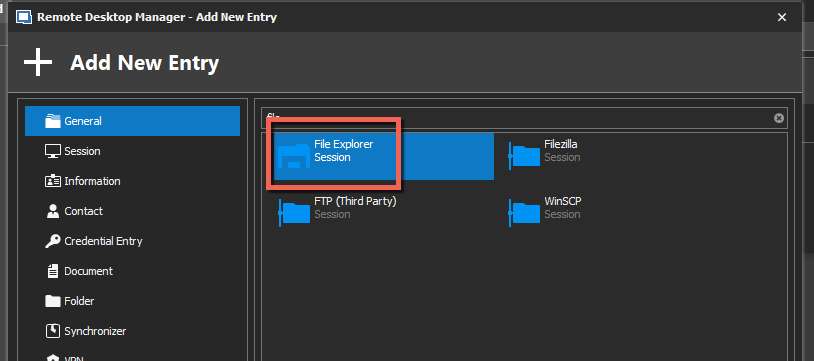
Best regards,
Jeff Dagenais
2020-09-04_09-12-11.png