Print Client List
0 vote

Disabled
Hello,
is it possible to print (or export) a client list (like in screenshot -> when i want to export "Clients", all included hosts should be exported too) including documentation and asset? I have to export them separately and I can only see the overview, not the relevant informations (documentation, asset...).
Best regards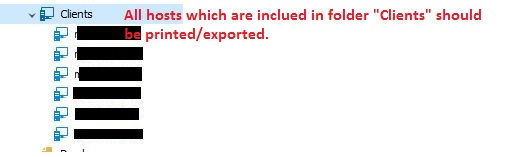
printclients.JPG
All Comments (13)
Hello,
Thank you for contacting us on that matter!
If you'd like to export a specific folder as well as all of its content to a list that can be easily consulted, you can right-click the folder and navigate to Export > Export Special > Export Selection (.html) or Export > Export Special > Export Selection (.csv). I believe these are the two formats that are the easiest to read.
Unfortunately, this export feature does not include Assets or the Documentation tab. The number of fields in Assets and the formatting of the Documentation tab would make them impractical in a list of entries. I have asked my colleagues in engineering if there would be a way to generate a report or list that includes these. I will get back to you if we do have something to suggest that includes these sections.
Best regards,
Gabriel Degrandpré
Hi,
We too are searching for a way to export a human readable list of all entries including asset and documentation.
The XML is fine for a technician, but is nothing I can give to a non-technical person.
Is there any update on this?
Kind regards,
Mark
Hello,
The method that my colleague Gabriel mentioned would still be the best way to perform that kind of export!
Best regards,
Etienne Lord
Hey Etienne,
Unfortunately, as Gabriel mentioned, these exports are missing a lot of information (asset infos and so on).
It'd be great if there was an option to the HTML export to include all related fields so the user could choose between having a full or basic export.
Cheers,
Mark
Hello,
After talking with my colleague, it could be possible to perform that with a (Powershell) custom report entry in Remote Desktop Manager : 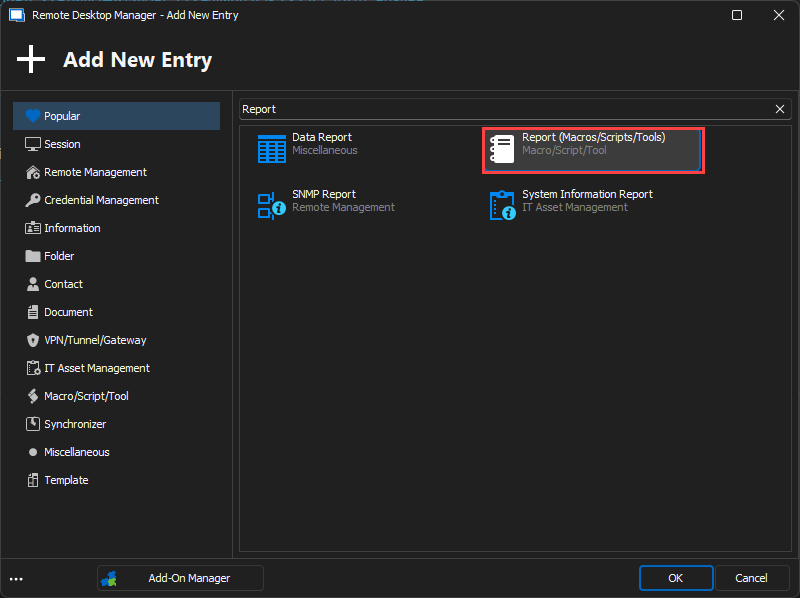
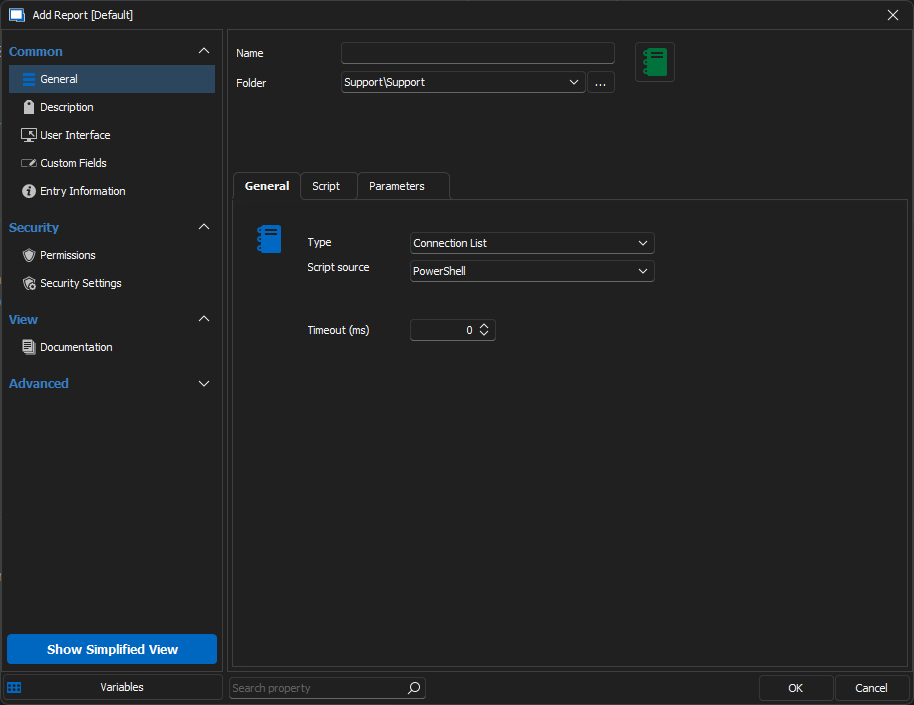
If you need assistance regarding that, let us know!
Best regards,
Etienne Lord
49236f7b-0d1b-4225-9c1b-10f7dee1b3a7.png
41dd9ead-9ea7-4c85-9d7a-26c13d144edb.png
Hey Etienne,
Thanks for looking into this.
I see the function you mentioned, but have no idea what to put in the Script part.
Would you have an example?
Hello Mark,
To create the report with the appropriate properties, we need to fetch the property's names using the first 3 steps described in the Edit (Special Actions) section of the following article.
https://docs.devolutions.net/kb/remote-desktop-manager/how-to-articles/batch-edit-rdm/#edit-special-actions
Here is a sample of what we can do with this Custom Report entry. I have also attached this entry RDM's file to this post.
We need to first set the column's names.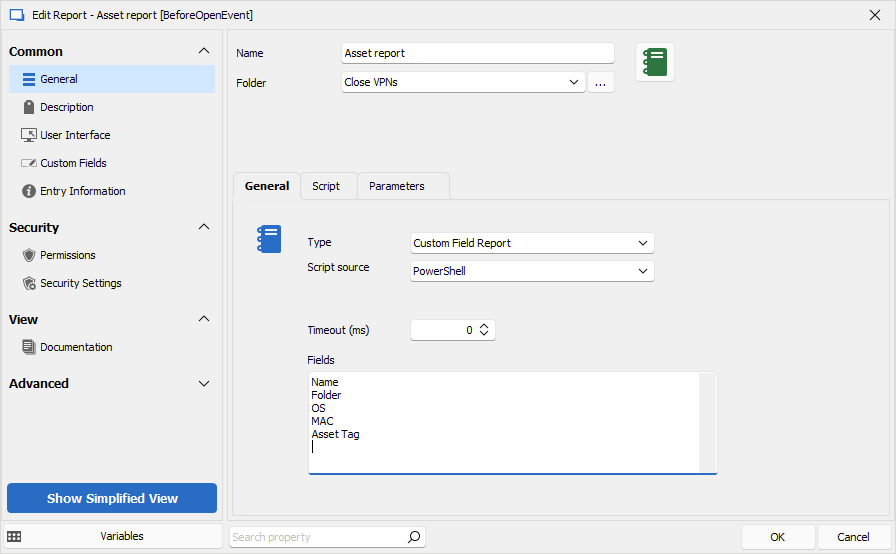
Then associate the column's name to the appropriate properties. We can notice that this report will only list RDP entries per this if statement.
if ($connection.ConnectionType -eq 'RDPConfigured')
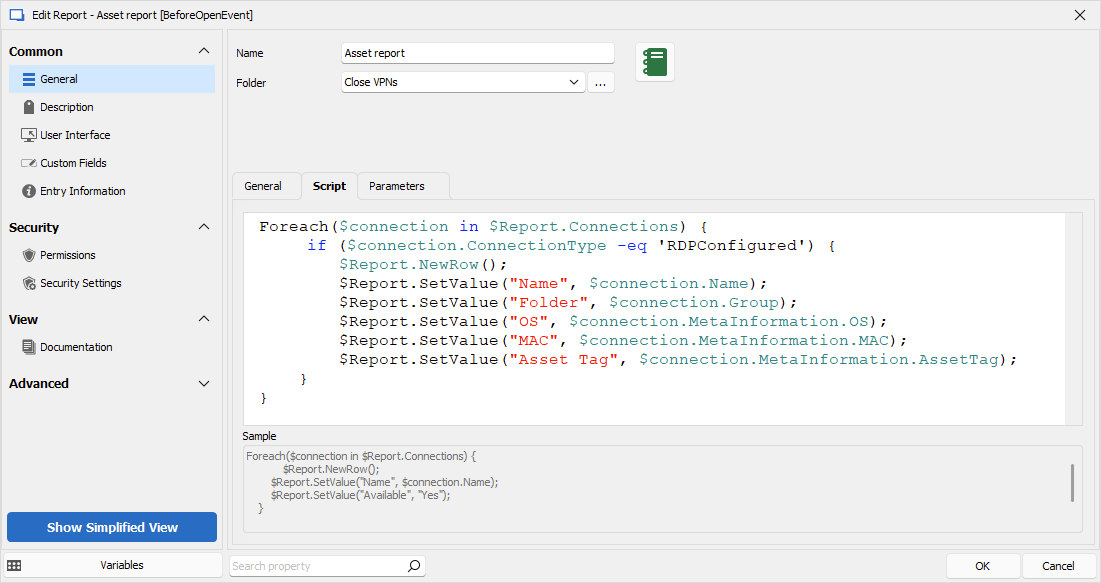
Let us know if you need further information about this Custom Report entry.
Best regards,
Érica Poirier
1bf74f17-9414-48c5-a5b6-489f0fa8104f.png
1166048b-c31b-470f-8793-8d3393b5a155.png
Asset report.rdm
Thanks, Érica.
I think I'm getting a grip on things.
Is there a list of all available properties?
Especially I'm after the documentation pages, too.
Cheers,
Mark
Hello Mark,
Sadly there is no list of all properties available. To fetch the property's names, please see the method described on the first 3 steps of the Edit (Special Actions) section of the following article.
https://docs.devolutions.net/kb/remote-desktop-manager/how-to-articles/batch-edit-rdm/#edit-special-actions
The Documentation pages cannot be listed using the Custom Reports entry as they are stored in a different table in the database.
What information are you trying to gather from the Documentation tab?
Best regards,
Érica Poirier
Hi Érica,
Basically there is no information stored in the documentation tab yet, but we are looking into moving all of our documentation into RDM.
However, from time to time we have to create a report with all infos we have about a customer.
That would include a fictive documentation, too.
Of course we could copy and paste something together, but a compiled export would be much more convenient.
Cheers,
Mark
Hi Mark,
Thank you for your feedback.
In fact, we do have an internal ticket to include the Documentation pages in an existing report. I have added your request on this ticket.
Once an update will be available, we will post it here.
Thank you for your patience.
Best regards,
Érica Poirier
Hi Érica,
Do you have any updates on this topic?
Thanks in advance and kind regards,
Mark
Hi Mark,
Thank you for your feedback.
I'm afraid to mention that there is no new update on that request. I informed our developer team that you are intensely interested in that feature. We will update this thread once an improvement is available.
Thank you for being so patient.
Best regards,
Érica Poirier