Popup Window Requires Returning to last Page before showing up
Popup Window Requires Returning to last Page before showing up

When i use the Chrome Session i created to connect to my Sophos Firewall and Try to open the Logviewer (opens as new a Popup Window rather than a new tab in normal chrome) it completely skips the page and loads "about:blank#blocked". Thus i have to click return to actually see the page im trying to open. Is there a way for me to suppress this behavior?
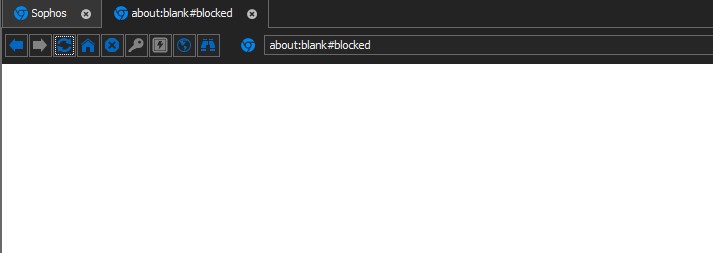
Anmerkung 2020-08-17 161958.jpg
All Comments (5)
Hello,
Thank you for contacting us on that matter! I have a few questions regarding your issue to get a better idea of what could be done to prevent it.
- What version of RDM do you use?
- Do you get the same behavior if you try the other browser options?
- Would you be able to provide us a public URL of a site that gives you this problem so we can do some tests on our side?
Best regards,
Gabriel Degrandpré
Hello Gabriel,
-im Using the Free Version 2020.2.19.0 64-BIT
-i can't even access the Loginpage of my Firewall with the other Browser options so im not getting far enough to access the Pop-Up
-i can't provide a public url since we're talkin about a Window that you only have access to after loggin in as administrator on our firewalls.
i have observed this behaviour however in all of our firewalls. so you guys could try and install a Sophos XG testvm and access it but i doubt you would want to take it that far.
so if there is a way for me to find any helpful logs or do something else to help you identify why this happens I'd be very happy to provide that.
Kind Regards,
Nico
Hello,
Following a short discussion with one of my colleagues in engineering, what came out is that this issue is tied to the third-party components we use for the embedded browser. Unfortunately since we are unable to replicate the issue on our end and these components give few logging options, it would be very difficult to find more information about the issue to see if we could implement a fix for it.
That being said, the option "Disable autofill on new tab" found in the "More settings" tab of the Web Browser entry has been helpful for other users with similar issues in the past, so I would recommend you to try it in case it solve your issue as well.
If this option does not help, then unfortunately the last suggestion I have would be a workaround. Since the External display mode uses an actual browser instead of the third-party components, you will be able to access your page and to display the popup like you can outside of RDM.
Best regards,
Gabriel Degrandpré
Hi, I also have this issue, specifically in Microsoft 365 Sharepoint Admin center, when trying to access a document library of a website.
Maybe this helps to replicate the issue.
Hello cm,
The issue you describe seems to be slightly different, but I suspect it is also tied to a limitation in the third-party components we integrate for the Embedded browser.
Unfortunately, some actions that go beyond web navigation, such as opening documents or displaying certain types of pages or interfaces are not supported in Embedded mode. In the case of the Microsoft 365 Sharepoint, it's not possible to open and consult documents from the Embedded mode. For this type of operation, you will need to launch your web session in External mode to use a full-fledged browser.
Best regards,
Gabriel Degrandpré