HTML Control ID for Malwarebytes "Oneview" (auto fill)

Hello,
I'm trying to setup the autofilling with Malwarebytes "OneView" - with no luck.
URL: https://oneview.malwarebytes.com/auth/login
What I tried:
- Username ID: login-input-email
- Password ID: login-input-password
Neither works. Any suggestions, how to accomplish my goal
Best regards,
Daniel
All Comments (19)
Hello,
Thank you for contacting us on this matter!
Using a Web Browser entry, I was able to get the automatic insertion to work in External mode on Chrome. I have attached my working session to this post, so you can try to import it and let me know if that does the trick for you.
To import the session, you can use File > Import > Import (.rdm, .pvm, .xml).
Best regards,
Gabriel Degrandpré
oneview_malwarebytes_login.rdm
Hello Gabriel,
your .rdm seems to be the same as mine.
I imported your .rdm file, but issue stays the same.
Attached a screenshot - I will do more experiments, but, what may be wrong?
Best regards,
Daniel
Edit: Edge works, passwords are submitted but to chrome not. Even un- und reinstall of 64bit chrome did not work ... hmmm :-/
The same with my colleagues and chrome.
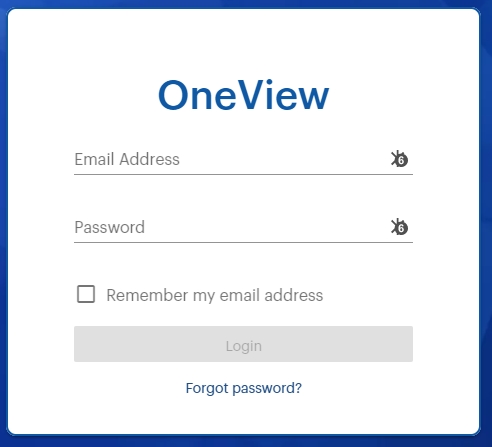
rdm-autofill-oneview-problem.jpg
Hello,
Are you able to fill the credentials by clicking on the DWL icon in the Email Address field and selecting one of your credential entries?
Best regards,
Gabriel Degrandpré
Hello Gabriel,
yes. That works. It's the autofill, that still does not work.
As you can see in the screenshot, it detects 6 passwords. That's correct, but I only want to submit the "real" password, as configured in my session settings
Bestr regards,
Daniel
Hello,
First of all, if I am not mistaken, DWL can only perform the autofill if it only finds one set of credentials for the page. Deleting the 5 extra entries would be my first recommendation.
If that still does not do the trick, could you please send me a screenshot of the session settings you refer to?
Best regards,
Gabriel Degrandpré
Hello,
i was on vacations, so my answer is a little delayed.
I may not delete the other credentials, because they belong to other customers.
The problem also only occurs in chrome - in edge it is working without problems - regarding the auto-fill
(opening connection through RDM -> Website opens -> credentials are passed automatically).
Do you have any other ideas?
Regards,
Daniel
Hello,
Strangely, I'm not getting the same behavior as you. For me, regardless of the browser used, if more than one credential entry is found for a given website, the autofill won't work and I will have to manually select which of the credentials I want to use.
Just to verify something, could you please send me a screenshot of the properties of your web session, hiding any sensitive information? I would like to compare my settings to yours, in case I'm missing something.
Best regards,
Gabriel Degrandpré
Hello Gabriel,
here are the screenshots.
Session:
User-Specific credentials from my private-vault:
private vault credentials:
Working with edge (chromium) perfectly, but not with chrome.
Best regards,
Daniel
Hello,
Just to verify something quickly that I should probably have asked much earlier, in Chrome, in the DWL menu under Settings > RDM, do you have the option "Automatically fill credentials on load" enabled?
Best regards,
Gabriel Degrandpré
Hello Gabriel,
yes, it is activated:
I also uninstalled the plugin and reinstalled it
Maybe to clarify again...
Mask is showing:
On the right side, I may chose the credential entry (*5). 5 entries, because the same entries are in different folders in our tree.
It's some kind of MSP web-console, so the credentials are allways the same (user-specific from the private vault).
I tested the same with my colleague.
Edge autofill works, chrome does not work.
Best regards,
Daniel
Hello,
Thank you for your reply! According to one of your screenshots, only "Automatically retrieve credentials on page load" is activated. You would need to also enable "Automatically fill in credentials on load" to have the credentials be inserted automatically.
Best regards,
Gabriel Degrandpré
Hello Gabriel,
you are totaly right. Sorry for the misleading screenshot ... it looks like this:
So, my screenshot was rubbish. I tested so many things in between.
The actual setting is correct - but it does not work with chrome.
Best regards,
Daniel
Hello,
I have to be honest, I'm running out of ideas as to what could be causing the difference in behavior between the two browsers. I will consult my colleagues in the engineering department for their opinion on your issue, and I will get back to you once I receive their response.
Best regards,
Gabriel Degrandpré
Hello Gabriel,
thank you so far!
Best regards,
Daniel
Hello Daniel,
When you have some time, could you please go in RDM to Help > Profiler, click on the "Debug Only" tab, set the Debug Level to 17 and try to launch your entry for both Edge and Chrome? We'd like to compare the debug information for the two. You can copy-paste me the profiler trace here in the thread or by Private Message.
Best regards,
Gabriel Degrandpré
Hello Gabriel,
I sent you a personal message with both logs.
Best regards,
Daniel
Hello,
Thank you for your profiler logs! I will provide them to engineering and I'll get back to you with their response.
Best regards,
Gabriel Degrandpré
Hello,
I'm sorry for the delay since my last reply. I had a conversation with our engineering department, and did some more tests.
In the end, sadly, we came to the conclusion that the behavior you are experiencing on Edge is what I could call a "happy accident". The official behavior for DWL, when multiple entries are found for the same web page is to do nothing and let the user pick which credentials they wish to use.
For the moment, the team in charge of the DWL plugin tell me that it's on their TODO list to allow DWL to memorize the entry that was launched in RDM to use its credentials on the website, even if other entries for the same page also exist.
I apologize it took so long to come to this conclusion and I hope you will not be too inconvenienced by it. Let me know if you have any additional questions!
Best regards,
Gabriel Degrandpré
Hello Gabriel,
thank you for your feedback and engagement. We may live with the accident for now.
I'm looking forward for an update, so we may use the autofill feature also in this webspace/msp-porta in the future.
Best regards,
Daniel