Documents with pictures

Is there a way to create a document, with images, for documentation purposes so that it is quickly and easily accessible?
I know you can store word, PDF, etc documents in the database, which is okay, but I was wondering if there is a way to create a entry so you click on that and it shows you a rich text document with screenshots and such.
The problem with Word Documents and attachments is it seems clunky (although I could be doing it wrong). If I want to update something it is a long drawn out process.
Thank you!
To say can't is to fail before you begin
All Comments (6)
Hello,
What type of datasource are you using?
If you are using an advanced datasource, I would suggest using the Documentation feature to accomplish this
https://help.remotedesktopmanager.com/commands_documentation.html
Best regards,
Jeff Dagenais
SQL server (in AWS)
The advanced option and 'documention' part is okay, but you can't include screen shots in that.
Another kind of challenge with the documentation/RTF is you have to learn special codes. No GUI. Which I can work with but for a team, if they find it too hard they won't use it.
To say can't is to fail before you begin
It would be awesome to have the ability to have like a word document embedded in the Remote Desktop Manager that lets you open, view and edit a word document without jumping through other hoops of deleting the old and uploading the new. This would allow more detailed and descriptive information to be kept with servers and such.
To say can't is to fail before you begin
Hello,
It's possible to add images inside the Documentation area, see example below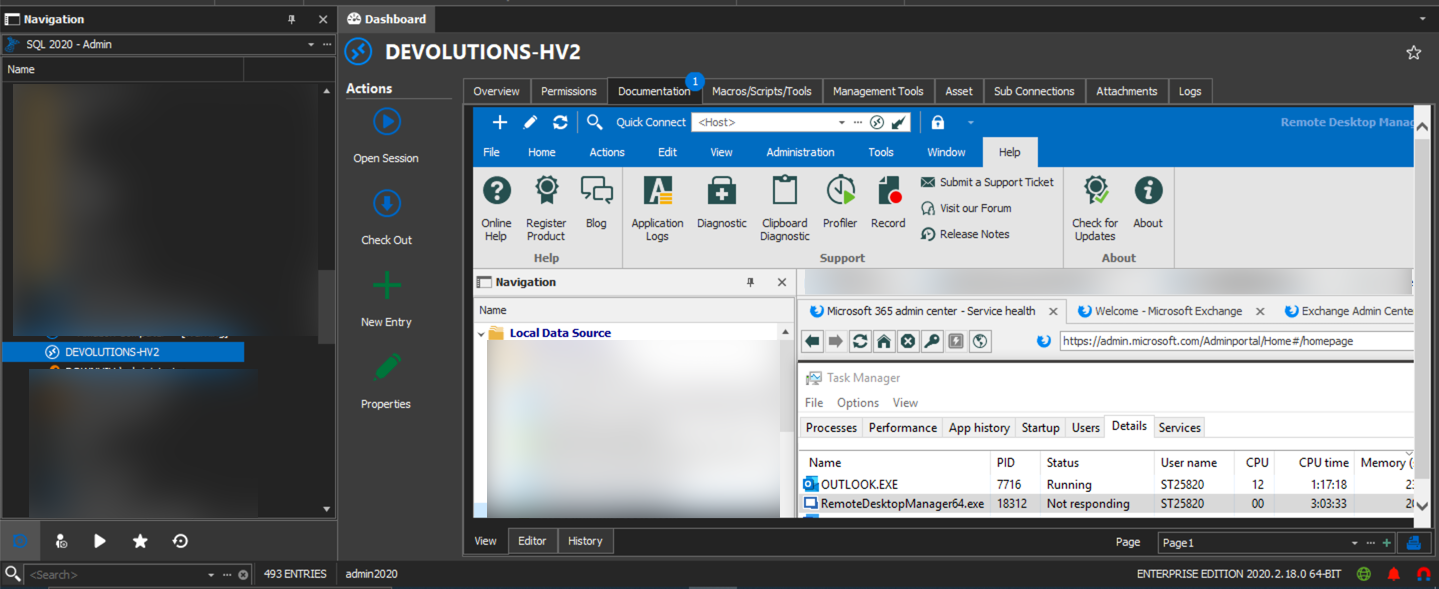
Best regards,
Jeff Dagenais
2020-08-07_07-36-26.png
Hello,
Regarding the word document editor, it's possible to accomplish this using the Rich Text Editor entry type.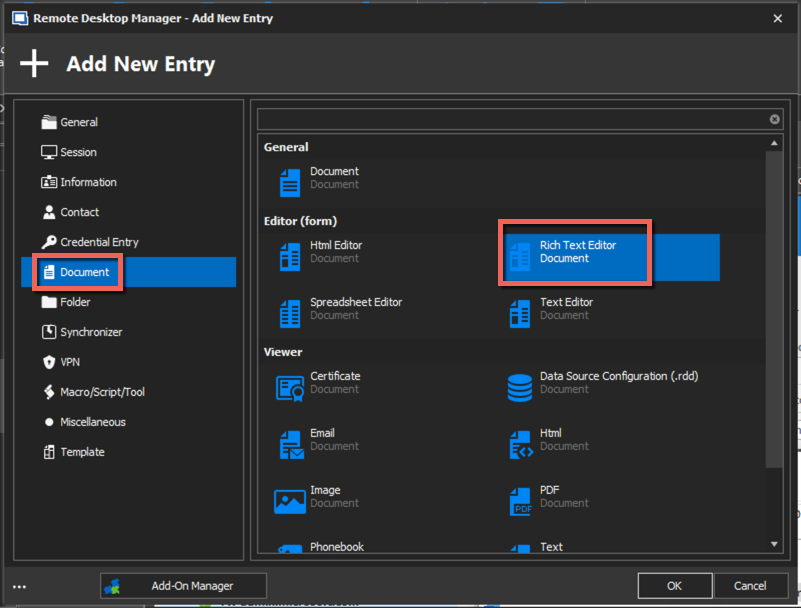
Jeff Dagenais
2020-08-07_07-40-46.png
Thank you. I will experiment with this. Isn't a simple cut and paste but there is potential there. I see you can only add one image at a time.
I will work with this.
To say can't is to fail before you begin