View Permissions with POWERSHELL

Hi,
I'm on the last version of RDM with the Enterprise edition on windows 10 (up to date)
I use powershell to update the permissions over some folder. Every permissions (Edit, Add..) works perfectly excpet the View permission.
To retrive all the permissions on a entity i used theses commands:
$f = get-rdmSession -name 'NAME'
$f.Security.Permissions
i get the list of all the permission except of the view permissions: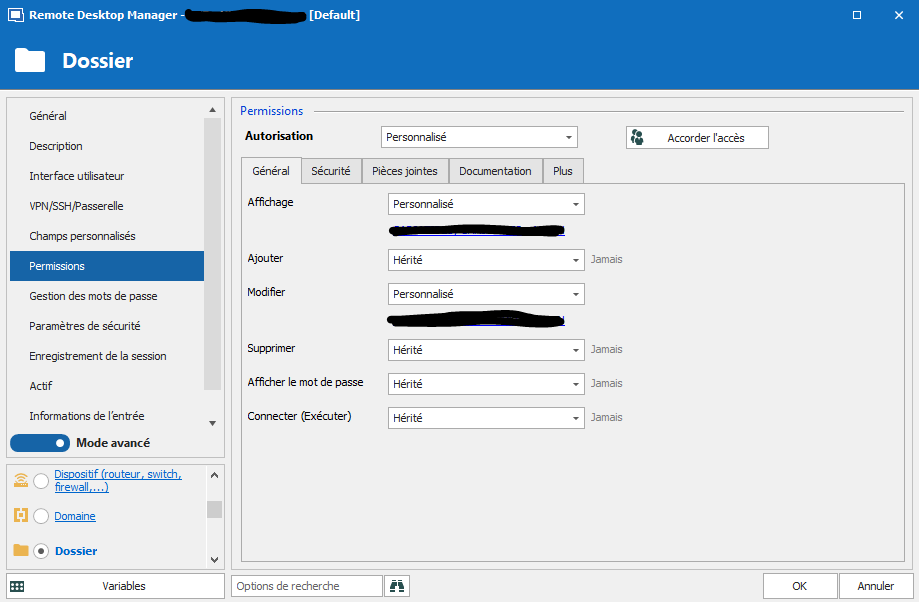
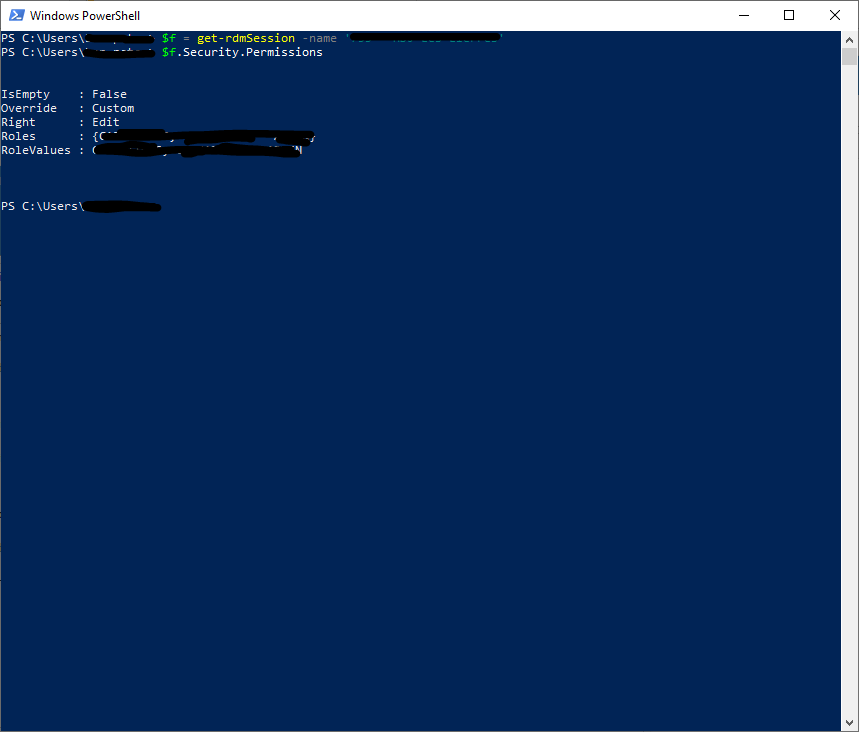
so, the view permissions is not displayed and cannot be set aswell where all other permissions can.
thanks
BP
Capture.PNG
Capture2.PNG
All Comments (3)
Hello,
In order to add view permissions, it's a little different...
You would have to do something like :
$f.Security.ViewRoles += "<role to add>"; # or the user by using "<User to add>|u"
Set-RDMSession $f;
To remove View Permission, it's a totally different approach, as Fixed Size array don't support subtraction method... So you have to build a new array without the value.
$newroles = $f.Security.ViewRoles | Where-Object { $_ –ne “<Role to remove>”} ;# or "<user To Remove>|u"
$f.Security.ViewRoles = $newroles;
Set-RDMSession $f;
I hope this helps.
Best regards,
PS: nous offrons aussi le service en français :)
Alex Belisle
Thanks a lot !
It's working perfectly
Best regards,
PS: oui mais autant que cela serve au plus grand nombre :)
Hello,
You're very welcome, glad we could help :)
Thanks for your feedback (and your consideration for the rest of the community).
Best regards,
À la prochaine!
Alex Belisle