Related entries
0 vote

It would be really useful to be able to mark different entities/entries as related to each other.
There would not need to be any other integration, just a list of related entities/entries on each entitiy.
The use case for this is:
We have multiple credential entities which we do not use to login to the system, and should not be able to. We're using RDM to access all passwords for multiple customers and have many vaults with different credentials. It would really speed up our workflow if we could see related/relevant credentials when clicking on a session entity.
All Comments (4)
I'm guessing this is not strictly a RDM Mac feature request? You probably want those "links" to be visible both in RDM Windows and RDM Mac?
To get a better idea of what you want, in the application currently, where would you see that list of related entries appear?
Best regards,
Xavier Fortin
Hi Xavier,
Correct, it would be great to see it in both. It may work if it was located on a session, in a tab, as you would find the logs for that session/entity?
Best,
Ryan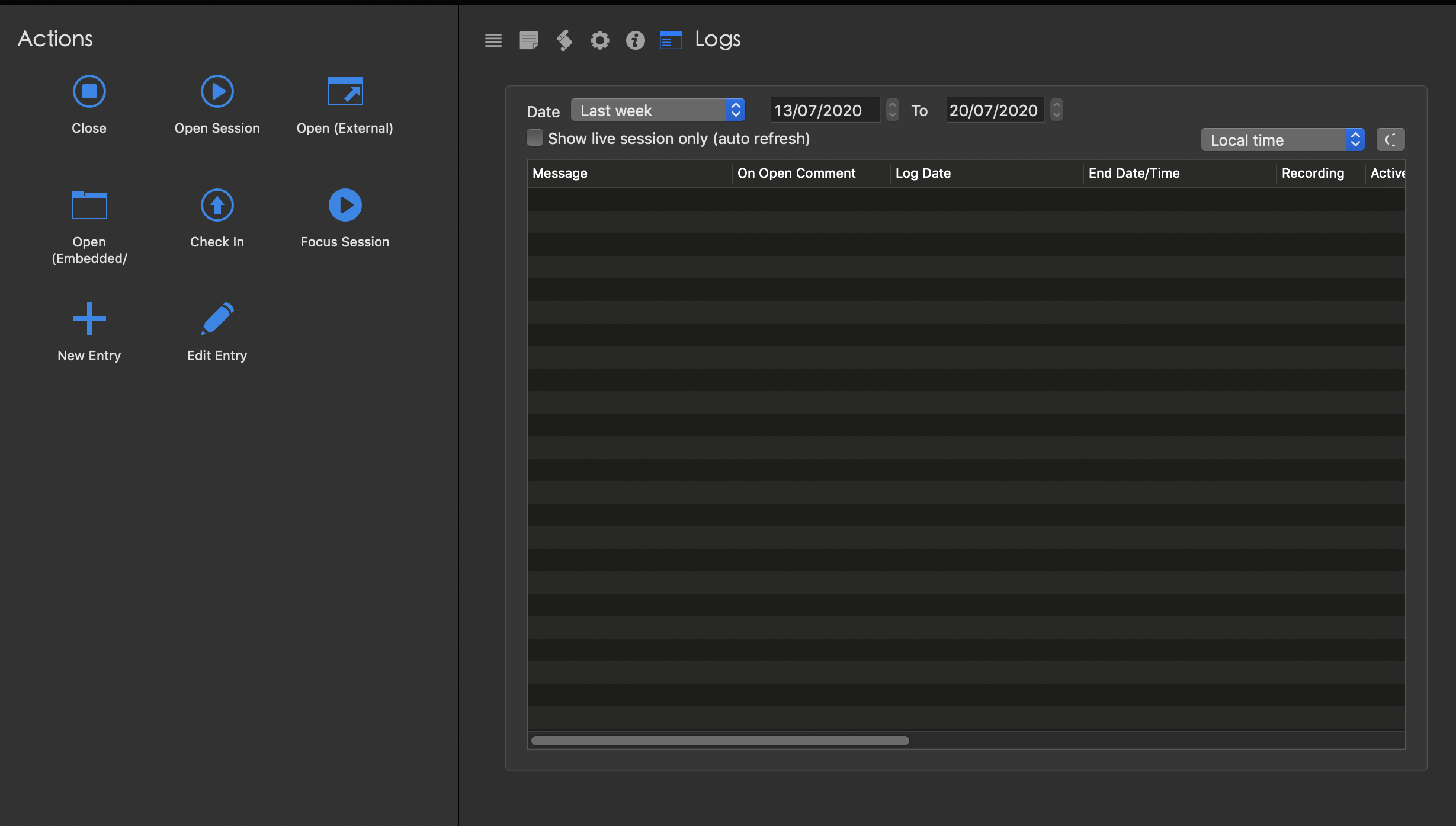
Screenshot 2020-07-21 at 15.01.48.png
Hi ryan,
We've added this to our TODO list. We'll post back in this thread when any progress is made.
Best regards,
Xavier Fortin
Hi Ryan,
It's been a while, but I've started looking into this and I had further questions about this integration.
Do you want it to be bidirectional?
For instance, in your example, one Session as multiple related Credentials. When you select those credentials in the tree, do you want to see (in the related entries tab) the session? For that matter, do you want to see the other credentials?
I see three way of implementing this at the moment:
1) The simplest is the "main" entry simply containing a list of related entries. And those entries are the only entries shown in the related entries tab.
2) The second works a bit like the first one, but also allows bidirectional relation. This means, that it will show the list of related entries the main entry contains, but also all entries that contains said main entry.
3) The last one is a grouping functionality. You'd assign a "grouping" to multiple entries, and all entries in this "grouping" will always appear in their respective related tabs. This could also support multiple "grouping" in a single entry.
Best regards,
Xavier Fortin