custom path, for default installed add-ons
0 vote

Hi,
I am currently implementing RDM in our company for several departments, i am aware that i can centrally manage the default enabled addons.
however as far as i can tell the only way to change the installation path of the add-on i can do by copying the remotedesktopmanager.cfg file to every user who needs RDM.
for example the checkpoint smartconsole RDM thinks the default path is:
C:\Program Files (x86)\CheckPoint\SmartConsole\R77.30\PROGRAM
however in our case it is:
C:\Program Files (x86)\CheckPoint\SmartConsole\R80.20\PROGRAM
there already is the section in Administration > system settings > vault > default installed add-ons.
why not add a button there in changing the default RDM path for this add on or something? and store it in the SQL database off course.
do you see any merit in this?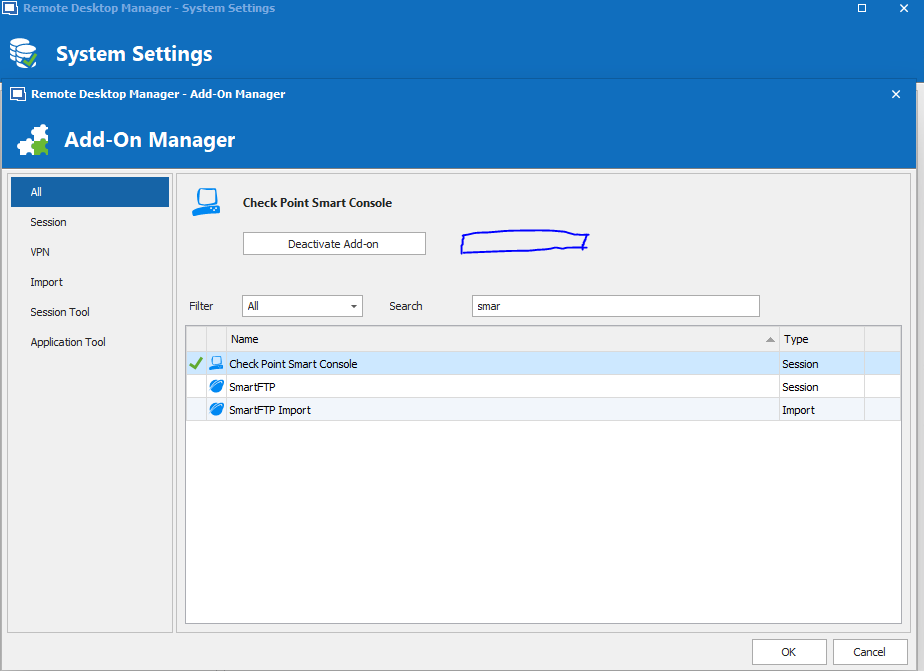
RDM addon.PNG
All Comments (5)
Hello,
Thank you for contacting us on that matter!
Would it be possible for you to create a Custom Installer with the "Saved Installation Paths" option checked and see if that would suit your needs? 
By doing so, the package that will be created will have the addons path you have configured in your RDM instance. For more information, please consult this link:
https://help.remotedesktopmanager.com/installation_custominstallermanager.html
Best regards,
James Lafleur
Ah that looks usefull, i have the challenge that we dont have internet available where we are installing RDM, will check with our network team what is possible.
On our side, I will check if we could add a data source setting to save the default path of installed add-ons.
Regards
David Hervieux
Hi,
if we do not include "Saved installation paths" in our rdi for custom installation - are the installation paths unaffected or reset to default when we do the upgrade of RDM client (if user already has a custome one)?
Best regards,
Rok
Hello Rok,
The path will be overwritten by the new RDM configuration pushed by the package
Best regards,
James Lafleur