RDP Session on two monitors

Hello,
as you know it is possible to work with a rdp session on two monitors based on the simple MS Windows RDP Manager. That is a very nice. How and where can I find the necessary adjustments in Devolutions?
Thank you for your help!!!
Best regards from Hamburg/Germany
Nils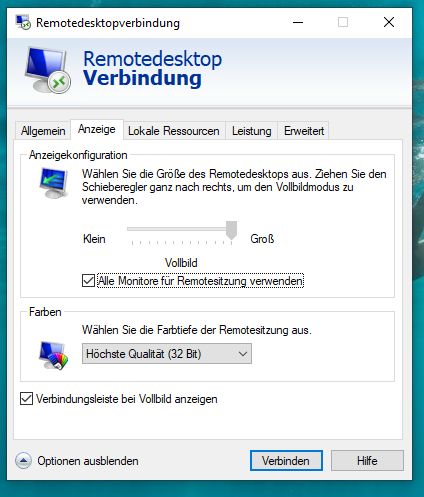
two monitors.jpg
All Comments (5)
Hello Nils,
you'll find the option if you set for the RDP Session Display Mode to External ; Then can check the option Use all my monitors for the remote session
Regards,
Min
All-Monitors.png
thank you for your quick reply, but there is not such an option.
Main monitor, second monitor, actual monitor, standard...etc or ask when connecting...
thanks for more help
Nils
monitor.jpg
Hey Nils,
you'll find the setting in the tab "Anzeige" - sorry I forgot to mention this before ;)
Regards,
Min
Hello Min Destens,
thank you for super fast reply. Did you check my screenshot? I have choosen "Anzeige" but the options there do not show "all monitors"
sorry! Found it! :-)