RDM 2020.2.15.0 - Application RunAs entries don't respect user credentials
RDM 2020.2.15.0 - Application RunAs entries don't respect user credentials

 Hi,
Hi,
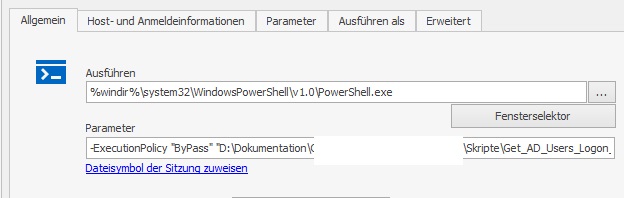
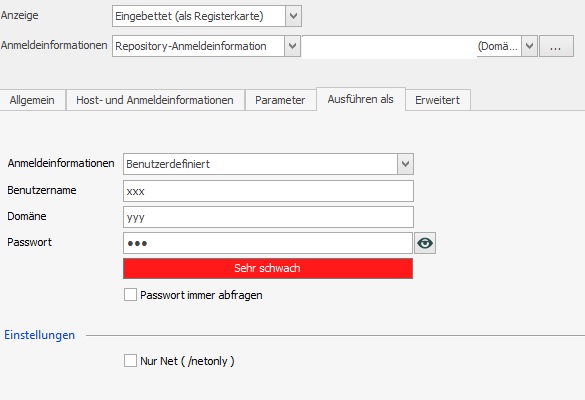
I've got the problem after updating 2019.x to 2020.2.15.0 that the session's user credentials are ignored. I've configured a command shell (cmd.exe) to run with user B while myself am logged as user A. taskmgr shows cmd.exe coming up as user A (expected: user B). I've switched through the runas-user options of the entry and only setting the drop-down to "custom credentials" helps.
There are two bugs:
- When I successfully started the cmd.exe as user B using the "custom credentials" option and switch back to "session credentials", RDM still launches with the custom credentials.
- I can reproduce this bug by entering invalid "custom credentials" and switchting back - session cannot be launched (error launching app). If I enter valid "custom credentials", the app (cmd.exe) can be launched.
- If I enter invalid credentials and switch to the (valid) session credential option, the app launches, but not as user B - still the wrong user A I'm logged on with.
Please fix it. It worked in the old version.
Thanks.
2.jpg
1.jpg
All Comments (7)
Thank you, we are investigating the issue.
Stéfane Lavergne
Hello,
We just fixed some issues related to the recent changes made to the RunAs credentials, which should resolve your problems.
This fix will be included in version 2020.2.17.0. Please come back to us if you have any remaining issues.
Regards
Jonathan Del Signore
Little update, it will be included in today's 2020.2.16.0 build.
Regards
Jonathan Del Signore
Thanks for taking care of this *thumbsup* :+1
I'll try the update.
Will it be available at https://cdn.devolutions.net/download/Setup.RemoteDesktopManager.2020.2.16.0.msi ?
Yes it will be there. It's in the QA process right now, so should be available soon.
Regards
Jonathan Del Signore
Thank you very much :).
At a first glance: I've deleted the custom credentials from the session affected by the bug, saved, edited again, and switch the logon type to "current session" credentials. This didn't work with 2020.2.15.0 and now DOES work again with 2020.2.16..0.
Good work!