Automatic multi-step authentication

Disabled
hello,
how do you manage the authentication in several stages with remote desktop manager such as the connection on your Devolutions site https://login.devolutions.com/ ?
Because it only works if the username and password textboxes are on the same page?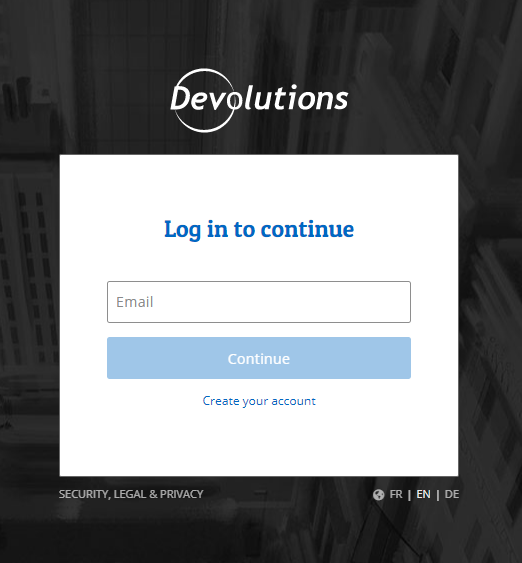
thank's
Screenshot_1.png
All Comments (8)
Hello,
It should be possible to accomplish this by launching the session in external mode and use our browser extension to populate the fields.
https://devolutions.net/web-login
In your session, the configuration should look like this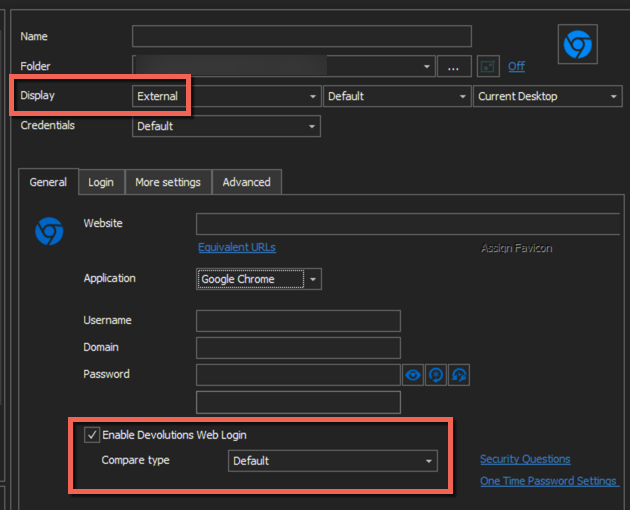
Best regards,
Jeff Dagenais
2020-06-22_08-48-19.png
Jeff,
I realize this is a bit older of a post, but is there a way to do this without having to pop up externally? I am trying to keep as much within the program as I can without having to fumble through external windows. unfortunately It seems this is becoming extremely common to have the login windows like this...
Thanks
-Kris
@kjohnson,
It may be possible using a macro in embedded mode if it's not working.
Do you have a website in mind that we can test?
Best regards,
Jeff Dagenais
Most of the sites are specity sites such as Point Click Care (our EMR/EHR), Softwriters (pharmacy software help center), Omnicell portal (Emergency drug box portal), dea lookup.
So I am not sure how helpful I can be with providing an example that you would be able to login to.
A good one would be the RDM login from the original poster. I am able to get it to enter the username, then moves to the password. It will enter the password, but cant get it to do the 2nd 'enter/submit' to finish the login process. Its better than nothing but still kinda annoying.
Hello,
After validation with my team and some tests on my side, when the username and password fields are not on the same page, there's 1 method to make in work in embedded mode and it's to use a macro to send the credentials - https://kb.devolutions.net/rdm_windows_typing_macro_perform_authentication.html
However, please note that using a macro is less secure, because if the focus is not in RDM or in the appropriate field, the password could be reveal. As example, if the macro is executed in Notepad
Most of our clients use our web login in external mode to accomplish this task with these kinds of websites.
Best regards,
Jeff Dagenais
The macro worked. I put in for the enter command and played around with the delay. instead of using the username/password part.
Did not need this:
My question with this, is even though I am only using the macro for the enter command without the username password part, will it still be less secure and show password with how I set it up below?
Hello,
Thank you for your swift reply!
Since the macro does not use your username and password, using it won't affect the security of your credential.
Best regards,
James Lafleur
Thanks again for your guidance on this. It is very much appreciated!!! I hope this will help others as a work around that like to use embedded over external.
Have a good rest of your day, and thanks again!
-Kris