"Connect when available" does not work anymore

Hi Guys,
since a few weeks the function "Connect when available" (e. g. in RDP sessions if the client restarts) does not work anymore.
If I now use this function only "Waiting for host..." (1 time) appears but nothing happened also if the client is online again. If I push the button "Connect" I can immediately connect to the client. In some cases it works but takes a long time (several minutes, even though the client is online long ago) until the client reconnects.
Any ideas?
I'm using version v4.0.30319
Many thanks in advance.
Simon
All Comments (15)
Hello,
Could you please post a screenshot of your Help - About window?
What type of datasource are you using?
Best regards,
Jeff Dagenais
Hi Jeff,
many thanks for your reply. Here is the screenshot of "About". 
What do you mean with "Datasource"?

That's a screenshot after pushing the button "Connect when available". I took this screenshot after round about 1 minute but as you can see there is only 1 try. The reconnect interval is set to 5 seconds (default). So there must be more "Waiting for host..." lines.
Hello,
Don't worry for the datasource. Usually, customers who's using RDM Free use SQLite as their backend datasource to save their data. In fact, it's the default one when you open RDM the first time.
That being said, the waiting for host is only displayed one time, I think this is the normal behavior.
During my test, after about a minute or two, I am seeing this message. Are you seeing this as well?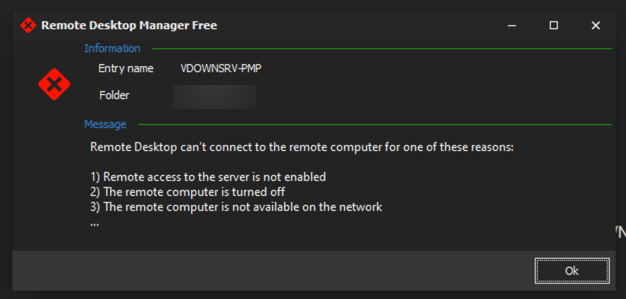
After seeing this message, I pressed again on Connect when available and it eventually connects.
Best regards,
Jeff Dagenais
2020-06-19_13-15-56.png
Hi Jeff,
no, I don't see this as well. I see it if a client or server is generally offline.
But in my case the client/server is online but the function "Connect when available" is not working or is working but with minutes of delay.
Don't know what's the problem now. It works fine for month since I've used RDM.
Hello,
One of my colleagues and I have not been able to reproduce your issue.
Maybe there's something with your configuration. Could you try the steps below to reset your local configuration?
- Close RDM
- Navigate to %localappdata%\Devolutions\RemoteDesktopManagerFree
- Rename the RemoteDesktopManagerFree.cfg into RemoteDesktopManagerFree.old
- Restart RDM
Best regards,
Jeff Dagenais
Hi Jeff,
many thanks. But it's also not working. We have this problem on all of our 7 clients in our IT department.
Server reboot --> Connect when available --> Server started --> nothing happens --> Manual click on "Connect" --> Server connects immediately.
Strange.
Hello Simon,
can you please try the following => select one of the session => Macros/Script/Tools section => Check is Online
Are both checks successful?
Regards,
Min
Yes, it is.
Client rebooted. Ping = yes. But not connecting automatically - but after minutes. 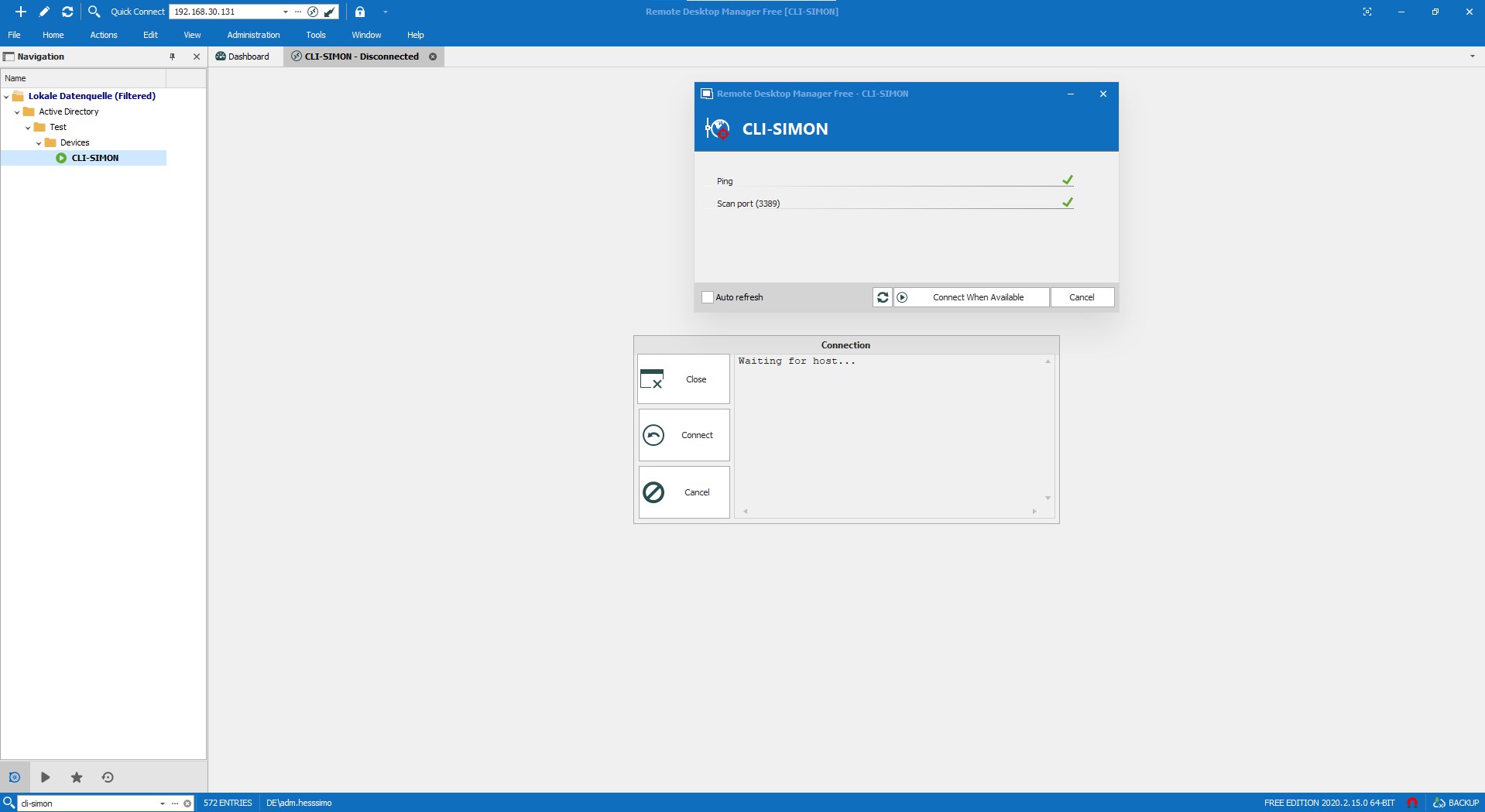
screenshot.jpg
Hello Simon,
alright - can you also check the following setting:
File => Options => General => Connect when available delay
Regards,
Min

Hello,
Is it possible for you to test RDM Free 2020.2.15.0 on one of your workstation?
https://remotedesktopmanager.com/home/download
If the issue is still present in this latest release, could you go in File -> Options -> Tools and increase the delay for the Connect when available delay option in that area and see if that help.
Best regards,
Jeff Dagenais
I've already installed version 2020.2.15.0.
I've now increased the reconnection delay (set it to 0).
Now it's working again. :-)
As you can see: there are more than one entries "Waiting for host..." if it's working in the right way:
Hello,
Glad that is now working!
Thank you very much for your feedback.
Best regards,
Jeff Dagenais
Thanks for your support!