Rebex telnet empty screen

Good afternoon,
I'm running Remote Desktop Manager version 2020.2.14.0 64bit on Windows Server 2008, starting from the last two releases I have an issue with Rebex Telnet: when I launch that sessions I have a completely void output .
Could you fix this bug? Rebex telnet is very useful because it has a search text function.
Best regards
Marco Canova
no out.png
All Comments (11)
Hello,
Thank you for contacting us on that matter!
Our Engineering Department has added the search feature to our own SSH Shell terminal, would you be interested in trying this type of entry?
If so, you can create an SSH Shell entry by going under Edit -> New Entry -> Session -> SSH Shell
If this type of entry works for you, I can guide you in the conversion of your Rebex Telnet entries into SSH Shell entries to facilitate this transition.
Best regards,
James Lafleur
sshshell.png
Sorry for the delay but I thought the reply via email would have give you an answer on the forum ...
Unfortunately I can't use the ssh because some devices accept only the telnet protocol; could you fix the Rebex issue?
best regards
Marco Canova
Good morning,
do you have any feedback?
Thank you very much
Marco Canova
Hello,
Telnet (Rebex) sessions is a deprecated one because it's a third party integration on our side and we don't have much control on it.
However, we have our own Telnet session. Could you give it a try? 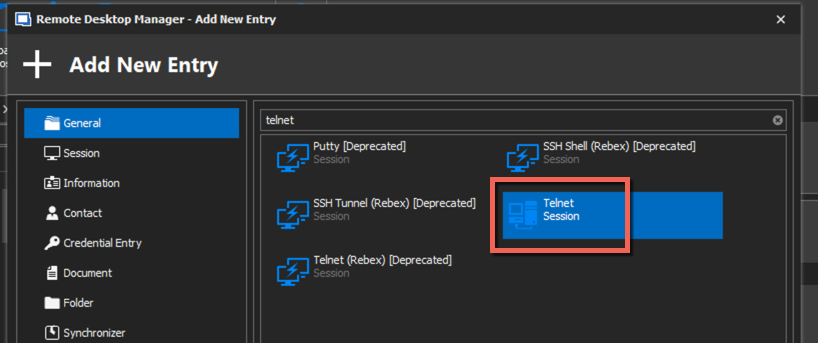
Best regards,
Jeff Dagenais
2020-06-22_08-00-41.png
JF is right but we also did an update of the Rebex component. This will be in the next minor update and might fix you problem.
Regards
David Hervieux
Thank you both for your feedback. I tried your telnet session, but it lacks the search function. Moreover I had to connect to devices through a satellite link (so very high latency, e.g. 800 ms) and recently your telnet session ended before showing ny username/password prompt.
I'll wait for the next update of RDM
kind regards
Marco Canova
Ouch ... I've just update the program to the last version, but the issue on Rebex is still ongoing :-(
I found something interesting: the installation on my Windows server 2008 is in someway corrupted. On my W10 it works properly, and also on another W2008. I tried to uninstall and reinstall, but I believe it keeps the session information in some registry because after I reinstalled the program I still have all my sessions and preferences. How can I completely uninstall the software?
best regards
Marco Canova
I found it!
I removed C:\Users\xxx\AppData\Roaming\Devolutions\RemoteDesktopManagerFree\Connections.db and also the part on C:\Users\s226287\AppData\Local\Devolutions\
Now it works again!!!
Hello,
Glad that is now working.
Thank you for your feedback.
Best regards,
Jeff Dagenais
It happened again, and the root cause is quite silly, but the solution is easier.
I used to change the default color of the text of the Rebex terminal from white to green, when the issue occurred I noted that the default color for Rebex changed to ... a void rectangle. I set again green and voilà! the text became visible.