RDM-Free 2020.2.12.0 64bit - Chome error?

When trying to edit properties for a Web browser session. If Application is "default" doesnt really occur, if Chrome or Firefox selected for application this occurs consistently..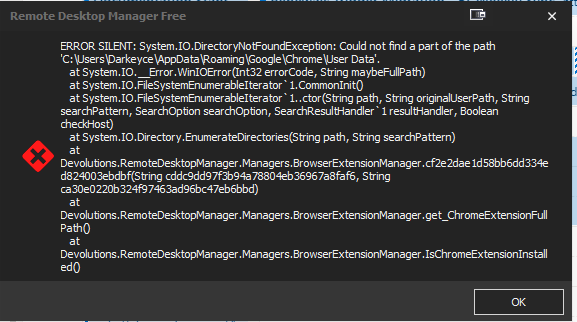
Grr Misspelled title "Chrome", can't fix it. :(
Windows 10 Pro
Version 2004
OS Build 19041.264
Annotation 2020-06-09 231657.png
All Comments (3)
Hello,
I think this error only shows up if you have the profiler enabled. Could you go in Help > Profiler, and in the 'debug' tab, make sure the value is set to 0?
Regards,
Hubert Mireault
That fixed it. Thank you.
I had the profiler running because RDM free hagns after a while and i was trying to debug.
I'm glad that could fix your issue.
Just so you know, we'll make some changes to prevent the browser extension verifications from throwing errors, and these changes will be available in RDM 2020.2.13.0. Though as a general rule of thumb, you shouldn't keep the profiler enabled if you aren't currently diagnosing issues, since errors that are normally 'silently' logged will instead pop up like this sometimes.
Regards,
Hubert Mireault