Cannot login using Microsoft Account

RDM version 2020.1.8.0
os win10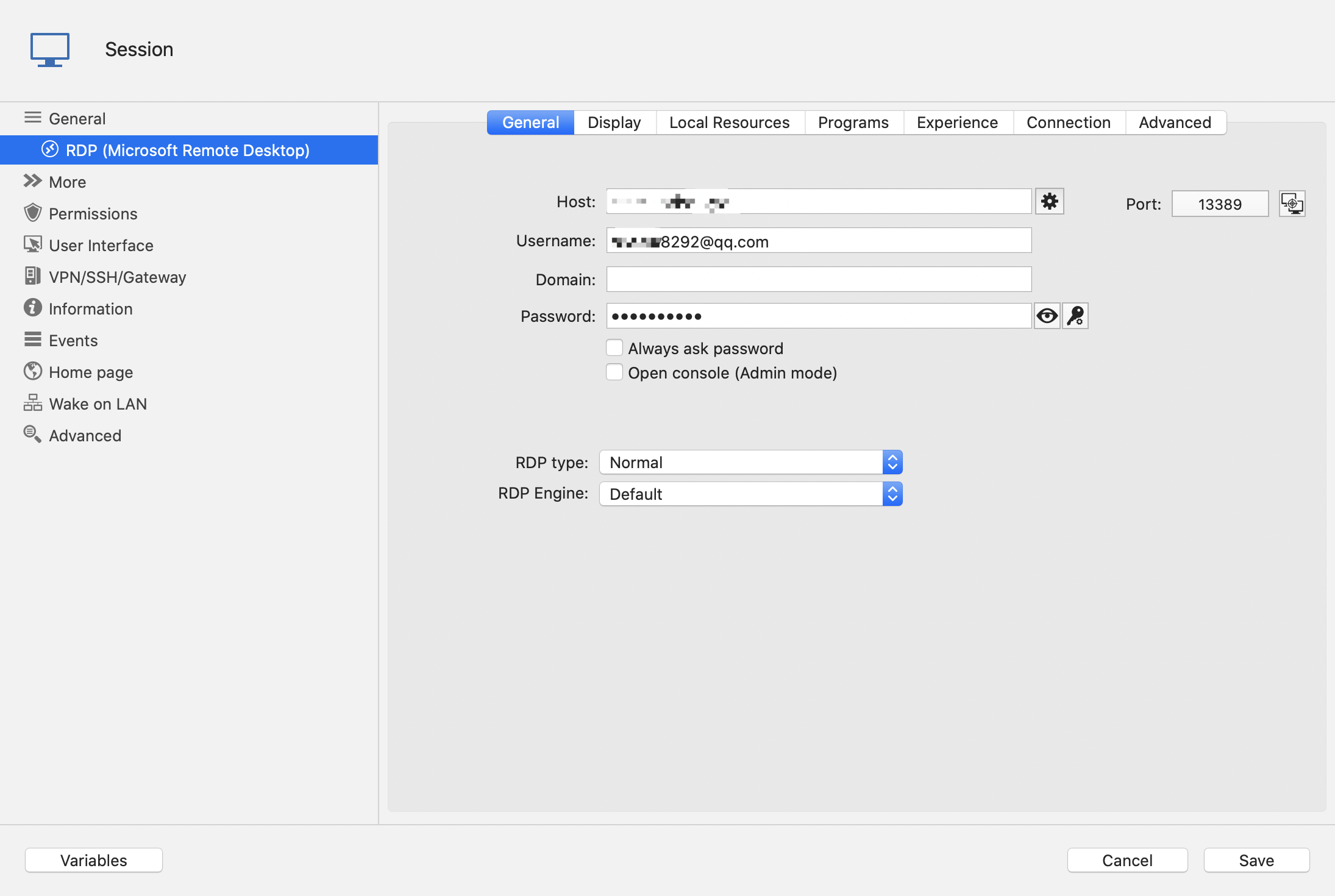
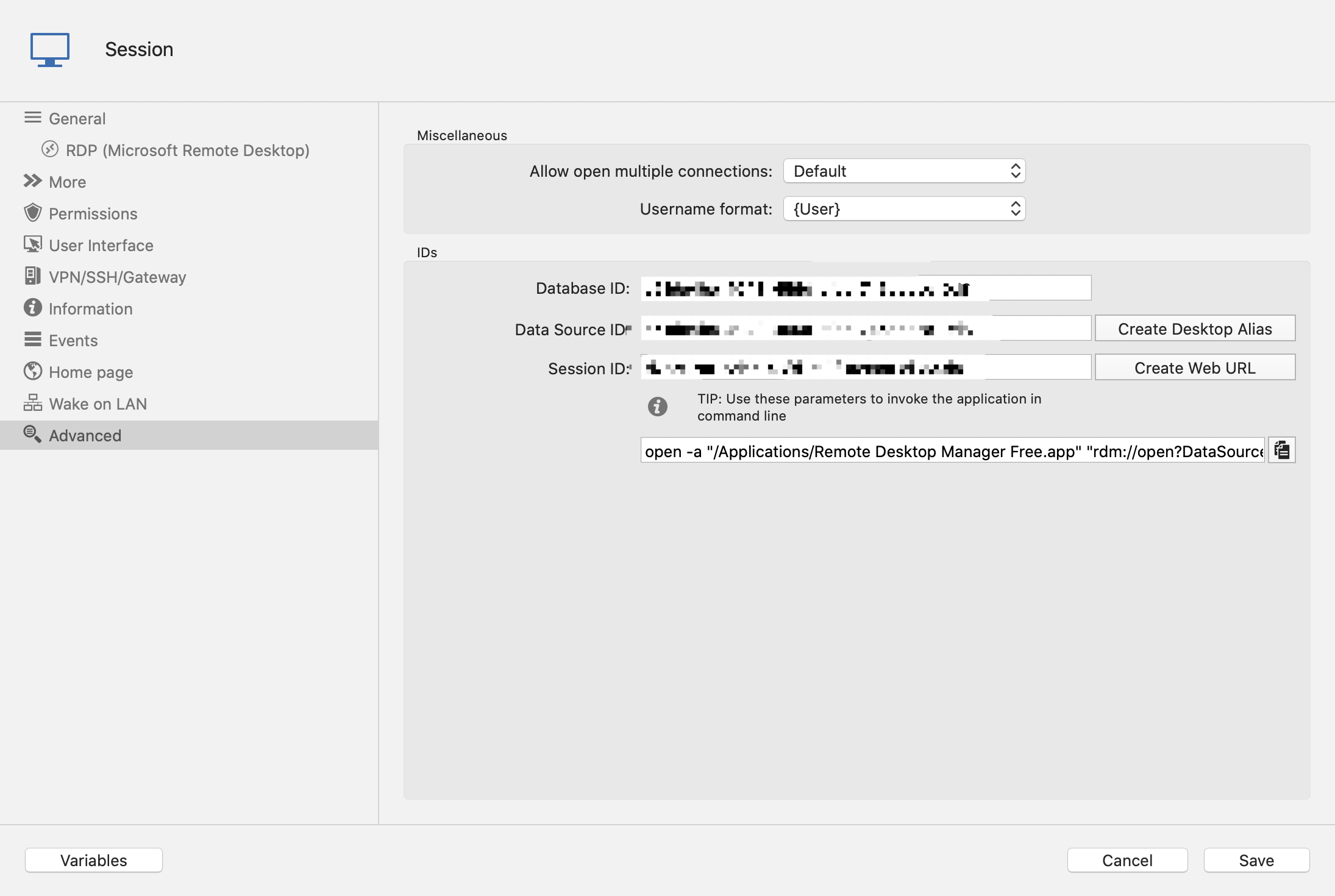
then I see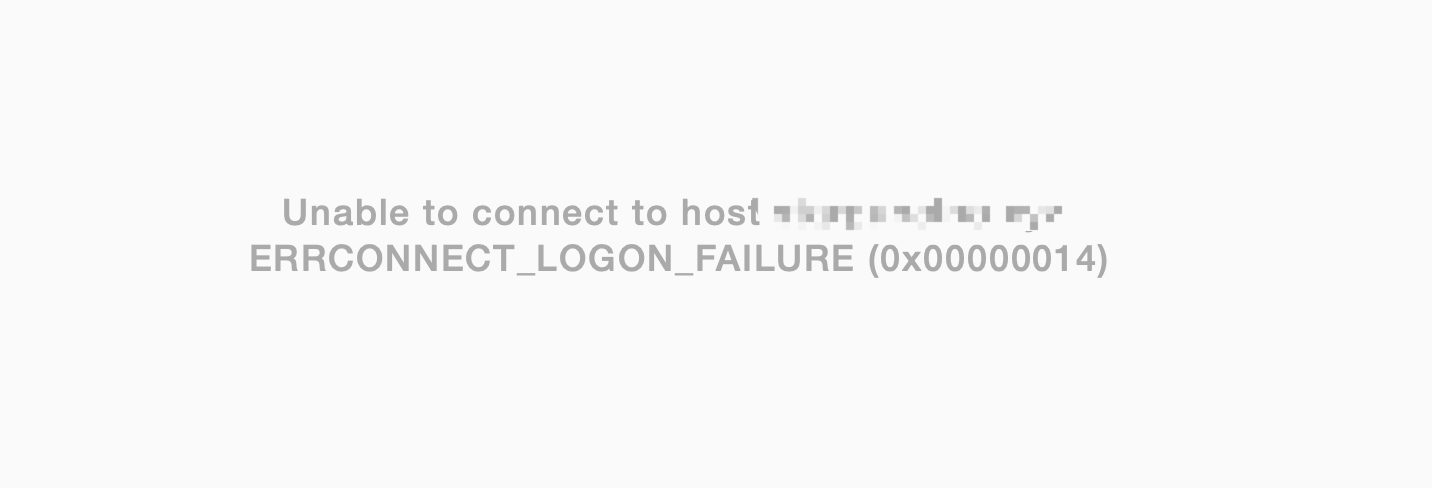
QQ20200507-140405@2x.png
QQ20200507-140527@2x.png
QQ20200507-140328@2x.png
QQ20200507-140240@2x.png
All Comments (14)
Hi,
Can you reproduce the issue with the Session Logs enabled and provide us with said logs? Here's how to do this: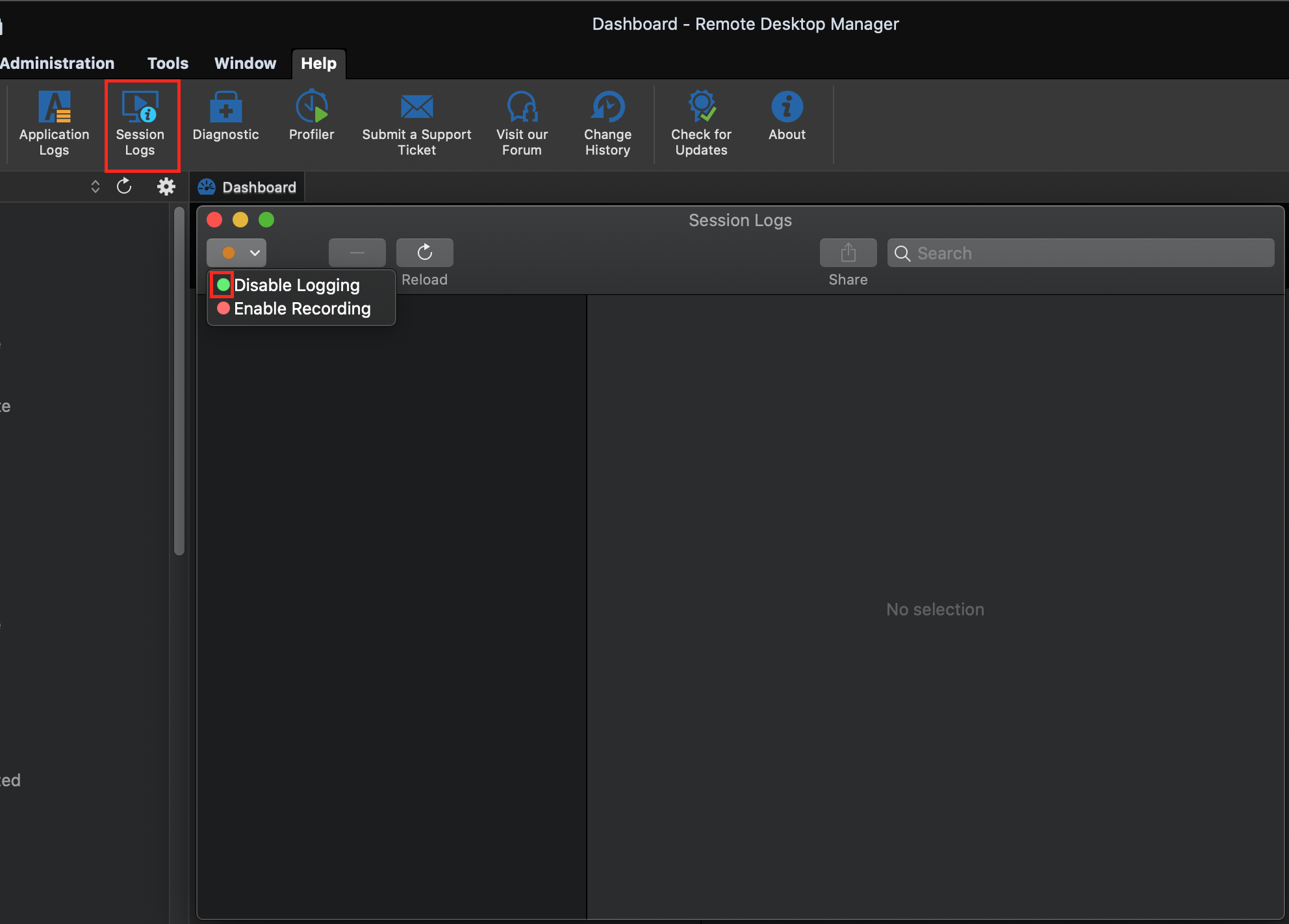
Best regards,
Xavier Fortin
SessionLogs.png
[21:04:25:896] [11474:0939a000] [INFO][com.freerdp.client.common.cmdline] - loading channelEx rdpdr
[21:04:25:896] [11474:0939a000] [INFO][com.freerdp.client.common.cmdline] - loading channelEx rdpsnd
[21:04:25:896] [11474:0939a000] [INFO][com.freerdp.client.common.cmdline] - loading channelEx RDMJump
[21:04:25:896] [11474:0939a000] [INFO][com.freerdp.client.common.cmdline] - loading channelEx RDMCmd
[21:04:25:896] [11474:0939a000] [INFO][com.freerdp.client.common.cmdline] - loading channelEx RDMLog
[21:04:25:896] [11474:0939a000] [DEBUG][com.freerdp.channels.cliprdr.client] - VirtualChannelEntryEx
[21:04:25:896] [11474:0939a000] [INFO][com.freerdp.client.common.cmdline] - loading channelEx cliprdr
[21:04:25:896] [11474:0939a000] [ERROR][com.freerdp.channels.virtual.channel] - Unhandled event type 0
[21:04:25:896] [11474:0939a000] [ERROR][com.freerdp.channels.virtual.channel] - Unhandled event type 0
[21:04:25:896] [11474:0939a000] [ERROR][com.freerdp.channels.virtual.channel] - Unhandled event type 0
[21:04:25:103] [11474:0939a000] [DEBUG][com.freerdp.primitives] - primitives benchmark result:
[21:04:25:266] [11474:0939a000] [DEBUG][com.freerdp.primitives] - * generic= 15
[21:04:25:418] [11474:0939a000] [DEBUG][com.freerdp.primitives] - * optimized= 96
[21:04:25:418] [11474:0939a000] [INFO][com.freerdp.primitives] - primitives autodetect, using optimized
[21:04:25:421] [11474:0939a000] [DEBUG][com.freerdp.core.nego] - Enabling security layer negotiation: TRUE
[21:04:25:421] [11474:0939a000] [DEBUG][com.freerdp.core.nego] - Enabling restricted admin mode: FALSE
[21:04:25:421] [11474:0939a000] [DEBUG][com.freerdp.core.nego] - Enabling RDP security: TRUE
[21:04:25:421] [11474:0939a000] [DEBUG][com.freerdp.core.nego] - Enabling TLS security: TRUE
[21:04:25:421] [11474:0939a000] [DEBUG][com.freerdp.core.nego] - Enabling NLA security: TRUE
[21:04:25:421] [11474:0939a000] [DEBUG][com.freerdp.core.nego] - Enabling NLA extended security: FALSE
[21:04:25:421] [11474:0939a000] [DEBUG][com.freerdp.core.nego] - state: NEGO_STATE_NLA
[21:04:25:421] [11474:0939a000] [DEBUG][com.freerdp.core.nego] - Attempting NLA security
[21:04:25:423] [11474:0939a000] [INFO][com.freerdp.core] - freerdp_set_last_error resetting error state
[21:04:25:423] [11474:0939a000] [INFO][com.freerdp.core] - freerdp_set_last_error resetting error state
[21:04:25:424] [11474:0939a000] [DEBUG][com.freerdp.core] - connecting to peer 115.200.20.hide
[21:04:25:638] [11474:0939a000] [DEBUG][com.freerdp.core.nego] - RequestedProtocols: 3
[21:04:26:797] [11474:0939a000] [DEBUG][com.freerdp.core.nego] - RDP_NEG_RSP
[21:04:26:797] [11474:0939a000] [DEBUG][com.freerdp.core.nego] - selected_protocol: 2
[21:04:26:797] [11474:0939a000] [DEBUG][com.freerdp.core.nego] - state: NEGO_STATE_FINAL
[21:04:26:797] [11474:0939a000] [DEBUG][com.freerdp.core.nego] - Negotiated NLA security
[21:04:26:797] [11474:0939a000] [DEBUG][com.freerdp.core.nego] - nego_security_connect with PROTOCOL_HYBRID
[21:04:28:034] [11474:0939a000] [DEBUG][com.winpr.sspi] - InitSecurityInterfaceExA
[21:04:28:034] [11474:0939a000] [DEBUG][com.freerdp.core.nla] - nla_client_init 399 : packageName=Negotiate ; cbMaxToken=12256
[21:04:28:034] [11474:0939a000] [DEBUG][com.freerdp.core.nla] - Sending Authentication Token
[21:04:28:092] [11474:0939a000] [DEBUG][com.freerdp.core.nla] - CredSSP protocol support 6, peer supports 6
[21:04:28:093] [11474:0939a000] [DEBUG][com.freerdp.core.nla] - Sending Authentication Token
[21:04:28:199] [11474:0939a000] [ERROR][com.freerdp.core] - freerdp_set_last_error ERRCONNECT_LOGON_FAILURE [0x00020014]
[21:04:28:199] [11474:0939a000] [ERROR][com.freerdp.core.rdp] - rdp_recv_callback: CONNECTION_STATE_NLA - nla_recv_pdu() fail
[21:04:28:199] [11474:0939a000] [ERROR][com.freerdp.core.transport] - transport_check_fds: transport->ReceiveCallback() - -1
[21:04:28:199] [11474:0939a000] [DEBUG][com.freerdp.core.rdp] - transport_check_fds() - -1
And if I set username format to DEFAULT 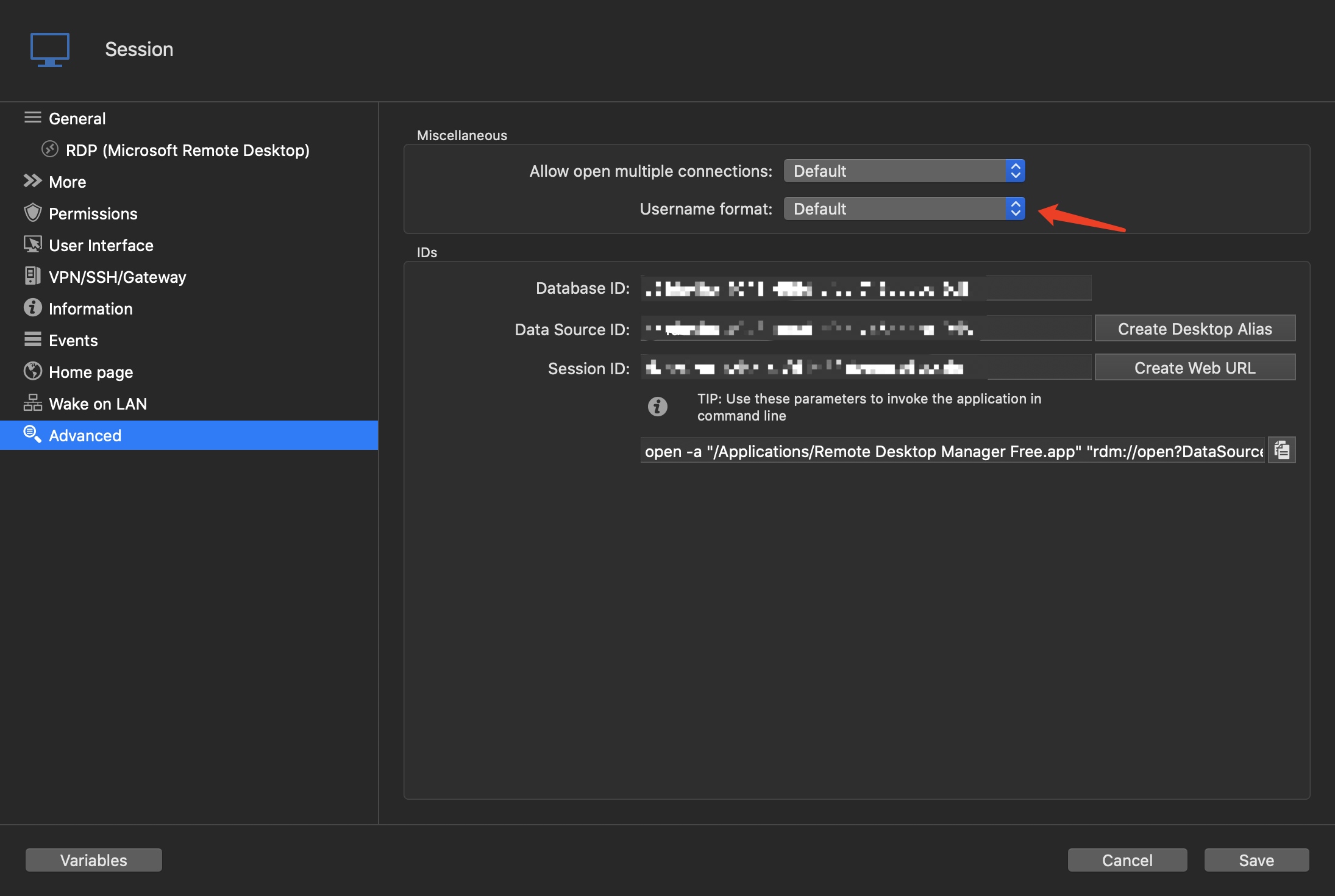
the session can be connected normally, but the suffix of username "@qq.com" was removed by mistake, I cannot login into desktop.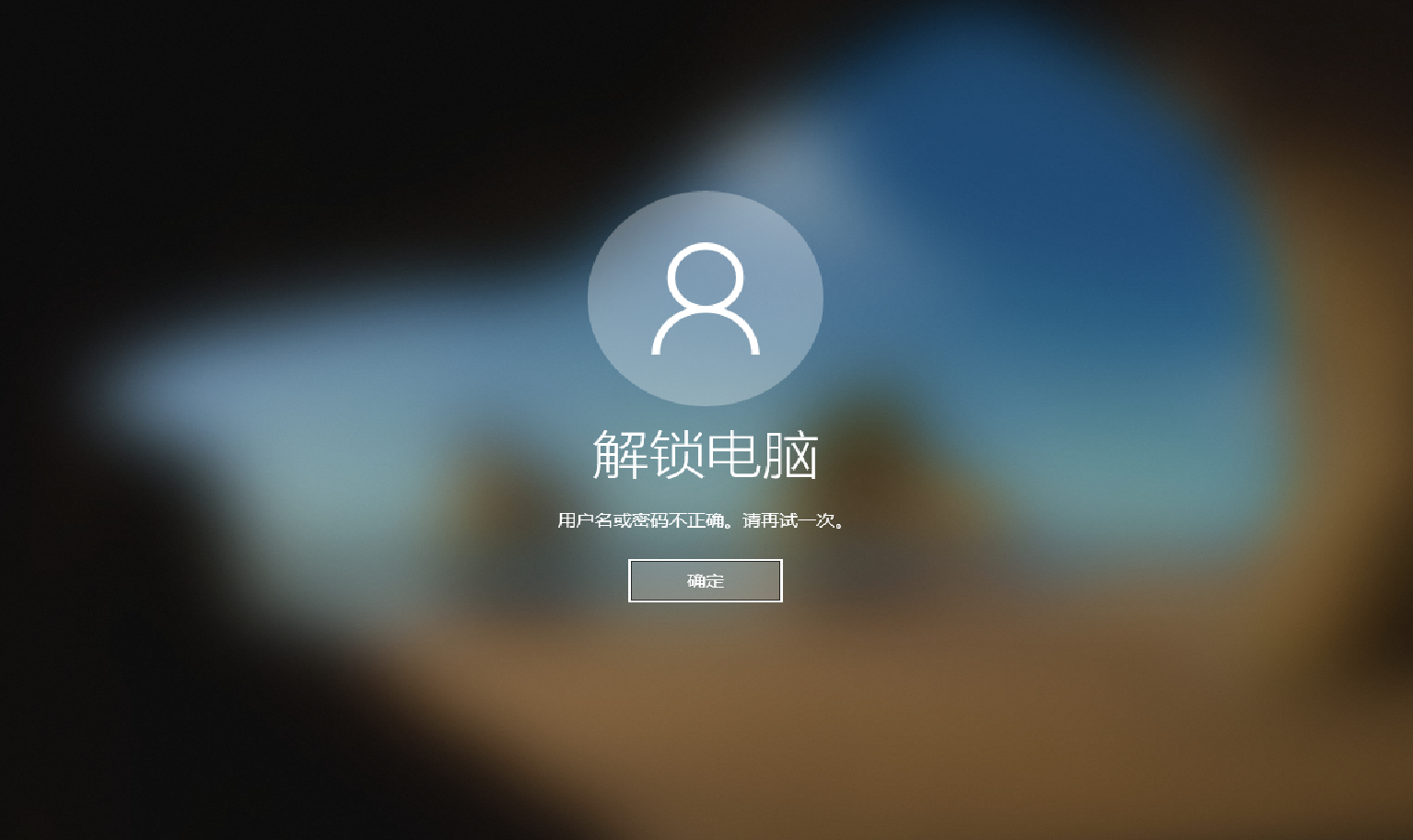
QQ20200507-211816@2x.png
QQ20200507-210843@2x.png
The behavior of "Username format" is actually quite simple. If it's value is {User} we send whatever is entered in the "Username" field to FreeRDP as the user. If it's value is set to anything else, we always try to split the value of the "Username" field between the user and the domain and send both those value independently to FreeRDP as the user and domain.
In your case, when we send ****8292@qq.com to FreeRDP as the user, it fails with an ERRCONNECT_LOGON_FAILURE, which would usually indicate a failed authentication (bad creds, etc.) If we send the user and domain separately, it still fails, but with a different error.
I'm curious, are you able to launch your session externally (right click -> Open with Parameters -> Open (External)) with Microsoft Remote Desktop?
Best regards,
Xavier Fortin
Hello~
This is the default configuration
The system displays: The User Account Did Not Work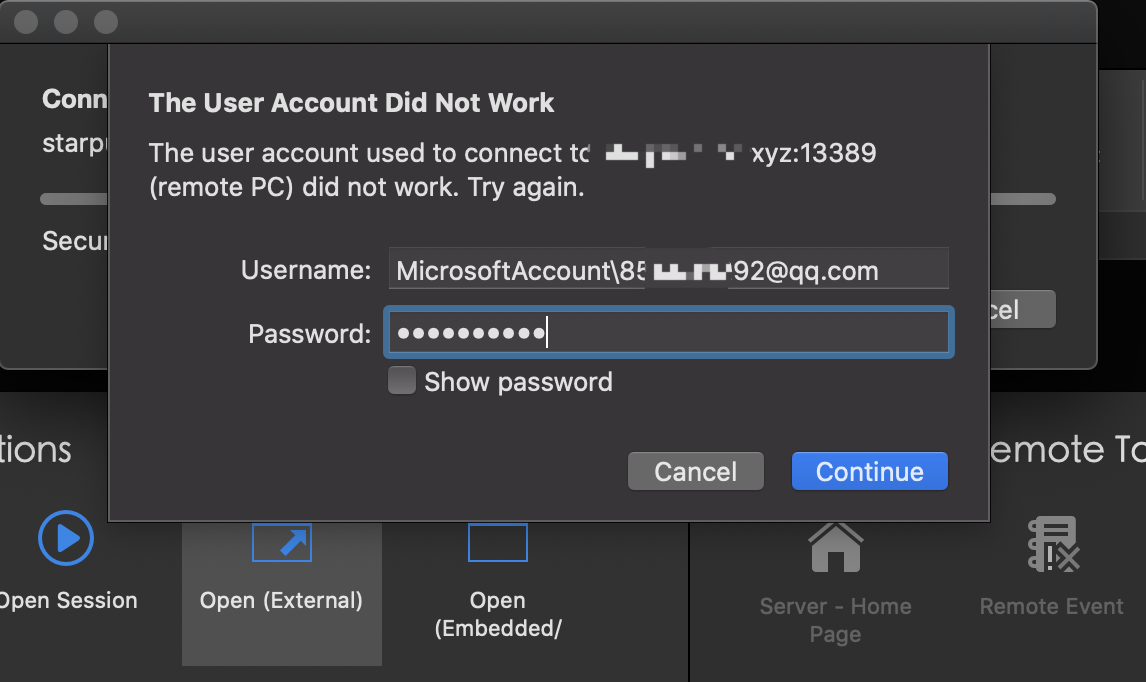
But if I remove "MicrosoftAccount\" from Username, connection succeeded
QQ20200507-224319@2x.png
This is weird. What is before the "\" in the username is usually added when we send a domain (see "Domain" field) to Microsoft Remote Desktop. See example below: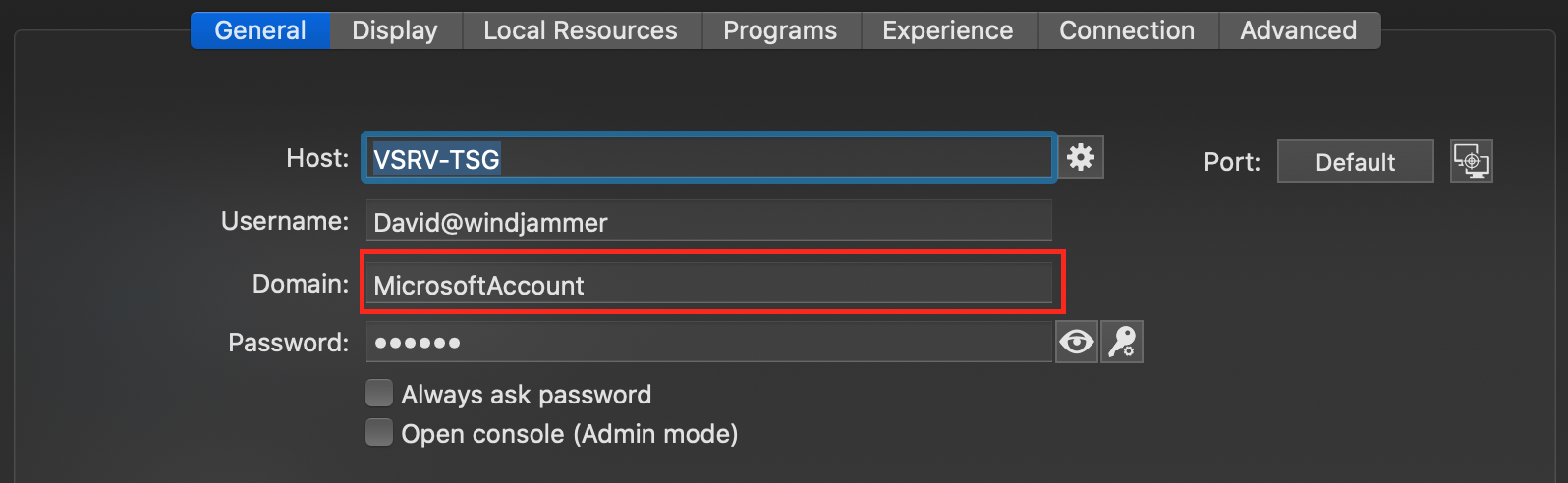
When connecting externally, this will give: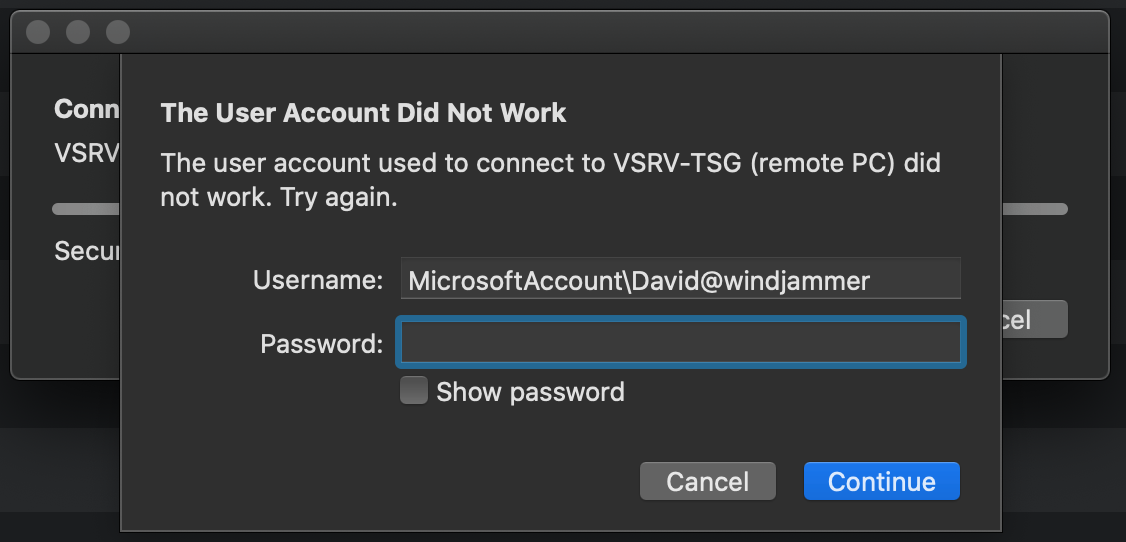
It's as if the Domain value of your session is somehow, when connecting, being injected with a "MicrosoftAccount". I'm not aware of anything that would do this on our side. Can you try recreating your session from scratch? Maybe in another folder. And see if this still occurs?
Best regards,
Xavier Fortin
MicrosoftRemoteDesktop.png
DomainField.png
Oh sorryyyyyy... minutes ago I was testing some parameters and forgot to delete.
"I'm curious, are you able to launch your session externally (right click -> Open with Parameters -> Open (External)) with Microsoft Remote Desktop?"
Yes, Microsoft Remote Desktop can connect normally
But RDM still got the problem....
I believe I have found the issue. I'll complete the fix and build a preview version for you to confirm.
Best regards,
Xavier Fortin
Hi starbingle,
Can you try the following version and tell me if it now works for you? You will have to set the Username Format to "No change".
Enterprise: https://www.dropbox.com/s/6v81e4qqudjkbo6/Devolutions.RemoteDesktopManager.Mac.2020.1.8.1588877265.dmg?dl=0
Free: https://www.dropbox.com/s/rzbj0f5r4qf9jnh/Devolutions.RemoteDesktopManager.Free.Mac.2020.1.8.1588878071.dmg?dl=0
Best regards,
Xavier Fortin
Wooow!
I tried Free version and it worked!
I did not try the enterprise version since I've no authorization。
Thank you bro!
I am curious, why when using RDM and Microsoft RD, the operation and rendering of Microsoft RD is faster, and RDM always renders block by block, is that because Microsoft RD uses some private protocol to accelerate the screen.
QQ20200508-111301@2x.png
Hi,
RDM uses FreeRDP while Microsoft use their own implementation of the protocols (RDP is theirs after all).
That being said, many things can affect performance and Microsoft Remote Desktop might toggle them automatically. Tweaking settings under the Experience tab, changing the Rendering engine or the Codec level are all things that can affect performance: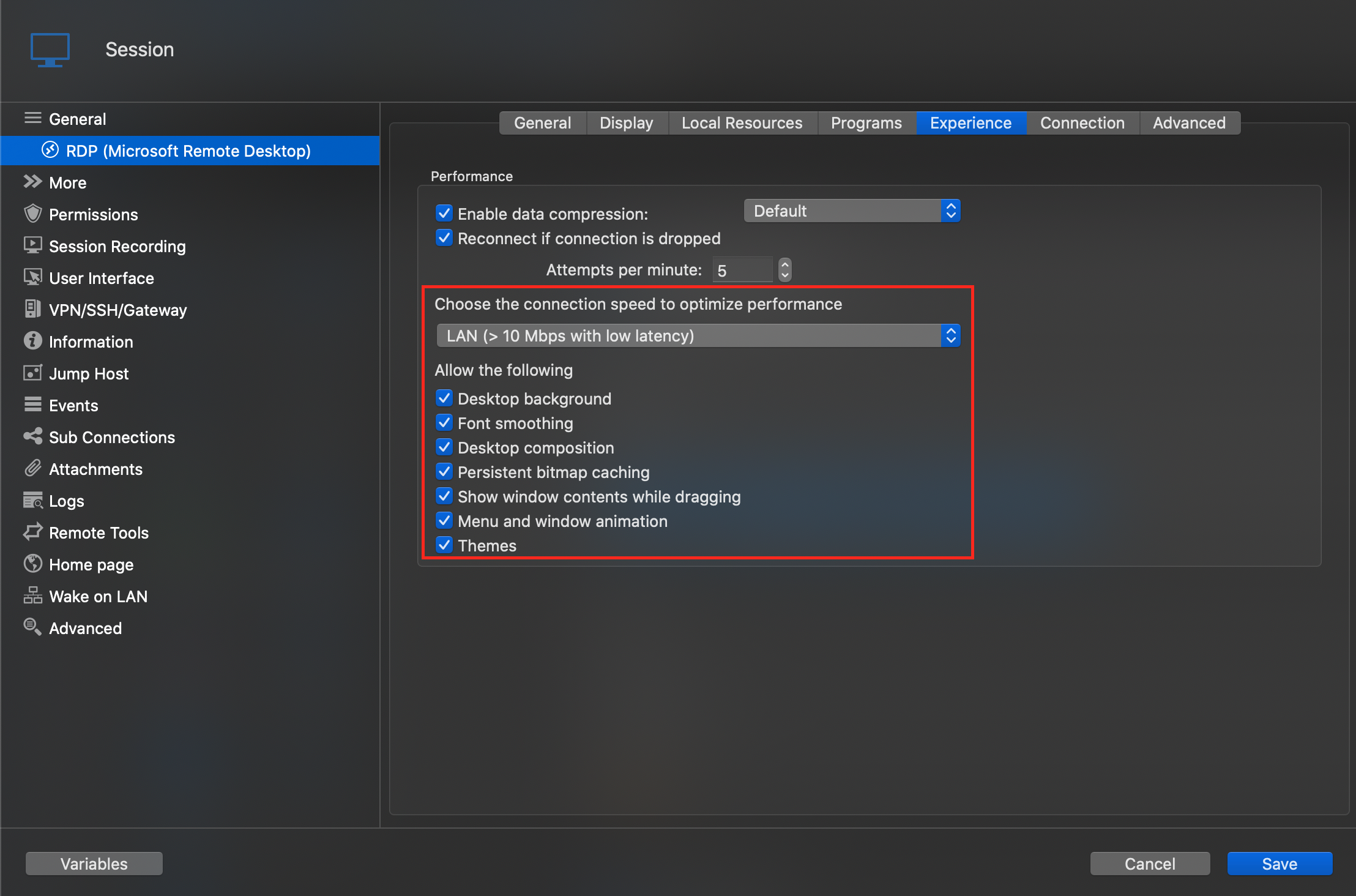
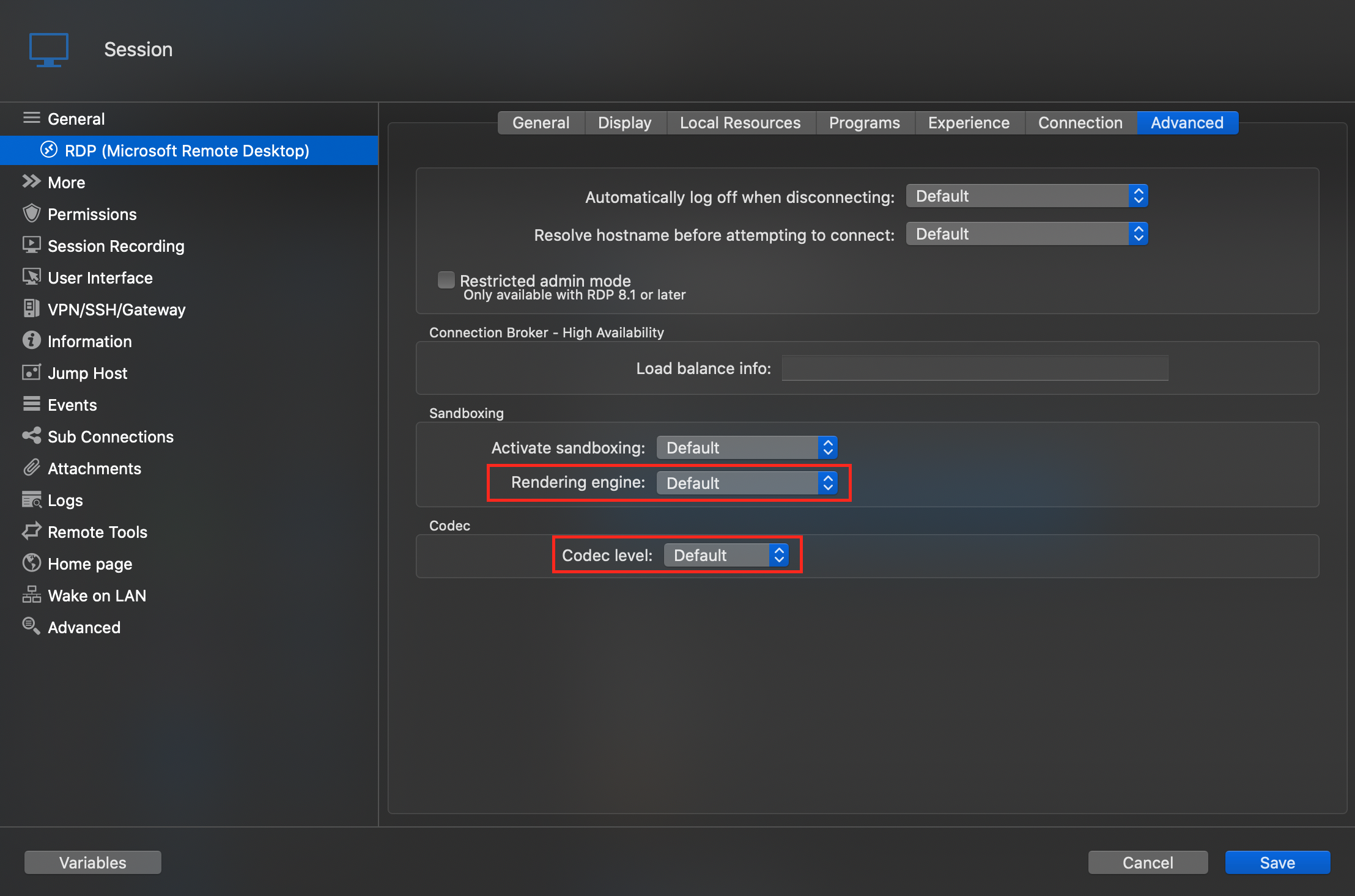
All that being said, for some sessions, MRDP might simply be more performant.
Best regards,
Xavier Fortin
Advanced.png
Experience.png
👍