RDP - Check if another user is logged in before connecting

Just the above really - I need to know how to check if a user is logged into a server. Currently I am not warned and end up kicking them off the server when I log on.
All Comments (10)
On the session, Edit > Logs > Warn if already opened
Stéfane Lavergne
I'm not seeing that anywhere sorry?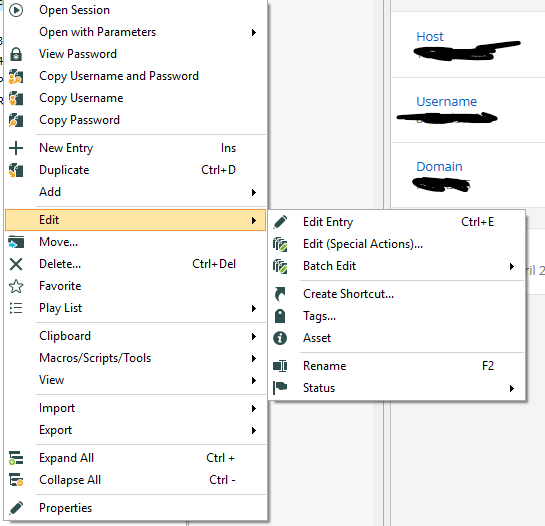
rdp.png
right-click > Properties > Logs > Warn if already opened
Stéfane Lavergne
Ok - I can't see "Logs" anywhere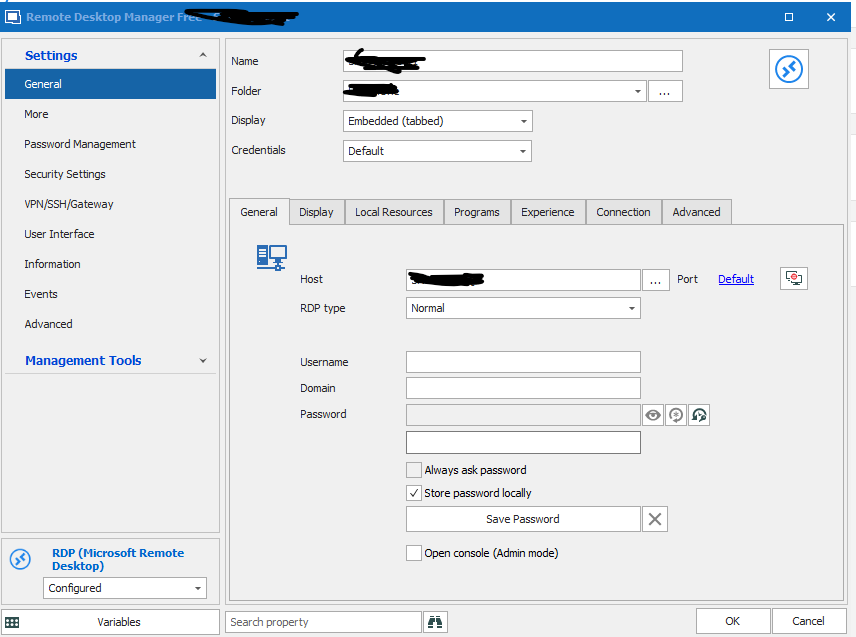
rdp.png
Sorry, I just notice from your screen shot that you have Remote Desktop Manager Free. Unfortunately logs, therefore "Warn if already opened", are not available in the free version.
Best regards,
Stéfane Lavergne
Hi
Is it possible to set this option globally in the Enterprise version or at least on folder level so that this does not have to be changed for all connections
@simon keller,
Which option are you referring to exactly? Could you elaborate please?
Best regards,
Jeff Dagenais
Hi Jeff
Sorry for the confusion. I mean the function "Warn if already opened"
This option is only available for a single server or via the Batch Edit function.
It would be cool if this option was available in the global settings so you don't have to do this manually for all servers.
I am not talking about a handful of servers, but a few hundred that are not in the same structure for a batch edit ;-)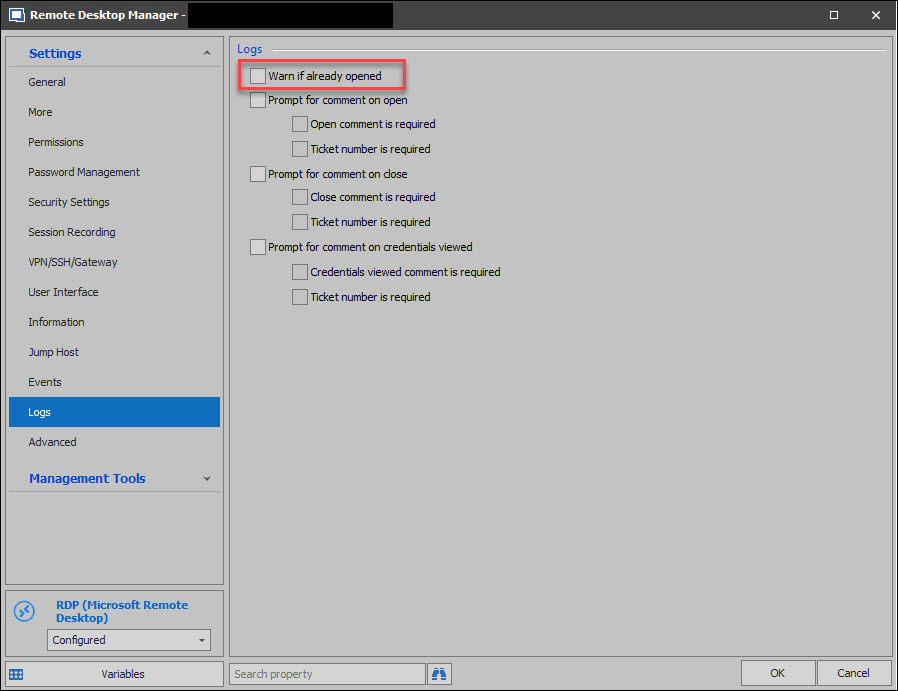
Best regards
Simon
warnifalreadyopen.jpg
@simon keller,
Thank you for the precision.
Your request has been added to our list, but we cannot provide you a timeframe for it's delivery.
On a side note, if you would like to update several sessions at the same time, I would recommend using our Custom PowerShell feature to update them.
For more details, please consult https://help.remotedesktopmanager.com/powershell_batchactionssamples.html
Best regards,
Jeff Dagenais
Thanks for the feedback and the mention of the Powershell
I'll take a look at it