iDRAC interface: autofill doesn't work on iDRAC 9

As subject, I've tried autofill settings but iDRAC9 login page is shown with empty controls.
Thanks.
All Comments (12)
Could you try the option Use legacy control IDs, I think this option works for iDrac 6 and 9.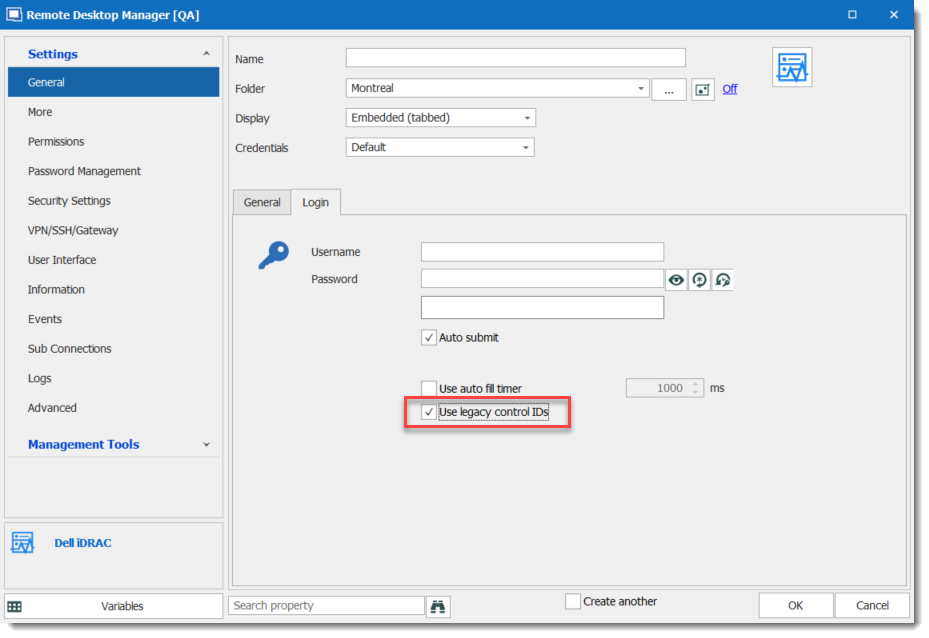
Regards,
David Grandolfo
idrac_legacy.png
Nope, doesn't work!
Thanks for the test,
Could you open the iDrac9 web page with an external browser and send me the Page source at Ticket@devolutions.net
I will then look with the engineering department.
Best regards,
David Grandolfo
Sent.
Just for your knowledge, with a standard web page entry there are issues binding "submit" action because, I suppose, login button has no ID so I can't map it.
Thanks.
Under the Login tab, could you try the Login button ID [ENTER] or [SUBMIT]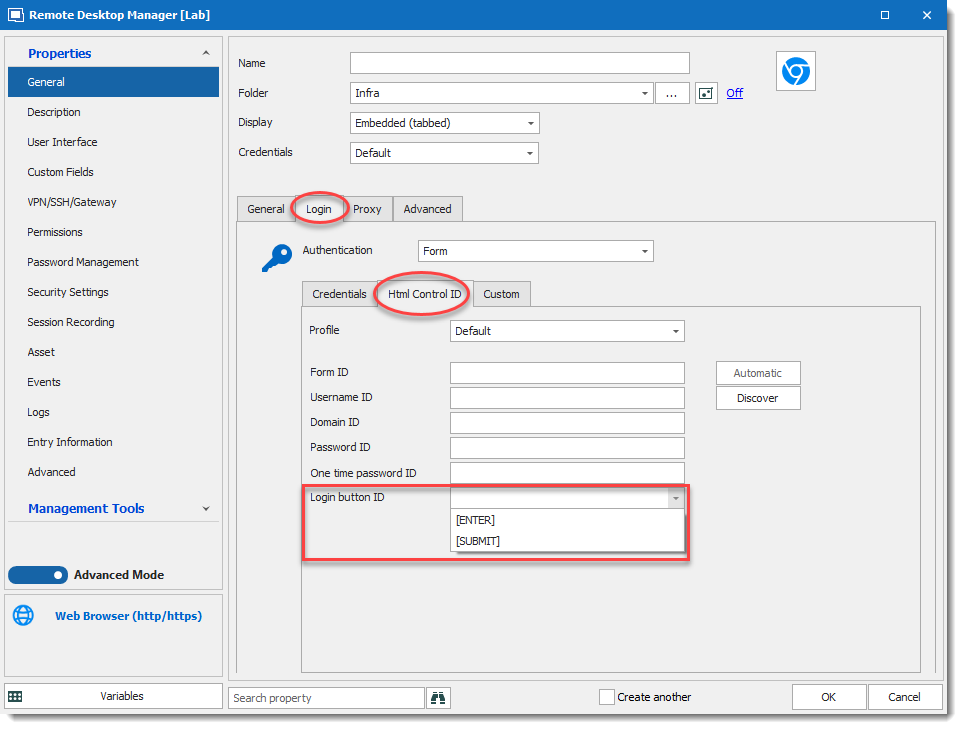
Regards,
David Grandolfo
Web_Browser_Submit.png
Nothing works.
Please send me the source of the button, as we did over the ticket. (we want to see if the button have a name or if the button is only an image)
David Grandolfo
I've sent you the entire rendered source page, so you already have it.
Sadly the source sent doesn't contain this information, please right click on the Submit button and then Inspect in Google Chrome.
A side window (at the right) will appear with the information we need.
Thanks
David Grandolfo
I've seen it, in fact there's no html reference to submit (I suppose is a full Javascript implementation):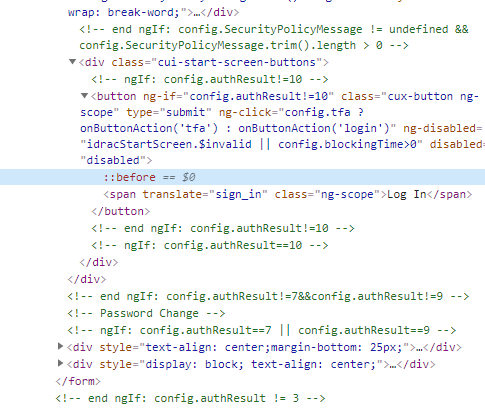
submit.png
We looked and we are thinking that we can't do anything with this type of button. To be able to confirm we will need to test it directly from our Dev machines. If you are open to give us an access please let me know and I will contact you through our ticket system.
That said, I probably have a workaround. Under Events -- Typing Macro set it to {ENTER} with a initial Wait of 3 or 4 seconds. I let you adjust it base on the time it takes to the web page to be fully loaded.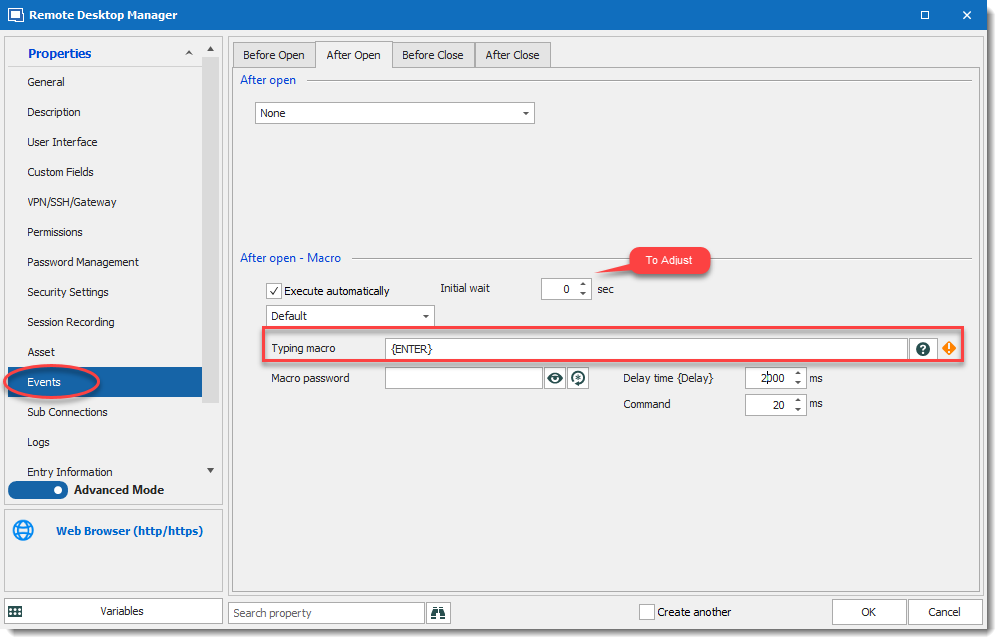
Regards,
David Grandolfo
WebBrowser_Macro.png